Atlas Fallen Trainer
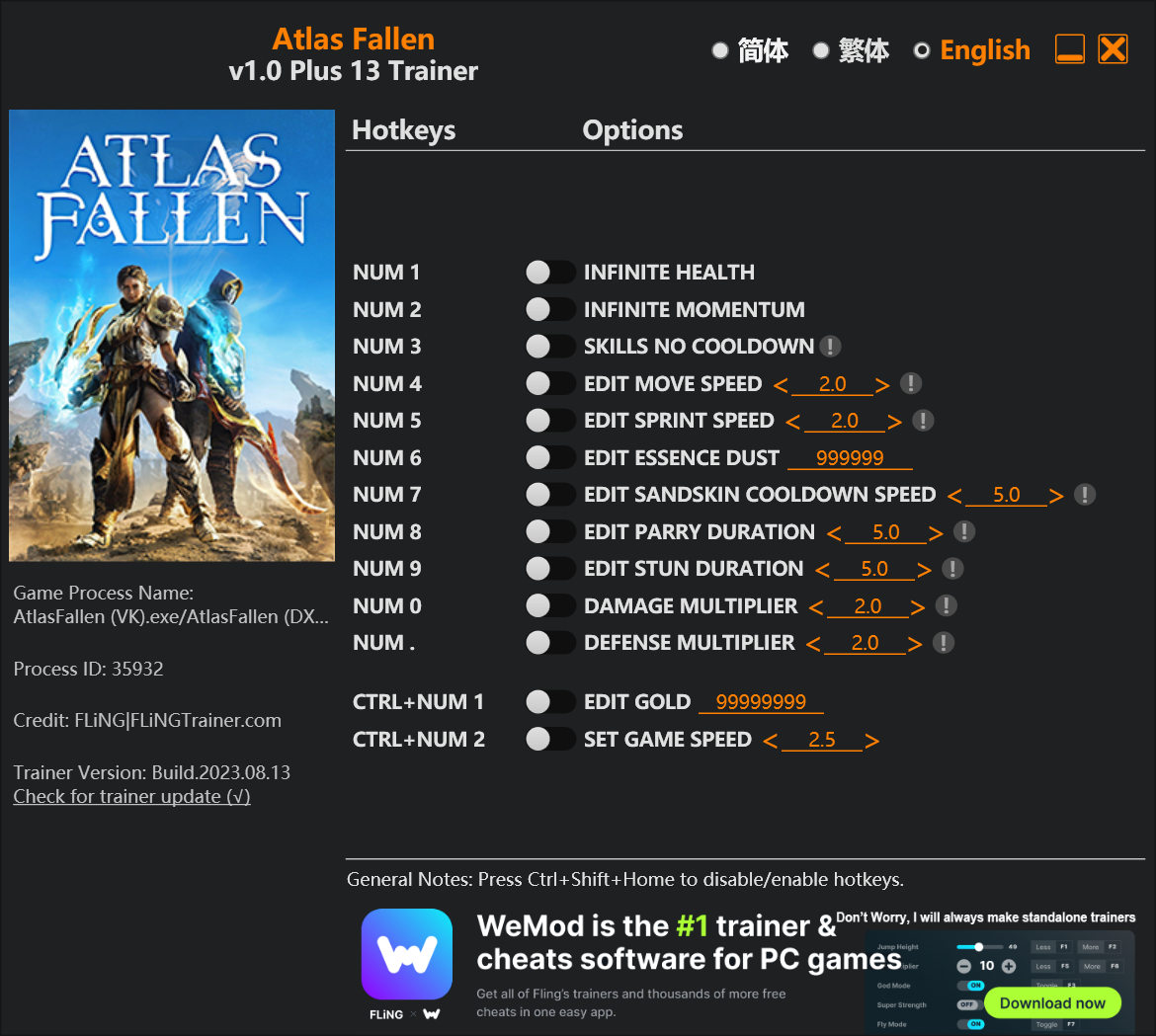
The Atlas Fallen Trainer gives you access to 7 cheats that let you play the game however you want. Struggling with a tough section? Want to skip the grind? Just want to mess around? This trainer has you covered.
Infinite health means you can charge headfirst into anything without consequences. It’s as liberating as it sounds. These cheats let you get past the frustrating parts and actually enjoy the game at your own pace.
Perfect for a second playthrough where you just want to mess around and have fun.
Released in 2023, this role-playing (rpg) and adventure title continues to pull in players who want to get more out of it.
This trainer ships in two flavours. The Auto-Updating Version patches itself every time the game gets an update, so you never have to hunt for a new download. The Standalone version is a single fixed release if you prefer to manage things yourself.
Some of the most popular cheats included in this trainer are Infinite Health, Infinite Momentum, Set Experience, Set Tributes, and many more. These modifications let you customize difficulty, skip grinding, or simply experiment with the game in new ways.
Atlas Fallen Trainer Cheats
This trainer includes 7 cheats covering health, movement, experience, time.
| # | Cheat | Effect |
|---|---|---|
| 1 | Infinite Health | Health that never drops – charge into anything without worry |
| 2 | Infinite Momentum | Never worry about running out of momentum again |
| 3 | Set Experience | Adjust experience to whatever feels right |
| 4 | Set Tributes | Pick your own value for tributes |
| 5 | Game Speed | Speed up or slow down the entire game to your liking |
| 6 | Set Run Speed | Choose exactly how much run speed you want |
| 7 | Set Sprint Speed | Pick your own value for sprint speed |
What Can You Do With This Trainer?
Here are some of the standout cheats in this trainer – the ones that really change how you play:
- Infinite Health – Health that never drops – charge into anything without worry
- Infinite Momentum – Never worry about running out of momentum again
- Set Experience – Pick your own value for experience
- Set Tributes – Choose exactly how much tributes you want
- Game Speed – Speed up or slow down the entire game to your liking
And that’s just scratching the surface. The full cheat list above has everything you need to play the game completely on your own terms.
Download Atlas Fallen Trainer
Download the latest version of this trainer for PC below.
| Version | Creator | Platform | Date Added | Download |
|---|---|---|---|---|
| Auto-Updating Version (Latest) | GreenHouse | Steam | 2026-01-22 | Download |
| Standalone Version | FLiNG | Steam | 2025-11-10 | Download |
How to Use This Trainer
- Load Atlas Fallen – Start the game and either load your existing save or begin a new one. The trainer connects to the running game process.
- Connect the Trainer – Using WeMod? Open the app, search “Atlas Fallen”, and hit Play. Prefer FLiNG standalone? Right-click the .exe and run as Administrator. Either way, the trainer links to the running game.
- Switch On Your Cheats – Browse the cheat list in the WeMod overlay and toggle on whatever you want. Effects are instant and reversible.
- Have Fun – Done! Get back to playing and enjoy the ride. Mix and match cheats whenever you want – there’s no wrong way to use them.
Tips & Known Issues
- Trainers are designed for single-player use only. Using them online or in multiplayer will result in a ban.
- Cloud gaming services like GeForce NOW or Xbox Cloud Gaming are not compatible with trainers. You need the game running locally on PC.
- Overlay apps from Discord, NVIDIA, or Razer can occasionally clash with trainer hooks. Disable them as a troubleshooting step.
- The Steam Overlay can occasionally conflict with trainer software. Disable it in Steam settings if you notice problems.
- One of the perks of WeMod is automatic updates. The trainer syncs with game patches behind the scenes.
Frequently Asked Questions
Can I get banned for using this trainer?
Trainers are for single-player only. Seriously, do not try these in online or multiplayer modes – that is a fast track to a ban.
Is this trainer compatible with mods?
Usually, yes. Trainers and mods can run side by side without issues. The only time you might hit a snag is if a mod changes the same values the trainer is targeting.
Do I need to restart the game after activating cheats?
No restart needed. Cheats take effect the moment you activate them – toggle freely while you play.
How do I know which version to download?
The Auto-Updating Version is the easiest choice – it handles compatibility on its own. Pick the Standalone if you want a specific build that won’t change.
Does this trainer work with Steam?
Yes. The trainer hooks into the game process when launched through Steam.