Despot’s Game: Dystopian Army Builder Trainer
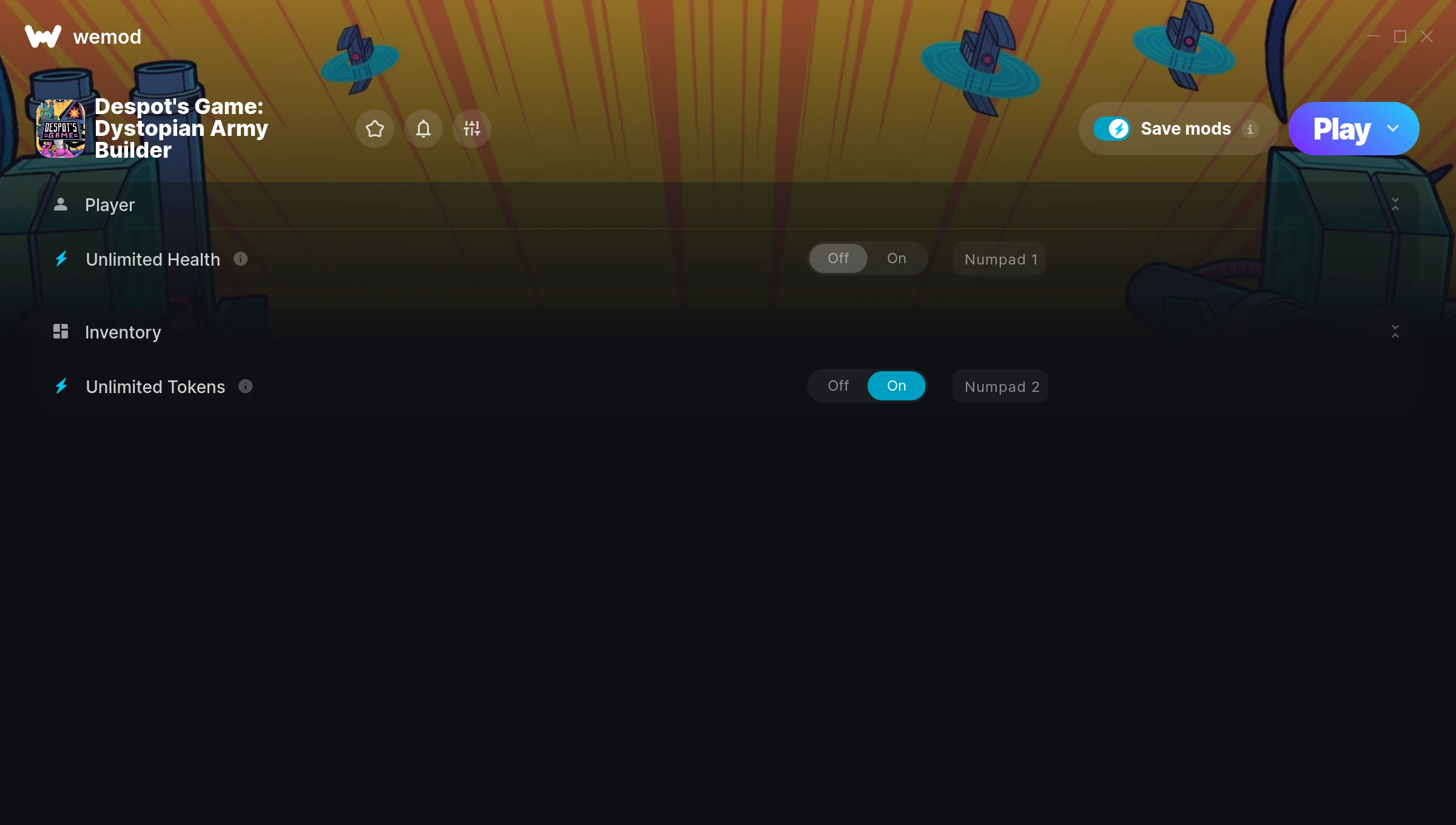
The Despot’s Game: Dystopian Army Builder Trainer gives you access to 2 cheats that let you play the game however you want. Struggling with a tough section? Want to skip the grind? Just want to mess around? This trainer has you covered.
Fair warning – some of these cheats will completely break the game. In the best way possible.
Out since 2022, this puzzle and role-playing (rpg) title is still going strong with players who want to shape the experience on their own terms.
Once you’ve got this trainer installed, it takes care of itself. Every time the game gets a patch, the trainer updates automatically so your cheats keep working.
Despot’s Game: Dystopian Army Builder Trainer Cheats
This trainer includes 2 cheats covering health.
| # | Cheat | Effect |
|---|---|---|
| 1 | Unlimited Health | Your health stays maxed out no matter what hits you |
| 2 | Unlimited Tokens | Remove all limits on your tokens |
Download Despot’s Game: Dystopian Army Builder Trainer
Download the latest version of this trainer for PC below.
| Version | Creator | Platform | Date Added | Download |
|---|---|---|---|---|
| Auto-Updating Version (Latest) | STiNGERR | Steam, Xbox | 2026-01-29 | Download |
How to Use This Trainer
- Load Despot’s Game: Dystopian Army Builder – Start the game and either load your existing save or begin a new one. The trainer connects to the running game process.
- Connect WeMod – Launch the WeMod application and find “Despot’s Game: Dystopian Army Builder” in the library. Press Play and WeMod will hook into the running game automatically.
- Switch On Your Cheats – Browse the cheat list in the WeMod overlay and toggle on whatever you want. Effects are instant and reversible.
- Start Playing – That’s all there is to it. Dive back in and enjoy Despot’s Game: Dystopian Army Builder with your cheats running. Feel free to adjust them anytime mid-game.
Tips & Known Issues
- This trainer is strictly for single-player gameplay. Anti-cheat software in online modes will flag and ban your account.
- Antivirus software may detect the trainer as suspicious. This is normal for game trainers – add an exclusion to proceed.
- If cheats aren’t working, check for conflicting overlays. Discord, GeForce Experience, and similar tools can interfere.
- Trainers are PC-only. If you’re playing on console or through a cloud streaming service, the trainer won’t work.
- No need to check for updates manually with WeMod. The trainer patches itself whenever the game is updated.
Frequently Asked Questions
How often is this trainer updated?
This trainer auto-updates shortly after each game patch, so it stays compatible without you having to do anything.
Can I use multiple cheats at the same time?
Absolutely. Stack as many as you want. God mode plus unlimited ammo plus one-hit kills? Go for it. That’s half the fun.
What should I do if the trainer stops working after an update?
If a game patch breaks things, the auto-updating trainer will fix itself automatically – usually within a day or two.
Do I need to restart the game after activating cheats?
Nope. Cheats kick in immediately while the game is running. Just toggle them on and off whenever you want.
Can I customise how much health or money I get?
Where available, yes. Look for cheats labelled ‘Set’ or ‘Edit’ – these let you punch in a custom value instead of going straight to infinite.
Does this trainer work with Steam?
Yes, it works with Steam, Xbox. Check the download table above for specific platform details.