Poker Night at the Inventory Trainer
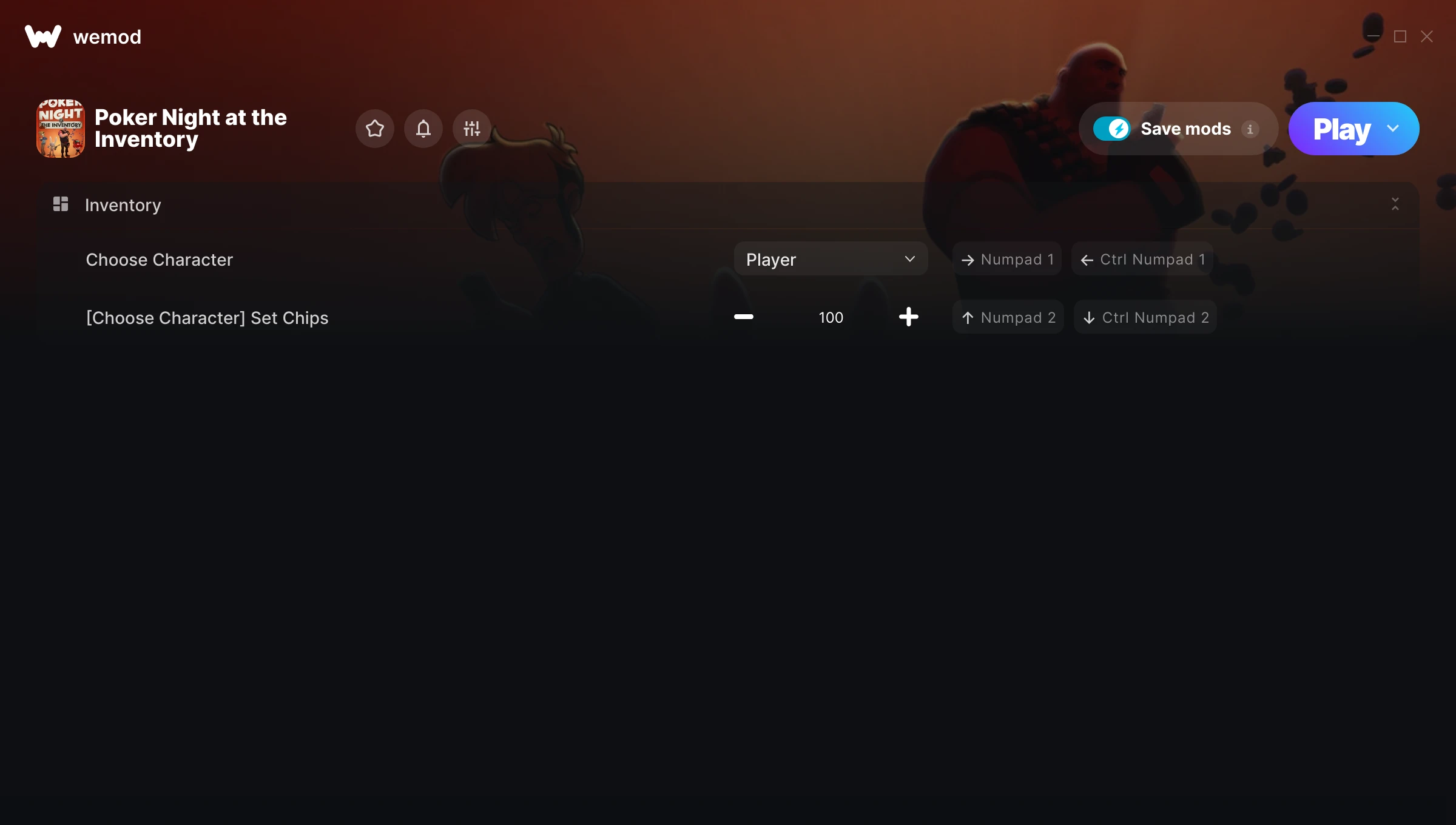
The Poker Night at the Inventory Trainer gives you access to 2 cheats that let you play the game however you want. Struggling with a tough section? Want to skip the grind? Just want to mess around? This trainer has you covered.
The cheat list below covers basically everything you’d want to tweak. Health, resources, speed – all of it.
If you missed Poker Night at the Inventory when it launched in 2010, now’s a great time to jump into this sport and turn-based strategy (tbs) title.
This trainer is auto-updating – it patches itself every time the game gets an update, so you never have to hunt for a new download. Just install it once and you’re set.
Poker Night at the Inventory Trainer Cheats
This trainer includes 2 cheats for tweaking your gameplay.
| # | Cheat | Effect |
|---|---|---|
| 1 | Choose Character | Tweak the choose character mechanic to your advantage |
| 2 | [Choose Character] Set Chips | Pick your own value for [choose character] chips |
Download Poker Night at the Inventory Trainer
Download the latest version of this trainer for PC below.
| Version | Creator | Platform | Date Added | Download |
|---|---|---|---|---|
| Auto-Updating Version (Latest) | GreenHouse | Steam | 2026-03-12 | Download |
How to Use This Trainer
- Fire Up Poker Night at the Inventory – Open the game and let it load fully. Whether you’re continuing a save or starting new, just make sure it’s running.
- Activate WeMod – Run the WeMod app, locate “Poker Night at the Inventory”, and hit Play. WeMod attaches to the game and shows you the full cheat list in the overlay.
- Turn On Cheats – Pick the cheats you want from the WeMod overlay and switch them on. They kick in instantly and you can toggle them off anytime.
- Play and Enjoy – That’s it – jump back into the game and enjoy. You can toggle cheats on and off whenever you want. Half the fun is experimenting to find your perfect setup.
Tips & Known Issues
- Never activate this trainer during online play. It’s built for single-player only and multiplayer anti-cheat will catch it.
- Overlay apps from Discord, NVIDIA, or Razer can occasionally clash with trainer hooks. Disable them as a troubleshooting step.
- For the trainer to work properly, make sure you launch it with Administrator privileges.
- Steam users may want to turn off the Steam Overlay to prevent it from interfering with the trainer.
- No need to check for updates manually with WeMod. The trainer patches itself whenever the game is updated.
Frequently Asked Questions
What should I do if the trainer stops working after an update?
If a game patch breaks things, the auto-updating trainer will fix itself automatically – usually within a day or two.
How do I know which version to download?
This trainer auto-updates whenever the game is patched, so you always have the latest compatible version. Just download it once and you’re set.
Is this trainer free to download?
It is. No hidden fees, no sign-up walls – just download it from the links above and start playing.
Can I customise how much health or money I get?
Certain cheats let you choose exact amounts instead of just toggling unlimited. Check for any ‘set’ or ‘edit’ options in the cheat list.
Can I get banned for using this trainer?
As long as you stick to single-player, you’re fine. Using cheats in multiplayer or online modes is a completely different story – don’t do it.
Does this trainer work with Steam?
Yes, it works with the Steam version of the game.