Tower Dominion Trainer
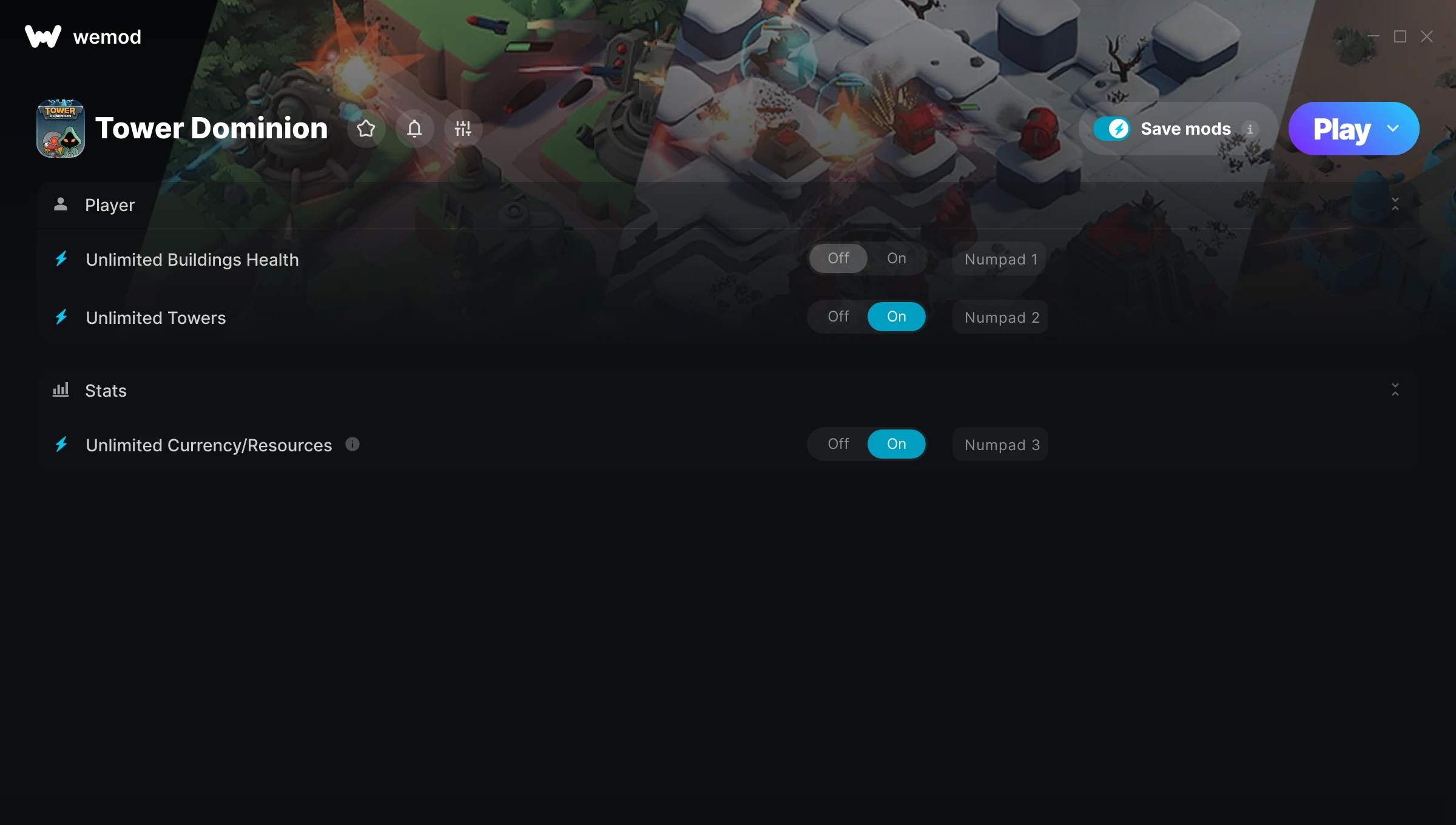
The Tower Dominion Trainer gives you access to 3 cheats that let you play the game however you want. Struggling with a tough section? Want to skip the grind? Just want to mess around? This trainer has you covered.
We’ve seen people sink hundreds of hours into this game with cheats on. It hits different.
If you missed Tower Dominion when it launched in 2025, now’s a great time to jump into this strategy title.
This trainer stays in sync with game patches automatically. You’ll never have to worry about downloading a new version after an update – it handles everything behind the scenes.
Tower Dominion Trainer Cheats
This trainer includes 3 cheats covering health, resources, crafting.
| # | Cheat | Effect |
|---|---|---|
| 1 | Unlimited Buildings Health | Your buildings health never runs out or depletes |
| 2 | Unlimited Towers | Use your towers as much as you want without limits |
| 3 | Unlimited Currency/Resources | Use your currency/resources as much as you want without limits |
What Can You Do With This Trainer?
Here are some of the standout cheats in this trainer – the ones that really change how you play:
- Unlimited Buildings Health – Use your buildings health as much as you want without limits
- Unlimited Towers – Your towers never runs out or depletes
- Unlimited Currency/Resources – Use your currency/resources as much as you want without limits
And that’s just scratching the surface. The full Tower Dominion cheat list above has everything you need to play completely on your own terms.
Download Tower Dominion Trainer
Download the latest version of this trainer for PC below.
| Version | Creator | Platform | Date Added | Download |
|---|---|---|---|---|
| Auto-Updating Version (Latest) | STiNGERR | Steam | 2026-01-21 | Download |
How to Use This Trainer
- Open Tower Dominion – Launch the game and wait until you’re in-game or at the main menu. The trainer needs the game process running to hook into it.
- Open the Trainer – Open the WeMod app and search for “Tower Dominion”. Click Play to launch the overlay. WeMod will detect the game and enable all available cheats.
- Choose Your Cheats – Scroll through the WeMod overlay and enable the cheats that interest you. All changes happen live while you play.
- Play Your Way – That’s the full setup. Get back into Tower Dominion and play on your own terms. Adjust cheats whenever the mood strikes.
Tips & Known Issues
- Only use this trainer in single-player. Online and multiplayer modes have anti-cheat systems that will detect and ban you.
- Multiple overlays running at once can cause issues. If the trainer isn’t responding, close any unnecessary overlay software.
- Antivirus software may detect the trainer as suspicious. This is normal for game trainers – add an exclusion to proceed.
- If this is your primary save, consider making a backup first. Cheats won’t corrupt data, but it’s good to have a safety net.
- WeMod auto-updates the trainer after game patches, so you never have to manually download a new version.
Frequently Asked Questions
Can I use multiple cheats at the same time?
You can run every single cheat at once if you want. Mix and match until you find a combination you enjoy.
Will the trainer work with the latest game version?
The auto-updating trainer stays compatible with new patches on its own. If you grabbed the Standalone version, you might need to check for a newer release after big updates.
How do I know which version to download?
This trainer auto-updates whenever the game is patched, so you always have the latest compatible version. Just download it once and you’re set.
Will this trainer affect my save files?
The trainer only modifies values in memory while the game is running. Your save files stay intact, though any progress you make with cheats on will save as normal.
Does this trainer work with Steam?
It does. This trainer is built to work with the Steam version.