Warhammer 40,000: Dawn of War II Trainer
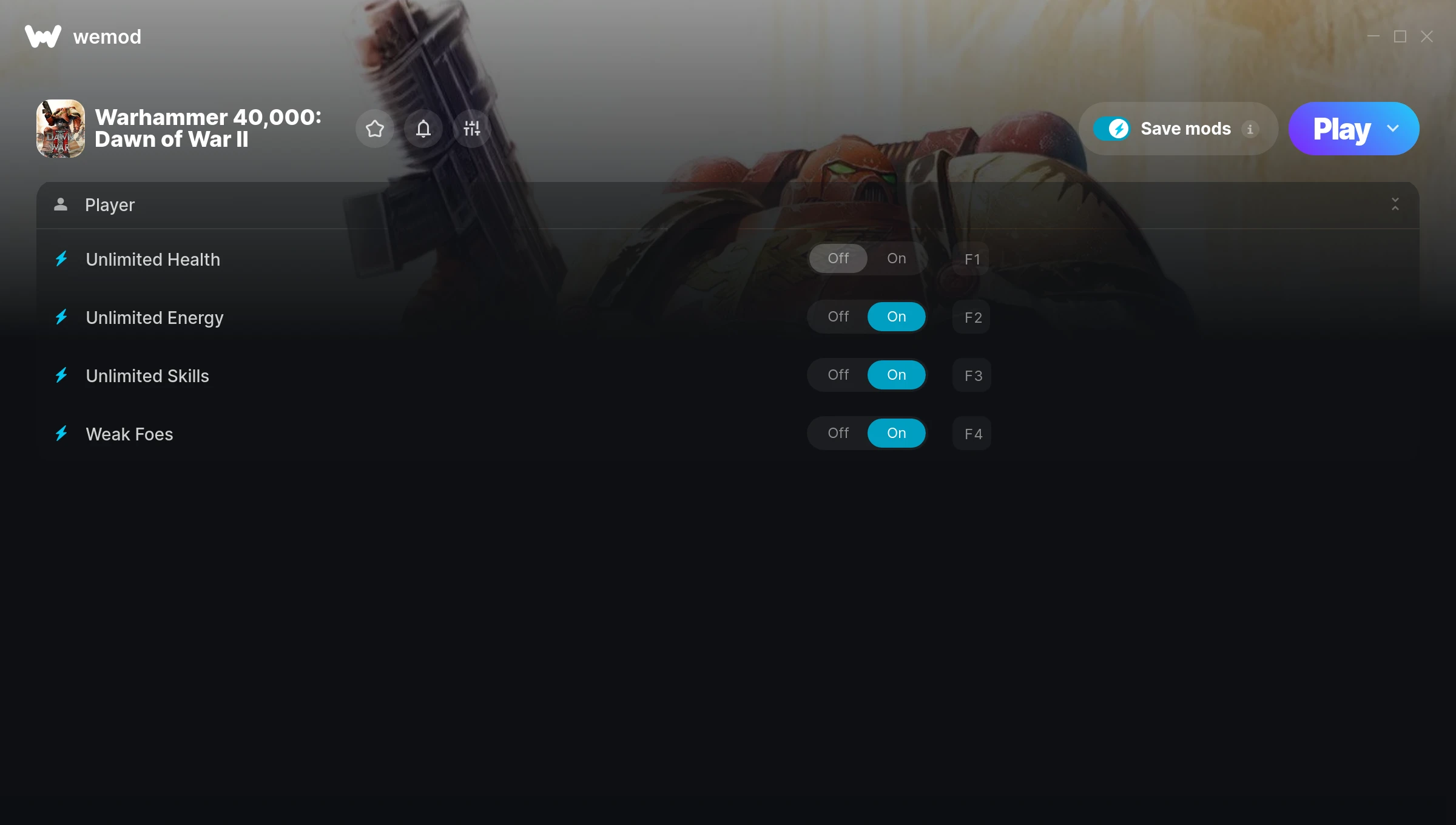
The Warhammer 40,000: Dawn of War II Trainer gives you access to 4 cheats that let you play the game however you want. Struggling with a tough section? Want to skip the grind? Just want to mess around? This trainer has you covered.
If you’ve already finished the story and want to replay it like an overpowered lunatic, this is for you.
First hitting the scene in 2010, this real time strategy (rts) and strategy title keeps attracting players who want more control over their run.
This trainer ships in two flavours. The Auto-Updating Version patches itself every time the game gets an update, so you never have to hunt for a new download. The Standalone version is a single fixed release if you prefer to manage things yourself.
Warhammer 40,000: Dawn of War II Trainer Cheats
This trainer includes 4 cheats covering health.
| # | Cheat | Effect |
|---|---|---|
| 1 | Unlimited Health | Your health stays maxed out no matter what hits you |
| 2 | Unlimited Energy | Remove all limits on your energy |
| 3 | Unlimited Skills | Your skills never runs out or depletes |
| 4 | Weak Foes | Tweak the weak foes mechanic to your advantage |
What Can You Do With This Trainer?
Here are some of the standout cheats in this trainer – the ones that really change how you play:
- Unlimited Health – Your health stays maxed out no matter what hits you
- Unlimited Energy – Your energy never runs out or depletes
- Unlimited Skills – Use your skills as much as you want without limits
- Weak Foes – Tweak the weak foes mechanic to your advantage
And that’s just scratching the surface. The full Warhammer 40,000: Dawn of War II cheat list above has everything you need to play completely on your own terms.
Download Warhammer 40,000: Dawn of War II Trainer
Download the latest version of this trainer for PC below.
| Version | Creator | Platform | Date Added | Download |
|---|---|---|---|---|
| Auto-Updating Version (Latest) | MrAntiFun | Steam | 2026-01-09 | Download |
How to Use This Trainer
- Get Into Warhammer 40,000: Dawn of War II – Launch the game, get past the splash screens, and load into gameplay. Once you can see your character or the main menu, move to step 2.
- Open WeMod Overlay – Search for “Warhammer 40,000: Dawn of War II” in WeMod and click Play. The in-game overlay will appear with toggles for every available cheat.
- Switch On Your Cheats – Browse the cheat list in the WeMod overlay and toggle on whatever you want. Effects are instant and reversible.
- Enjoy the Game – You’re all set. Play the game with your cheats active and switch them around as you go. Try different combinations to see what’s the most fun.
Tips & Known Issues
- Never activate this trainer during online play. It’s built for single-player only and multiplayer anti-cheat will catch it.
- While trainers are safe to use, backing up your save file beforehand is always a smart precaution.
- Always match your game version to the trainer version. An outdated game build can cause cheats to fail silently.
- This trainer is for the PC version of the game only. PlayStation, Xbox, and Switch are not supported.
- The WeMod version updates itself automatically after each game patch. No action needed on your end.
Frequently Asked Questions
How often is this trainer updated?
The Auto-Updating Version syncs with game patches within a day or two. Standalone releases come out as needed.
What should I do if the trainer stops working after an update?
The Auto-Updating Version handles this on its own – give it a day or two after a big patch. Standalone users should check for an updated download.
Will the trainer work with the latest game version?
The auto-updating trainer stays compatible with new patches on its own. If you grabbed the Standalone version, you might need to check for a newer release after big updates.
Can I get banned for using this trainer?
Single-player? No risk at all. Online or multiplayer? Do not even think about it. Anti-cheat systems will catch you and you will be banned.
Does this trainer work with Steam?
Yes. The trainer hooks into the game process when launched through Steam.