20XX Trainer
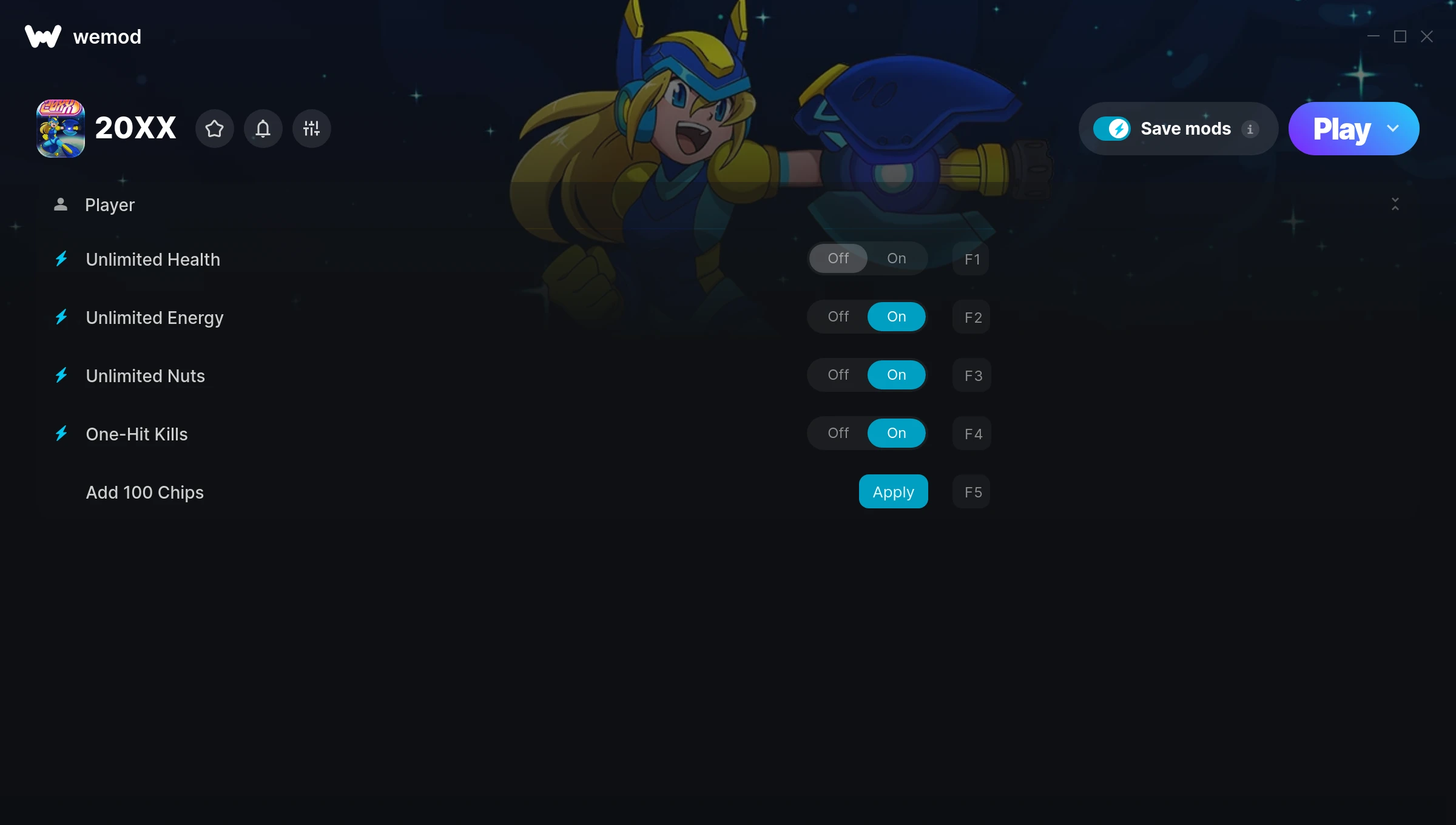
The 20XX Trainer gives you access to 5 cheats that let you play the game however you want. Struggling with a tough section? Want to skip the grind? Just want to mess around? This trainer has you covered.
You already bought the game. Might as well play it exactly the way you want to.
Players have been diving into 20XX since 2017, making it one of the more enduring shooter and platform titles out there.
The best part? This PC trainer auto-updates whenever the game is patched. Zero effort on your part – it stays compatible in the background so you can just play.
Some of the most popular cheats included in this trainer are Unlimited Health, Unlimited Energy, Unlimited Nuts, One-Hit Kills, and many more. These modifications let you customize difficulty, skip grinding, or simply experiment with the game in new ways.
20XX Trainer Cheats
This trainer includes 5 cheats covering health.
| # | Cheat | Effect |
|---|---|---|
| 1 | Unlimited Health | Your health stays maxed out no matter what hits you |
| 2 | Unlimited Energy | Use your energy as much as you want without limits |
| 3 | Unlimited Nuts | Your nuts never runs out or depletes |
| 4 | One-Hit Kills | Tweak the one hit kills mechanic to your advantage |
| 5 | Add 100 Chips | Add extra 100 chips whenever you need it |
What Can You Do With This Trainer?
Here are some of the standout cheats in this trainer – the ones that really change how you play:
- Unlimited Health – Your health stays maxed out no matter what hits you
- Unlimited Energy – Remove all limits on your energy
- Unlimited Nuts – Remove all limits on your nuts
- One-Hit Kills – Tweak the one hit kills mechanic to your advantage
- Add 100 Chips – Give yourself more 100 chips on demand
And that’s just scratching the surface. The full 20XX cheat list above has everything you need to play completely on your own terms.
Download 20XX Trainer
Download the latest version of this trainer for PC below.
| Version | Creator | Platform | Date Added | Download |
|---|---|---|---|---|
| Auto-Updating Version (Latest) | MrAntiFun | Steam | 2025-10-12 | Download |
How to Use This Trainer
- Launch 20XX – Start the game and load into your save file or start a new game. Make sure it’s running before activating the trainer.
- Connect WeMod – Launch the WeMod application and find “20XX” in the library. Press Play and WeMod will hook into the running game automatically.
- Switch On Your Cheats – Browse the cheat list in the WeMod overlay and toggle on whatever you want. Effects are instant and reversible.
- Have Fun – Done! Get back to playing and enjoy the ride. Mix and match cheats whenever you want – there’s no wrong way to use them.
Tips & Known Issues
- Only use this trainer in single-player. Online and multiplayer modes have anti-cheat systems that will detect and ban you.
- If cheats aren’t activating, check that the trainer is running with Administrator rights.
- Always match your game version to the trainer version. An outdated game build can cause cheats to fail silently.
- For the smoothest experience on Steam, switch off the Steam Overlay in your Steam settings before running the trainer.
- WeMod auto-updates the trainer after game patches, so you never have to manually download a new version.
Frequently Asked Questions
Can I customise how much health or money I get?
Some cheats include an edit mode where you can set a specific value rather than just maxing things out. Great for keeping things balanced if you want.
How do I know which version to download?
This trainer auto-updates whenever the game is patched, so you always have the latest compatible version. Just download it once and you’re set.
Will the trainer work with the latest game version?
The Auto-Updating Version keeps itself current automatically after each game patch.
Can I use multiple cheats at the same time?
You can run every single cheat at once if you want. Mix and match until you find a combination you enjoy.
How often is this trainer updated?
This trainer auto-updates shortly after each game patch, so it stays compatible without you having to do anything.
What should I do if the trainer stops working after an update?
If a game patch breaks things, the auto-updating trainer will fix itself automatically – usually within a day or two.
Does this trainer work with Steam?
Fully compatible with Steam. Just launch the game through Steam and run the trainer alongside it.