Acceleration of SUGURI 2 Trainer
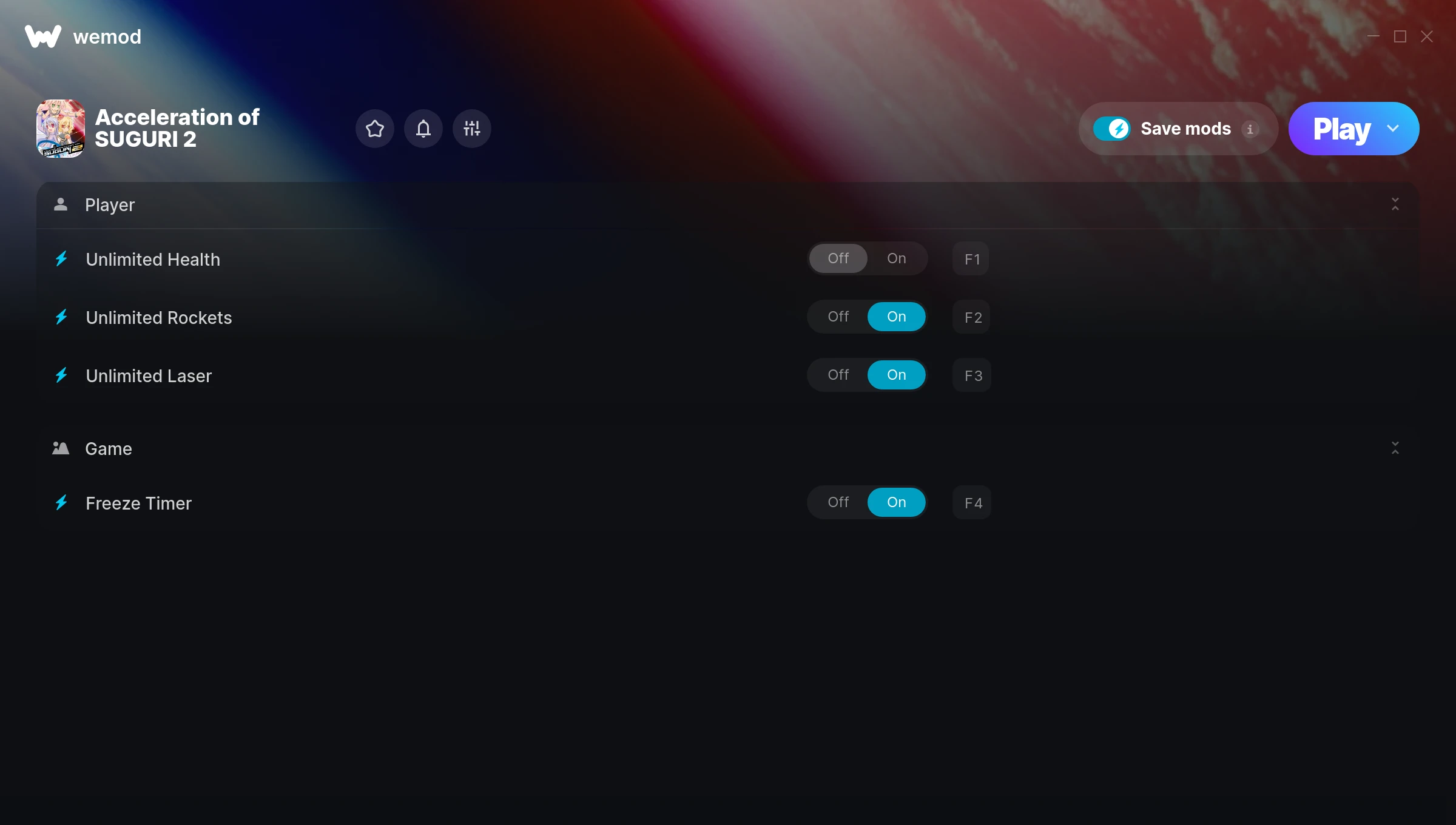
The Acceleration of SUGURI 2 Trainer gives you access to 4 cheats that let you play the game however you want. Struggling with a tough section? Want to skip the grind? Just want to mess around? This trainer has you covered.
Freezing time gives you all the breathing room you need to plan the perfect move. These cheats let you get past the frustrating parts and actually enjoy the game at your own pace.
First playthrough? Maybe hold off. Second playthrough? Go nuts.
Released in 2011, this fighting and shooter title continues to pull in players who want to get more out of it.
This trainer is auto-updating – it patches itself every time the game gets an update, so you never have to hunt for a new download. Just install it once and you’re set.
Acceleration of SUGURI 2 Trainer Cheats
This trainer includes 4 cheats covering health, time.
| # | Cheat | Effect |
|---|---|---|
| 1 | Unlimited Health | Your health stays maxed out no matter what hits you |
| 2 | Unlimited Rockets | Your rockets never runs out or depletes |
| 3 | Unlimited Laser | Remove all limits on your laser |
| 4 | Freeze Timer | Stop any in-game countdown dead in its tracks |
What Can You Do With This Trainer?
Here are some of the standout cheats in this trainer – the ones that really change how you play:
- Unlimited Health – Your health stays maxed out no matter what hits you
- Unlimited Rockets – Your rockets never runs out or depletes
- Unlimited Laser – Use your laser as much as you want without limits
- Freeze Timer – Stop any in-game countdown dead in its tracks
And that’s just scratching the surface. The full Acceleration of SUGURI 2 cheat list above has everything you need to play completely on your own terms.
Download Acceleration of SUGURI 2 Trainer
Download the latest version of this trainer for PC below.
| Version | Creator | Platform | Date Added | Download |
|---|---|---|---|---|
| Auto-Updating Version (Latest) | MrAntiFun | Steam | 2026-01-11 | Download |
How to Use This Trainer
- Run Acceleration of SUGURI 2 – Get the game running first – load a save or start fresh. The trainer won’t work unless the game is already open.
- Launch WeMod – Fire up the WeMod app and search for “Acceleration of SUGURI 2”. Hit Play and the overlay will appear over your game with all cheats ready to toggle.
- Flip On the Cheats – In the WeMod overlay, toggle the cheats you’re interested in. They apply immediately to your game session.
- Jump Back In – You’re good to go. Return to the game and enjoy your modified experience. Toggle cheats on or off anytime as you play.
Tips & Known Issues
- This trainer is strictly for single-player gameplay. Anti-cheat software in online modes will flag and ban your account.
- Trainers need direct access to the game’s memory on your PC. They won’t work with console editions or streamed versions.
- Overlay apps from Discord, NVIDIA, or Razer can occasionally clash with trainer hooks. Disable them as a troubleshooting step.
- Some antivirus software may flag the trainer as a false positive. You may need to add an exception for it.
- WeMod auto-updates the trainer after game patches, so you never have to manually download a new version.
Frequently Asked Questions
Can I customise how much health or money I get?
Where available, yes. Look for cheats labelled ‘Set’ or ‘Edit’ – these let you punch in a custom value instead of going straight to infinite.
How do I use this trainer?
It’s straightforward: download, run the trainer while the game is open, and press the hotkeys to activate whichever cheats you want.
How often is this trainer updated?
This trainer auto-updates shortly after each game patch, so it stays compatible without you having to do anything.
Do I need to restart the game after activating cheats?
No. Cheats are live the instant you toggle them. You can switch them on and off mid-gameplay without interruption.
Will this trainer affect my save files?
It won’t corrupt your saves. The trainer works in memory only – but keep in mind that any progress made with cheats enabled will be saved normally.
Does this trainer work with Steam?
Yes. The trainer hooks into the game process when launched through Steam.