Apex Point Trainer
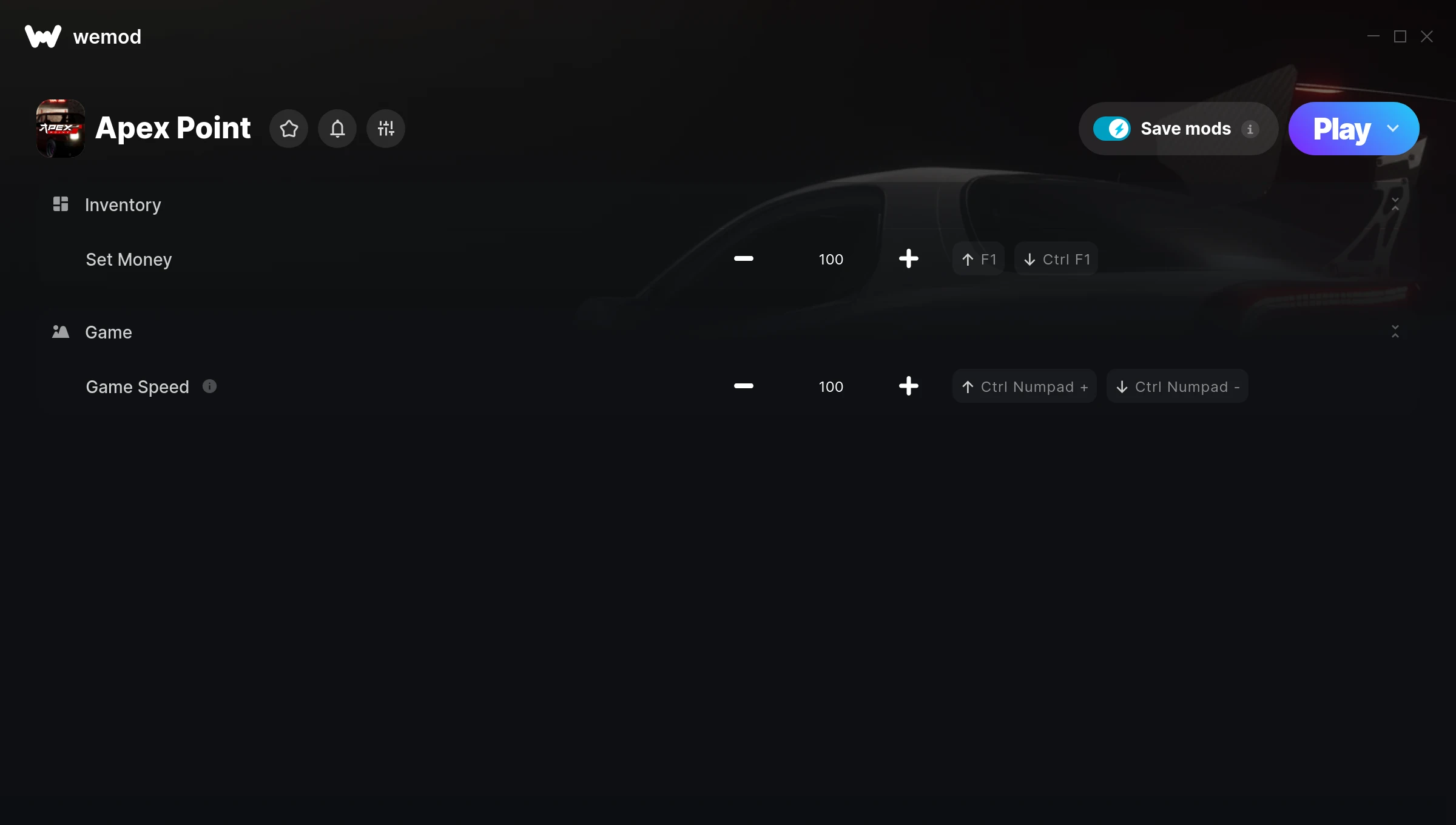
The Apex Point Trainer gives you access to 2 cheats that let you play the game however you want. Struggling with a tough section? Want to skip the grind? Just want to mess around? This trainer has you covered.
You can play it straight or go full chaos mode. No judgement either way.
Dropping in 2023, Apex Point brought something different to the racing and simulator scene and players are still hooked.
The best part? This PC trainer auto-updates whenever the game is patched. Zero effort on your part – it stays compatible in the background so you can just play.
Apex Point Trainer Cheats
This trainer includes 2 cheats covering resources, movement, time.
| # | Cheat | Effect |
|---|---|---|
| 1 | Set Money | Choose exactly how much money you want |
| 2 | Game Speed | Speed up or slow down the entire game to your liking |
Download Apex Point Trainer
Download the latest version of this trainer for PC below.
| Version | Creator | Platform | Date Added | Download |
|---|---|---|---|---|
| Auto-Updating Version (Latest) | GreenHouse | Steam | 2026-01-09 | Download |
How to Use This Trainer
- Launch the Game – Open Apex Point and get to the point where you’re actually playing. The trainer hooks into the game while it’s running.
- Open the Trainer – Open the WeMod app and search for “Apex Point”. Click Play to launch the overlay. WeMod will detect the game and enable all available cheats.
- Toggle Your Cheats – Flip on whichever cheats you want from the WeMod overlay. Each one takes effect immediately – no restart needed.
- Start Playing – That’s all there is to it. Dive back in and enjoy Apex Point with your cheats running. Feel free to adjust them anytime mid-game.
Tips & Known Issues
- This is a single-player trainer only. Do not use it in online or multiplayer modes – you will get banned.
- If you’re running other overlays (Discord, NVIDIA, MSI Afterburner), try disabling them if the trainer isn’t responding.
- If using Steam, consider disabling the Steam Overlay (Steam > Settings > In-Game) to avoid conflicts with the trainer.
- A quick save backup takes seconds and gives you peace of mind when experimenting with trainer cheats.
- Using WeMod? The trainer stays current on its own – it auto-patches after every game update.
Frequently Asked Questions
Do I need to restart the game after activating cheats?
No restart needed. Cheats take effect the moment you activate them – toggle freely while you play.
Can I get banned for using this trainer?
Not in single-player – that’s what trainers are designed for. Never use them in online or multiplayer though, that will get you banned.
Will the trainer work with the latest game version?
The auto-updating trainer stays compatible with new patches on its own. If you grabbed the Standalone version, you might need to check for a newer release after big updates.
Is this trainer compatible with mods?
In most cases they work fine together. Conflicts only happen when a mod alters the exact same memory values the trainer is trying to modify.
Will this trainer affect my save files?
The trainer only modifies values in memory while the game is running. Your save files stay intact, though any progress you make with cheats on will save as normal.
Does this trainer work with Steam?
Yes. The trainer hooks into the game process when launched through Steam.