Aragami Trainer

The Aragami Trainer gives you access to 4 cheats that let you play the game however you want. Struggling with a tough section? Want to skip the grind? Just want to mess around? This trainer has you covered.
You can play it straight or go full chaos mode. No judgement either way.
Players have been diving into Aragami since 2016, making it one of the more enduring adventure and indie titles out there.
There’s an Auto-Updating Version that syncs with game patches on its own, and a Standalone version for anyone who prefers a one-time download. Either way, every cheat in the list is included.
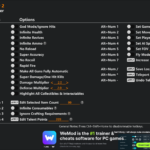
Aragami Trainer Cheats
This trainer includes 4 cheats covering health.
| # | Cheat | Effect |
|---|---|---|
| 1 | Ghost | Tweak the ghost mechanic to your advantage |
| 2 | Invincible | Take zero damage from anything, period |
| 3 | No Energy Loss | Completely disable energy loss |
| 4 | No Skill Requirements | Remove skill requirements from the equation |
What Can You Do With This Trainer?
Here are some of the standout cheats in this trainer – the ones that really change how you play:
- Ghost – Tweak the ghost mechanic to your advantage
- Invincible – Take zero damage from anything, period
- No Energy Loss – Turn off energy loss entirely for easier gameplay
- No Skill Requirements – Completely disable skill requirements
And that’s just scratching the surface. The full Aragami cheat list above has everything you need to play completely on your own terms.
Download Aragami Trainer
Download the latest version of this trainer for PC below.
| Version | Creator | Platform | Date Added | Download |
|---|---|---|---|---|
| Auto-Updating Version (Latest) | STN | Steam | 2026-01-30 | Download |
| Standalone Version | FLiNG | Steam | 2025-11-04 | Download |
How to Use This Trainer
- Launch the Game – Open Aragami and get to the point where you’re actually playing. The trainer hooks into the game while it’s running.
- Open the Trainer – If using WeMod, open the app and search for “Aragami”. Click Play to launch the overlay. For the standalone FLiNG trainer, run the downloaded .exe as Administrator.
- Turn On Cheats – Pick the cheats you want from the WeMod overlay and switch them on. They kick in instantly and you can toggle them off anytime.
- Play and Enjoy – That’s it – jump back into the game and enjoy. You can toggle cheats on and off whenever you want. Half the fun is experimenting to find your perfect setup.
Tips & Known Issues
- Trainers are designed for single-player use only. Using them online or in multiplayer will result in a ban.
- Your antivirus might quarantine the trainer file. This is a known false positive – whitelist the trainer in your security software.
- Trainer compatibility depends on game version. If cheats aren’t activating, check that your game is up to date.
- Multiple overlays running at once can cause issues. If the trainer isn’t responding, close any unnecessary overlay software.
- WeMod auto-updates the trainer after game patches, so you never have to manually download a new version.
Frequently Asked Questions
Can I get banned for using this trainer?
As long as you stick to single-player, you’re fine. Using cheats in multiplayer or online modes is a completely different story – don’t do it.
How do I use this trainer?
Download the trainer, run it alongside the game, and use the hotkeys to toggle cheats on and off. It really is that simple.
Is this trainer compatible with mods?
They’re typically fine together. The rare exception is when a mod overwrites the same values the trainer hooks into, but that’s uncommon.
How often is this trainer updated?
The Auto-Updating Version gets patched shortly after each game update. The Standalone version is updated periodically, so keep an eye out for new releases.
What should I do if the trainer stops working after an update?
Sit tight. The auto-updating trainer usually fixes itself within a day or so after a patch. If you’re on the Standalone version, look for a newer build.
Will the trainer work with the latest game version?
The Auto-Updating Version keeps itself current automatically after each game patch. The Standalone version might need a manual update after big patches.
Does this trainer work with Steam?
Yes, it works with the Steam version of the game.