Baldur’s Gate II: Enhanced Edition Trainer
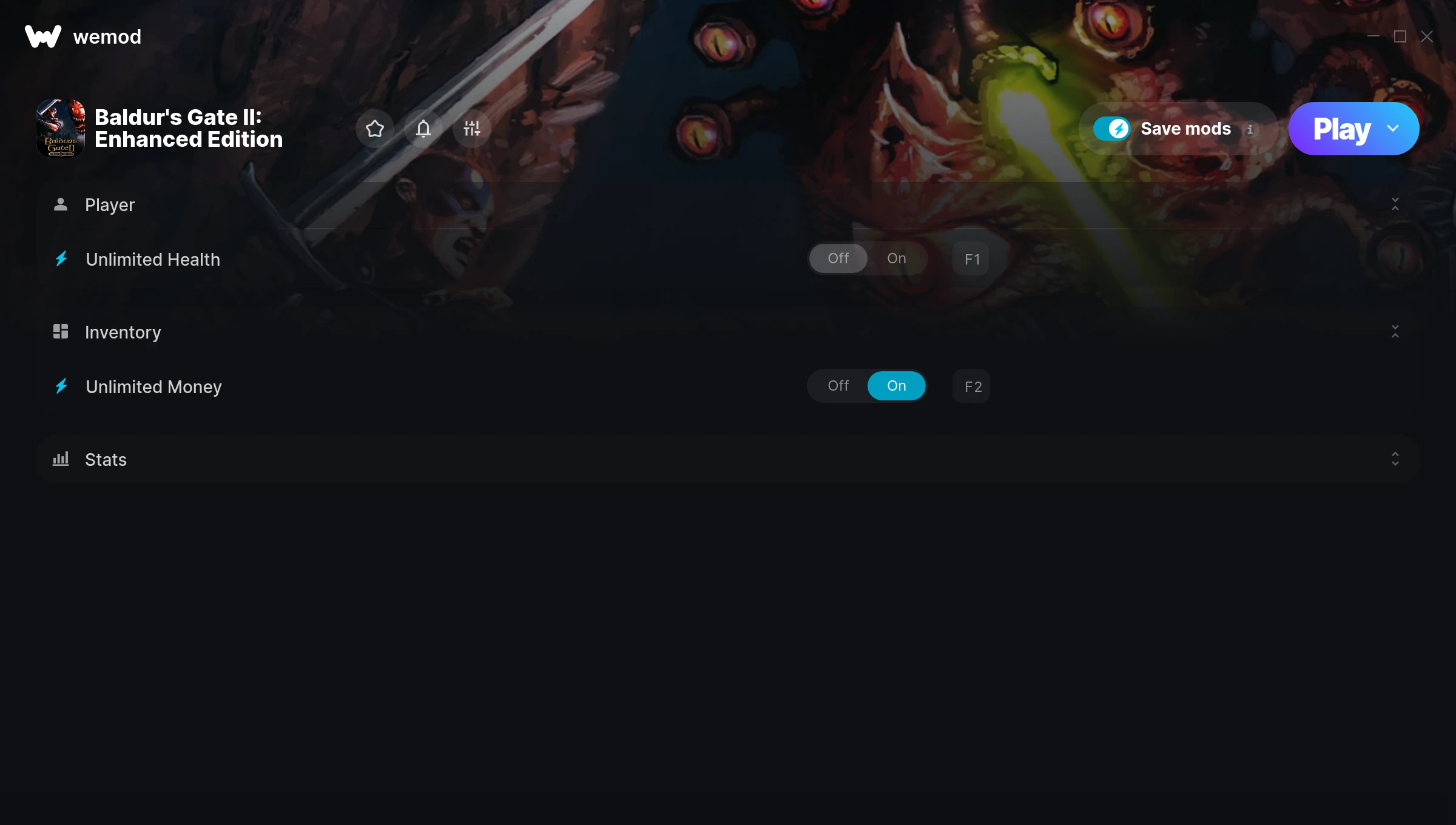
The Baldur’s Gate II: Enhanced Edition Trainer gives you access to 3 cheats that let you play the game however you want. Struggling with a tough section? Want to skip the grind? Just want to mess around? This trainer has you covered.
Unlimited money removes the grind entirely – just buy what you want and get back to the fun parts. These cheats let you get past the frustrating parts and actually enjoy the game at your own pace.
Fair warning – some of these cheats will completely break the game. In the best way possible.
Baldur’s Gate II: Enhanced Edition first launched in 2013 as a role-playing (rpg) and strategy title and still has a strong community of players today.
The best part? This PC trainer auto-updates whenever the game is patched. Zero effort on your part – it stays compatible in the background so you can just play.
Baldur’s Gate II: Enhanced Edition Trainer Cheats
This trainer includes 3 cheats covering health, resources.
| # | Cheat | Effect |
|---|---|---|
| 1 | Unlimited Health | Your health stays maxed out no matter what hits you |
| 2 | Unlimited Money | Buy anything you want without thinking about cost |
| 3 | Super Stats | Massively boost your stats beyond normal limits |
What Can You Do With This Trainer?
Here are some of the standout cheats in this trainer – the ones that really change how you play:
- Unlimited Health – Your health stays maxed out no matter what hits you
- Unlimited Money – Buy anything you want without thinking about cost
- Super Stats – Massively boost your stats beyond normal limits
And that’s just scratching the surface. The full Baldur’s Gate II: Enhanced Edition cheat list above has everything you need to play completely on your own terms.
Download Baldur’s Gate II: Enhanced Edition Trainer
Download the latest version of this trainer for PC below.
| Version | Creator | Platform | Date Added | Download |
|---|---|---|---|---|
| Auto-Updating Version (Latest) | MrAntiFun | Steam | 2025-07-13 | Download |
How to Use This Trainer
- Load Baldur’s Gate II: Enhanced Edition – Start the game and either load your existing save or begin a new one. The trainer connects to the running game process.
- Activate WeMod – Run the WeMod app, locate “Baldur’s Gate II: Enhanced Edition”, and hit Play. WeMod attaches to the game and shows you the full cheat list in the overlay.
- Turn On Cheats – Pick the cheats you want from the WeMod overlay and switch them on. They kick in instantly and you can toggle them off anytime.
- Enjoy the Game – You’re all set. Play the game with your cheats active and switch them around as you go. Try different combinations to see what’s the most fun.
Tips & Known Issues
- This is a single-player trainer only. Do not use it in online or multiplayer modes – you will get banned.
- Not on PC? Unfortunately, trainers don’t work on console or cloud gaming platforms – they require direct memory access.
- If your antivirus blocks the trainer, add it to your exception list. Memory-editing tools are commonly flagged as false positives.
- If you’re running other overlays (Discord, NVIDIA, MSI Afterburner), try disabling them if the trainer isn’t responding.
- WeMod auto-updates the trainer after game patches, so you never have to manually download a new version.
Frequently Asked Questions
How do I use this trainer?
It’s straightforward: download, run the trainer while the game is open, and press the hotkeys to activate whichever cheats you want.
Can I get banned for using this trainer?
Single-player? No risk at all. Online or multiplayer? Do not even think about it. Anti-cheat systems will catch you and you will be banned.
Do I need to restart the game after activating cheats?
No restart needed. Cheats take effect the moment you activate them – toggle freely while you play.
Can I customise how much health or money I get?
Certain cheats let you choose exact amounts instead of just toggling unlimited. Check for any ‘set’ or ‘edit’ options in the cheat list.
Does this trainer work with Steam?
It does. This trainer is built to work with the Steam version.