
BattleBlock Theater Trainer
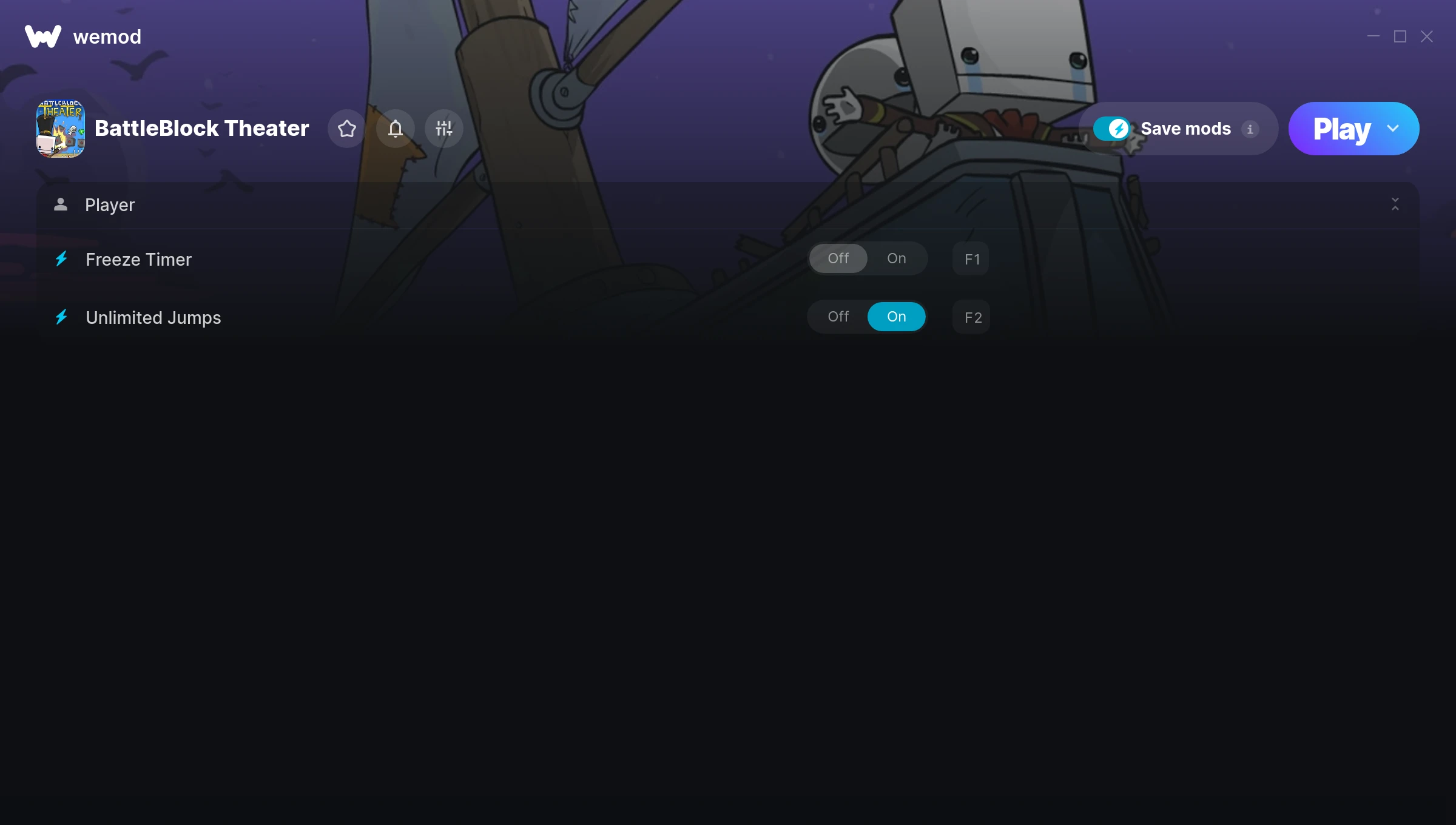
The BattleBlock Theater Trainer gives you access to 2 cheats that let you play the game however you want. Struggling with a tough section? Want to skip the grind? Just want to mess around? This trainer has you covered.
Freezing time gives you all the breathing room you need to plan the perfect move. These cheats let you get past the frustrating parts and actually enjoy the game at your own pace.
Some of these cheats are subtle quality-of-life tweaks. Others are straight-up game-breaking. Both are great.
Out since 2013, this platform and puzzle title is still going strong with players who want to shape the experience on their own terms.
The best part? This PC trainer auto-updates whenever the game is patched. Zero effort on your part – it stays compatible in the background so you can just play.
BattleBlock Theater Trainer Cheats
This trainer includes 2 cheats covering movement, time.
| # | Cheat | Effect |
|---|---|---|
| 1 | Freeze Timer | Stop any in-game countdown dead in its tracks |
| 2 | Unlimited Jumps | Remove all limits on your jumps |
Download BattleBlock Theater Trainer
Download the latest version of this trainer for PC below.
| Version | Creator | Platform | Date Added | Download |
|---|---|---|---|---|
| Auto-Updating Version (Latest) | MrAntiFun | Steam | 2025-08-12 | Download |
How to Use This Trainer
- Launch the Game – Open BattleBlock Theater and get to the point where you’re actually playing. The trainer hooks into the game while it’s running.
- Connect WeMod – Launch the WeMod application and find “BattleBlock Theater” in the library. Press Play and WeMod will hook into the running game automatically.
- Turn On Cheats – Pick the cheats you want from the WeMod overlay and switch them on. They kick in instantly and you can toggle them off anytime.
- Dive In – Everything is ready. Return to BattleBlock Theater and enjoy the game your way. Swap cheats around whenever you feel like mixing things up.
Tips & Known Issues
- This is a single-player trainer only. Do not use it in online or multiplayer modes – you will get banned.
- If using Steam, consider disabling the Steam Overlay (Steam > Settings > In-Game) to avoid conflicts with the trainer.
- If cheats aren’t working, check for conflicting overlays. Discord, GeForce Experience, and similar tools can interfere.
- If cheats toggle on but have no effect, your game version might be out of date. Update the game and try again.
- No need to check for updates manually with WeMod. The trainer patches itself whenever the game is updated.
Frequently Asked Questions
Is this trainer free to download?
100% free. Hit one of the download buttons above and you can be up and running in seconds.
Will the trainer work with the latest game version?
The auto-updating trainer stays compatible with new patches on its own. If you grabbed the Standalone version, you might need to check for a newer release after big updates.
What cheats are included in this trainer?
This trainer packs 2 cheats covering everything from infinite health to unlimited resources and more. The full list is in the table above.
Do I need to restart the game after activating cheats?
No restart needed. Cheats take effect the moment you activate them – toggle freely while you play.
Can I get banned for using this trainer?
Not in single-player – that’s what trainers are designed for. Never use them in online or multiplayer though, that will get you banned.
How often is this trainer updated?
This trainer auto-updates shortly after each game patch, so it stays compatible without you having to do anything.
Does this trainer work with Steam?
Fully compatible with Steam. Just launch the game through Steam and run the trainer alongside it.




does not work with latest update to battleblock theater on April 1st