BattleTech Trainer
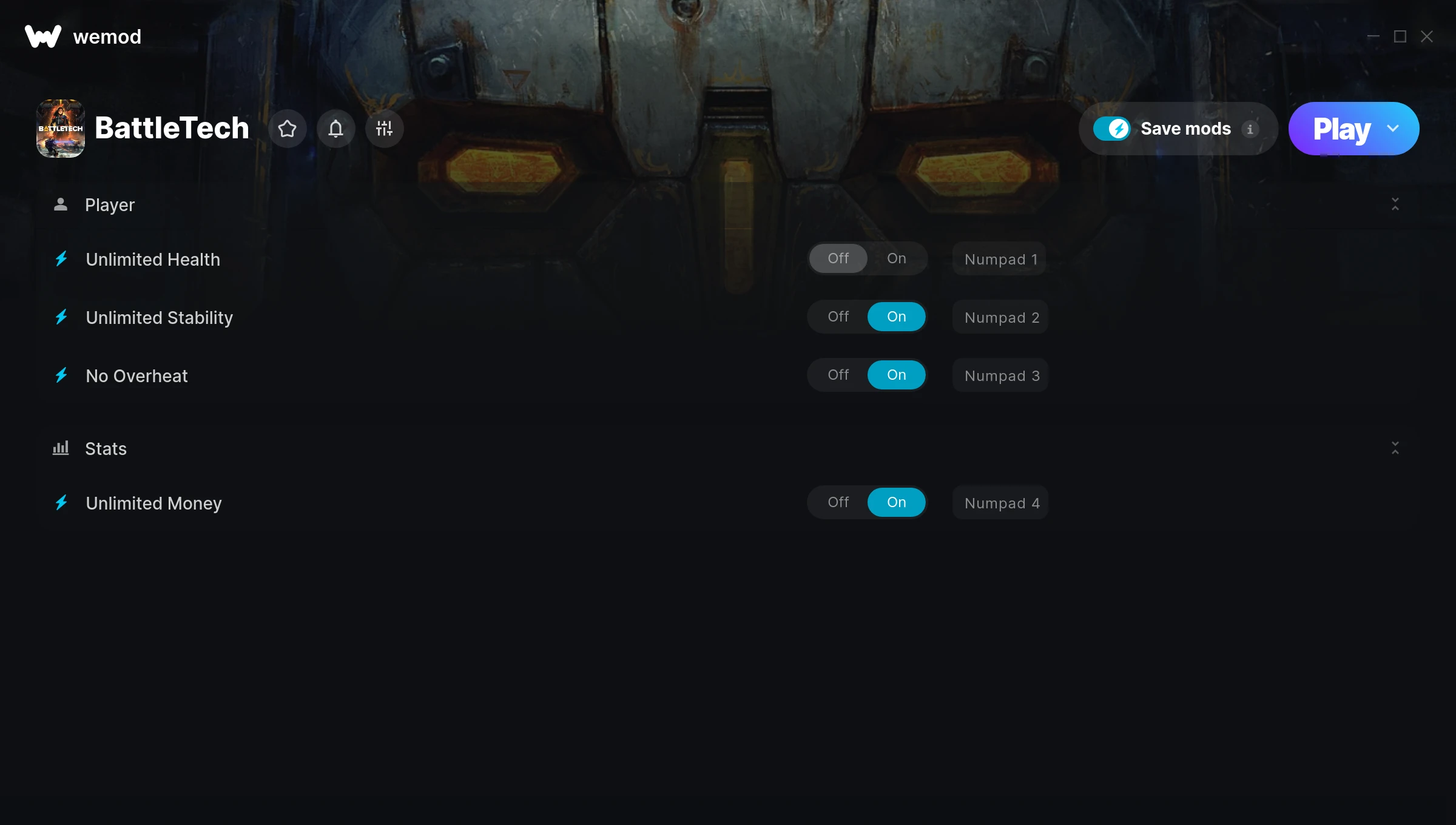
The BattleTech Trainer gives you access to 4 cheats that let you play the game however you want. Struggling with a tough section? Want to skip the grind? Just want to mess around? This trainer has you covered.
Unlimited money removes the grind entirely – just buy what you want and get back to the fun parts. These cheats let you get past the frustrating parts and actually enjoy the game at your own pace.
First playthrough? Maybe hold off. Second playthrough? Go nuts.
Since its 2018 release, BattleTech has built a loyal following among strategy and turn-based strategy (tbs) fans looking to customize their playthrough.
No need to check for updates manually. This auto-updating trainer keeps itself compatible with the latest version of the game so your cheats always work.
BattleTech Trainer Cheats
This trainer includes 4 cheats covering health, resources, cooldowns.
| # | Cheat | Effect |
|---|---|---|
| 1 | Unlimited Health | Your health stays maxed out no matter what hits you |
| 2 | Unlimited Stability | Remove all limits on your stability |
| 3 | No Overheat | Turn off overheat entirely for easier gameplay |
| 4 | Unlimited Money | Buy anything you want without thinking about cost |
What Can You Do With This Trainer?
Here are some of the standout cheats in this trainer – the ones that really change how you play:
- Unlimited Health – Your health stays maxed out no matter what hits you
- Unlimited Stability – Use your stability as much as you want without limits
- No Overheat – Remove overheat from the equation
- Unlimited Money – Buy anything you want without thinking about cost
And that’s just scratching the surface. The full BattleTech cheat list above has everything you need to play completely on your own terms.
Download BattleTech Trainer
Download the latest version of this trainer for PC below.
| Version | Creator | Platform | Date Added | Download |
|---|---|---|---|---|
| Auto-Updating Version (Latest) | STiNGERR | Steam, Xbox | 2026-01-30 | Download |
How to Use This Trainer
- Start BattleTech – Fire up the game and get to the main menu or load your save. The game needs to be running before you open the trainer.
- Open WeMod Overlay – Search for “BattleTech” in WeMod and click Play. The in-game overlay will appear with toggles for every available cheat.
- Switch On Your Cheats – Browse the cheat list in the WeMod overlay and toggle on whatever you want. Effects are instant and reversible.
- Play Your Way – That’s the full setup. Get back into BattleTech and play on your own terms. Adjust cheats whenever the mood strikes.
Tips & Known Issues
- This trainer is strictly for single-player gameplay. Anti-cheat software in online modes will flag and ban your account.
- If cheats toggle on but have no effect, your game version might be out of date. Update the game and try again.
- For the trainer to work properly, make sure you launch it with Administrator privileges.
- The Steam Overlay can occasionally conflict with trainer software. Disable it in Steam settings if you notice problems.
- No need to check for updates manually with WeMod. The trainer patches itself whenever the game is updated.
Frequently Asked Questions
Can I use multiple cheats at the same time?
You can run every single cheat at once if you want. Mix and match until you find a combination you enjoy.
Can I get banned for using this trainer?
Trainers are for single-player only. Seriously, do not try these in online or multiplayer modes – that is a fast track to a ban.
Will this trainer affect my save files?
It won’t corrupt your saves. The trainer works in memory only – but keep in mind that any progress made with cheats enabled will be saved normally.
Can I customise how much health or money I get?
Where available, yes. Look for cheats labelled ‘Set’ or ‘Edit’ – these let you punch in a custom value instead of going straight to infinite.
Will the trainer work with the latest game version?
If you’re using the Auto-Updating Version, yes – it patches itself after every game update.
How often is this trainer updated?
This trainer auto-updates shortly after each game patch, so it stays compatible without you having to do anything.
Does this trainer work with Steam?
Yes. The trainer hooks into the game process regardless of whether you launch through Steam, Xbox.