Bejeweled 3 Trainer
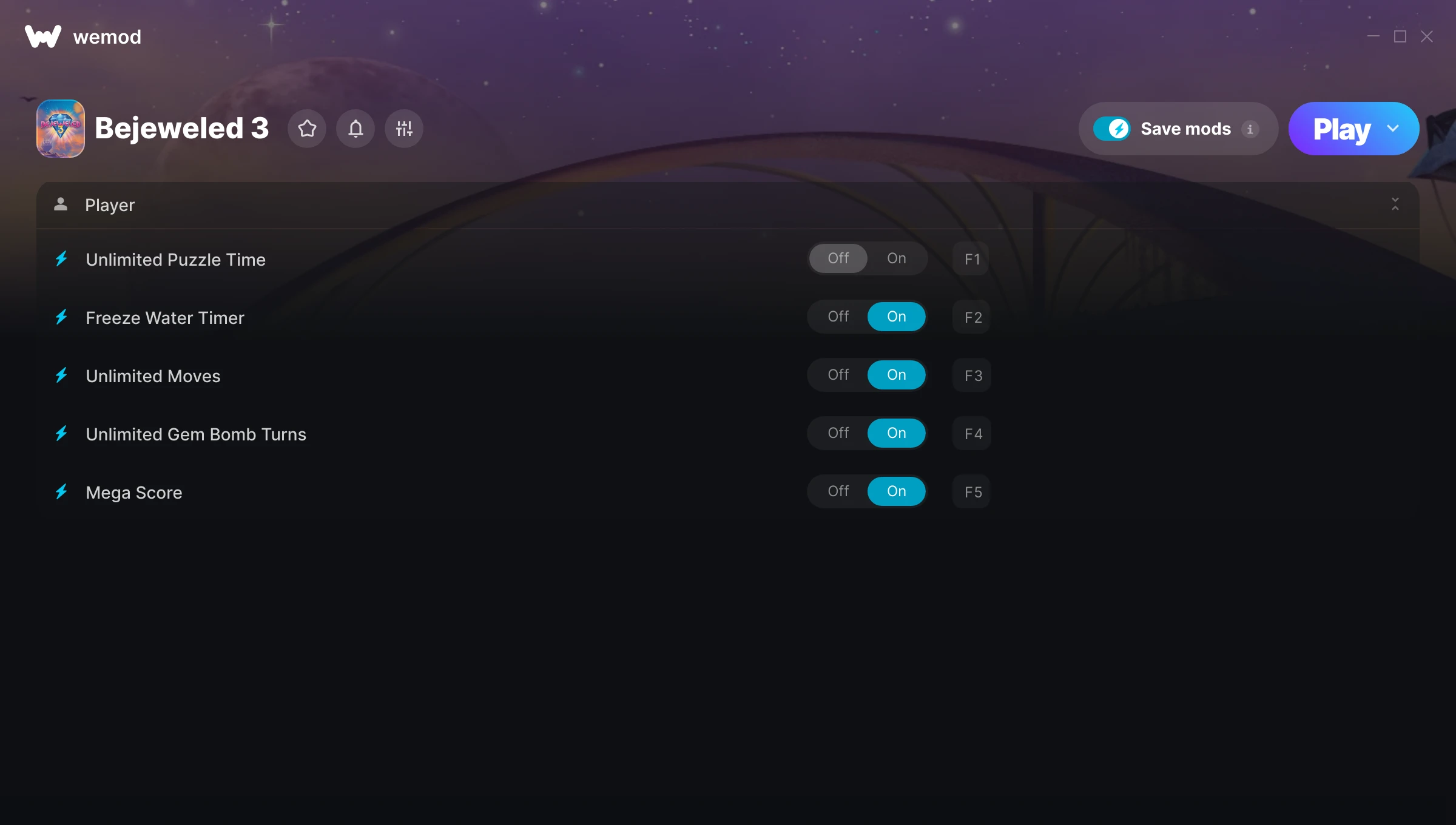
The Bejeweled 3 Trainer gives you access to 5 cheats that let you play the game however you want. Struggling with a tough section? Want to skip the grind? Just want to mess around? This trainer has you covered.
These cheats won’t break your save file. Toggle them on, have fun, toggle them off whenever you want.
Bejeweled 3 has been a go-to puzzle and strategy title since 2010, and players are still finding new ways to enjoy it.
This trainer is auto-updating – it patches itself every time the game gets an update, so you never have to hunt for a new download. Just install it once and you’re set.
Some of the most popular cheats included in this trainer are Freeze Water Timer, Unlimited Puzzle Time, Unlimited Moves, Unlimited Gem Bomb Turns, and many more. These modifications let you customize difficulty, skip grinding, or simply experiment with the game in new ways.
Bejeweled 3 Trainer Cheats
This trainer includes 5 cheats covering time.
| # | Cheat | Effect |
|---|---|---|
| 1 | Unlimited Puzzle Time | Use your puzzle time as much as you want without limits |
| 2 | Freeze Water Timer | Keep your water timer frozen at its current value |
| 3 | Unlimited Moves | Your moves never runs out or depletes |
| 4 | Unlimited Gem Bomb Turns | Remove all limits on your gem bomb turns |
| 5 | Mega Score | Crank your score up to extreme amounts |
What Can You Do With This Trainer?
Here are some of the standout cheats in this trainer – the ones that really change how you play:
- Unlimited Puzzle Time – Remove all limits on your puzzle time
- Freeze Water Timer – Lock your water timer so it never changes
- Unlimited Moves – Your moves never runs out or depletes
- Unlimited Gem Bomb Turns – Your gem bomb turns never runs out or depletes
- Mega Score – Crank your score up to extreme amounts
And that’s just scratching the surface. The full Bejeweled 3 cheat list above has everything you need to play completely on your own terms.
Download Bejeweled 3 Trainer
Download the latest version of this trainer for PC below.
| Version | Creator | Platform | Date Added | Download |
|---|---|---|---|---|
| Auto-Updating Version (Latest) | MrAntiFun | Steam | 2025-10-12 | Download |
How to Use This Trainer
- Get Bejeweled 3 Running – Launch the game through your usual platform. Wait until you’re past any intro screens and into the menu or gameplay.
- Open the Trainer – Open the WeMod app and search for “Bejeweled 3”. Click Play to launch the overlay. WeMod will detect the game and enable all available cheats.
- Enable the Cheats You Want – Use the WeMod overlay to enable any combination of cheats. Everything activates in real-time while the game is running.
- Play Your Way – That’s the full setup. Get back into Bejeweled 3 and play on your own terms. Adjust cheats whenever the mood strikes.
Tips & Known Issues
- This is a single-player trainer only. Do not use it in online or multiplayer modes – you will get banned.
- Having issues on Steam? Try disabling the Steam Overlay under Settings > In-Game. It can sometimes clash with trainers.
- Trainer compatibility depends on game version. If cheats aren’t activating, check that your game is up to date.
- Make a copy of your save data before experimenting with cheats. Better safe than sorry.
- The WeMod version updates itself automatically after each game patch. No action needed on your end.
Frequently Asked Questions
How do I use this trainer?
It’s straightforward: download, run the trainer while the game is open, and press the hotkeys to activate whichever cheats you want.
What should I do if the trainer stops working after an update?
If a game patch breaks things, the auto-updating trainer will fix itself automatically – usually within a day or two.
Do I need to restart the game after activating cheats?
No. Cheats are live the instant you toggle them. You can switch them on and off mid-gameplay without interruption.
Will the trainer work with the latest game version?
The auto-updating trainer stays compatible with new patches on its own. If you grabbed the Standalone version, you might need to check for a newer release after big updates.
Does this trainer work with Steam?
It does. This trainer is built to work with the Steam version.