Bloons TD5 Trainer
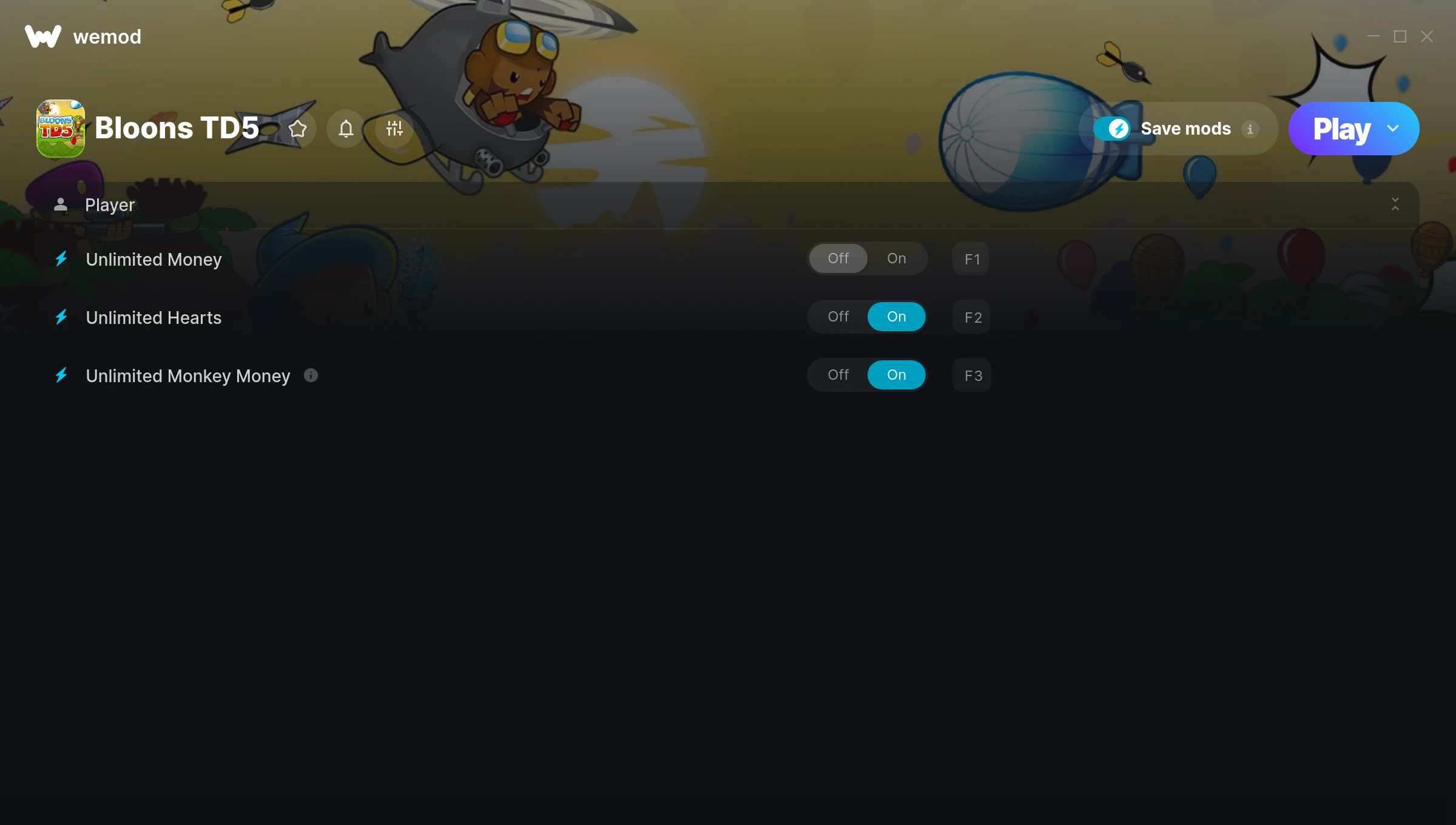
The Bloons TD5 Trainer gives you access to 3 cheats that let you play the game however you want. Struggling with a tough section? Want to skip the grind? Just want to mess around? This trainer has you covered.
Unlimited money removes the grind entirely – just buy what you want and get back to the fun parts. These cheats let you get past the frustrating parts and actually enjoy the game at your own pace.
If you’re the type who reads every tooltip and explores every corner, infinite health makes that a lot more relaxing.
Players have been diving into Bloons TD5 since 2011, making it one of the more enduring simulator and strategy titles out there.
No need to check for updates manually. This auto-updating trainer keeps itself compatible with the latest version of the game so your cheats always work.
Bloons TD5 Trainer Cheats
This trainer includes 3 cheats covering resources.
| # | Cheat | Effect |
|---|---|---|
| 1 | Unlimited Money | Buy anything you want without thinking about cost |
| 2 | Unlimited Hearts | Use your hearts as much as you want without limits |
| 3 | Unlimited Monkey Money | Use your monkey money as much as you want without limits |
What Can You Do With This Trainer?
Here are some of the standout cheats in this trainer – the ones that really change how you play:
- Unlimited Money – Buy anything you want without thinking about cost
- Unlimited Hearts – Your hearts never runs out or depletes
- Unlimited Monkey Money – Your monkey money never runs out or depletes
And that’s just scratching the surface. The full Bloons TD5 cheat list above has everything you need to play completely on your own terms.
Recommended Cheat Presets
Not sure which cheats to enable? Here are some recommended preset combinations for different playstyles:
Farming Preset
Skip the grind entirely. Max out your loot, XP, and cash without spending hours farming the same enemies over and over.
- Unlimited Money
- Unlimited Monkey Money
Download Bloons TD5 Trainer
Download the latest version of this trainer for PC below.
| Version | Creator | Platform | Date Added | Download |
|---|---|---|---|---|
| Auto-Updating Version (Latest) | MrAntiFun | Steam | 2026-01-09 | Download |
How to Use This Trainer
- Load Bloons TD5 – Start the game and either load your existing save or begin a new one. The trainer connects to the running game process.
- Launch WeMod – Fire up the WeMod app and search for “Bloons TD5”. Hit Play and the overlay will appear over your game with all cheats ready to toggle.
- Switch On Your Cheats – Browse the cheat list in the WeMod overlay and toggle on whatever you want. Effects are instant and reversible.
- Dive In – Everything is ready. Return to Bloons TD5 and enjoy the game your way. Swap cheats around whenever you feel like mixing things up.
Tips & Known Issues
- Keep this trainer offline. Single-player only – any online or multiplayer use risks a permanent ban from the game.
- Make a copy of your save data before experimenting with cheats. Better safe than sorry.
- Your antivirus might quarantine the trainer file. This is a known false positive – whitelist the trainer in your security software.
- Trainers are PC-only. If you’re playing on console or through a cloud streaming service, the trainer won’t work.
- One of the perks of WeMod is automatic updates. The trainer syncs with game patches behind the scenes.
Frequently Asked Questions
How often is this trainer updated?
This trainer auto-updates shortly after each game patch, so it stays compatible without you having to do anything.
Will this trainer affect my save files?
The trainer only modifies values in memory while the game is running. Your save files stay intact, though any progress you make with cheats on will save as normal.
Do I need to restart the game after activating cheats?
No restart needed. Cheats take effect the moment you activate them – toggle freely while you play.
Can I get banned for using this trainer?
Single-player? No risk at all. Online or multiplayer? Do not even think about it. Anti-cheat systems will catch you and you will be banned.
What should I do if the trainer stops working after an update?
If a game patch breaks things, the auto-updating trainer will fix itself automatically – usually within a day or two.
Does this trainer work with Steam?
It does. This trainer is built to work with the Steam version.