Castlevania: Lords of Shadow – Ultimate Edition Trainer
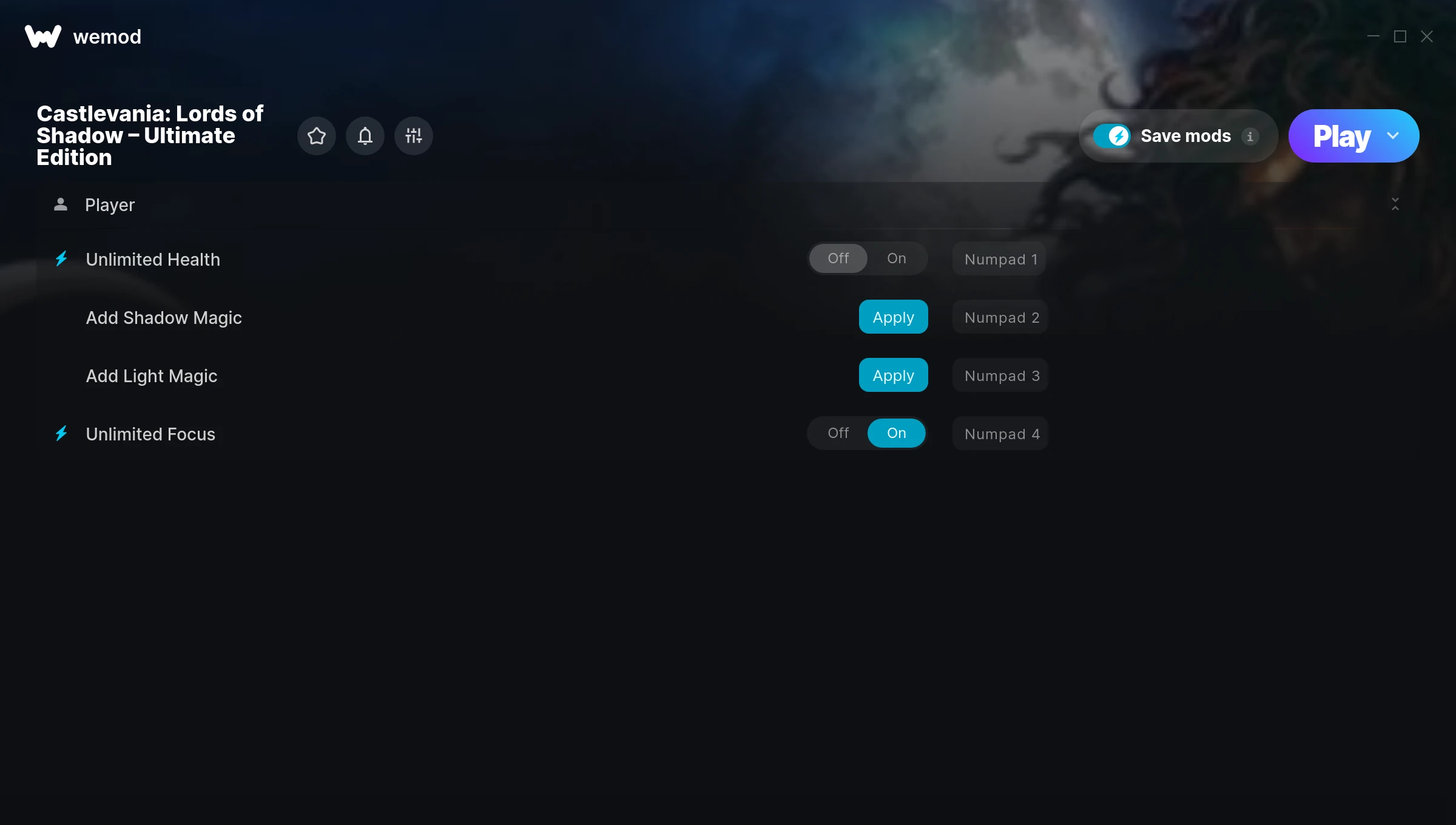
The Castlevania: Lords of Shadow – Ultimate Edition Trainer gives you access to 4 cheats that let you play the game however you want. Struggling with a tough section? Want to skip the grind? Just want to mess around? This trainer has you covered.
There’s something deeply satisfying about turning on infinite ammo and just going to town.
Castlevania: Lords of Shadow – Ultimate Edition has been a go-to role-playing (rpg) and hack and slash/beat ’em up title since 2013, and players are still finding new ways to enjoy it.
This is an auto-updating trainer that keeps pace with every game patch automatically. No need to manually grab new versions after updates.
Castlevania: Lords of Shadow – Ultimate Edition Cheats
This trainer includes 4 cheats covering health.
| # | Cheat | Effect |
|---|---|---|
| 1 | Unlimited Health | Your health stays maxed out no matter what hits you |
| 2 | Add Shadow Magic | Add extra shadow magic whenever you need it |
| 3 | Add Light Magic | Give yourself more light magic on demand |
| 4 | Unlimited Focus | Your focus never runs out or depletes |
What Can You Do With This Trainer?
Here are some of the standout cheats in this trainer – the ones that really change how you play:
- Unlimited Health – Your health stays maxed out no matter what hits you
- Add Shadow Magic – Give yourself more shadow magic on demand
- Add Light Magic – Give yourself more light magic on demand
- Unlimited Focus – Your focus never runs out or depletes
And that’s just scratching the surface. The full Castlevania: Lords of Shadow – Ultimate Edition cheat list above has everything you need to play completely on your own terms.
Download Castlevania: Lords of Shadow – Ultimate Edition Trainer
Download the latest version of this trainer for PC below.
| Version | Creator | Platform | Date Added | Download |
|---|---|---|---|---|
| Auto-Updating Version (Latest) | STiNGERR | Steam | 2025-09-11 | Download |
How to Use This Trainer
- Launch Castlevania: Lords of Shadow – Ultimate Edition – Start the game and load into your save file or start a new game. Make sure it’s running before activating the trainer.
- Connect WeMod – Launch the WeMod application and find “Castlevania: Lords of Shadow – Ultimate Edition” in the library. Press Play and WeMod will hook into the running game automatically.
- Select and Activate – Choose your cheats from the WeMod overlay and flip them on. Every toggle takes effect right away with no need to reload.
- Get Back to the Game – Everything is set up. Continue playing Castlevania: Lords of Shadow – Ultimate Edition with your chosen cheats active. Experiment freely – you can change things at any time.
Tips & Known Issues
- Keep this trainer offline. Single-player only – any online or multiplayer use risks a permanent ban from the game.
- Trainers are PC-only. If you’re playing on console or through a cloud streaming service, the trainer won’t work.
- Having issues on Steam? Try disabling the Steam Overlay under Settings > In-Game. It can sometimes clash with trainers.
- Multiple overlays running at once can cause issues. If the trainer isn’t responding, close any unnecessary overlay software.
- Using WeMod? The trainer stays current on its own – it auto-patches after every game update.
Frequently Asked Questions
Can I customise how much health or money I get?
Certain cheats let you choose exact amounts instead of just toggling unlimited. Check for any ‘set’ or ‘edit’ options in the cheat list.
How often is this trainer updated?
This trainer auto-updates shortly after each game patch, so it stays compatible without you having to do anything.
Can I get banned for using this trainer?
Trainers are for single-player only. Seriously, do not try these in online or multiplayer modes – that is a fast track to a ban.
Do I need to restart the game after activating cheats?
Nope. Cheats kick in immediately while the game is running. Just toggle them on and off whenever you want.
Does this trainer work with Steam?
Fully compatible with Steam. Just launch the game through Steam and run the trainer alongside it.