Cat Quest II Trainer
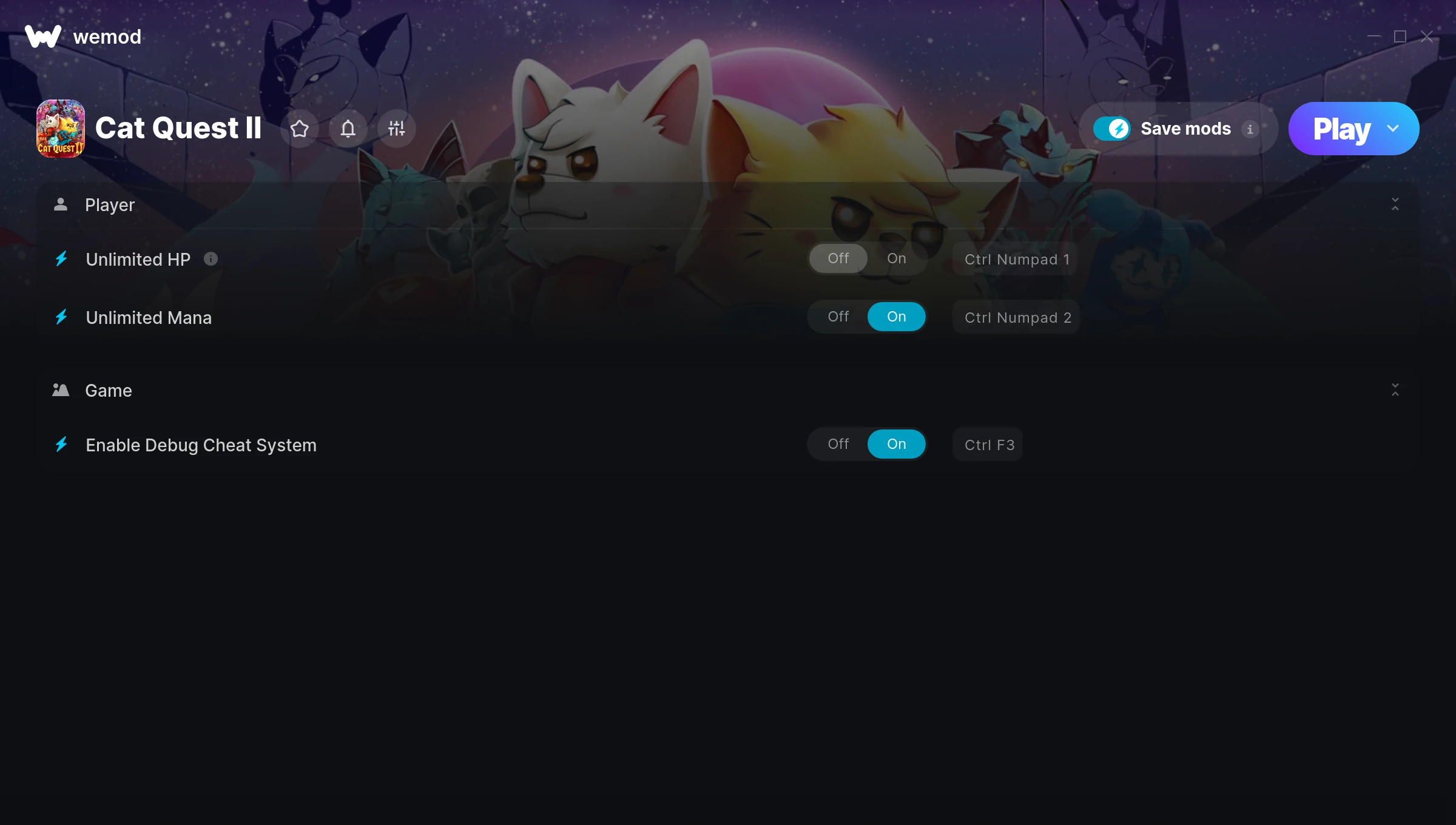
The Cat Quest II Trainer gives you access to 3 cheats that let you play the game however you want. Struggling with a tough section? Want to skip the grind? Just want to mess around? This trainer has you covered.
If you’ve been stuck on a boss for hours, you’re about to have a very good day.
It’s been a while since Cat Quest II first hit in 2019, but this role-playing (rpg) and adventure title still has plenty to offer.
The best part? This PC trainer auto-updates whenever the game is patched. Zero effort on your part – it stays compatible in the background so you can just play.
Cat Quest II Trainer Cheats
This trainer includes 3 cheats covering health.
| # | Cheat | Effect |
|---|---|---|
| 1 | Unlimited HP | Remove all limits on your hp |
| 2 | Unlimited Mana | Cast as many spells as you want without running dry |
| 3 | Enable Debug Cheat System | Activate debug cheat system for a gameplay advantage |
What Can You Do With This Trainer?
Here are some of the standout cheats in this trainer – the ones that really change how you play:
- Unlimited HP – Remove all limits on your hp
- Unlimited Mana – Cast as many spells as you want without running dry
- Enable Debug Cheat System – Turn on debug cheat system to unlock new possibilities
And that’s just scratching the surface. The full Cat Quest II cheat list above has everything you need to play completely on your own terms.
Download Cat Quest II Trainer
Download the latest version of this trainer for PC below.
| Version | Creator | Platform | Date Added | Download |
|---|---|---|---|---|
| Auto-Updating Version (Latest) | ColonelRVH | Steam | 2026-02-01 | Download |
How to Use This Trainer
- Start Cat Quest II – Fire up the game and get to the main menu or load your save. The game needs to be running before you open the trainer.
- Connect WeMod – Launch the WeMod application and find “Cat Quest II” in the library. Press Play and WeMod will hook into the running game automatically.
- Select and Activate – Choose your cheats from the WeMod overlay and flip them on. Every toggle takes effect right away with no need to reload.
- Get Back to the Game – Everything is set up. Continue playing Cat Quest II with your chosen cheats active. Experiment freely – you can change things at any time.
Tips & Known Issues
- Never activate this trainer during online play. It’s built for single-player only and multiplayer anti-cheat will catch it.
- If cheats aren’t activating, check that the trainer is running with Administrator rights.
- The Steam Overlay can occasionally conflict with trainer software. Disable it in Steam settings if you notice problems.
- Trainer hooks are version-specific. Make sure your copy of the game is on the latest patch for full compatibility.
- No need to check for updates manually with WeMod. The trainer patches itself whenever the game is updated.
Frequently Asked Questions
How do I know which version to download?
This trainer auto-updates whenever the game is patched, so you always have the latest compatible version. Just download it once and you’re set.
Do I need to restart the game after activating cheats?
Not at all. Everything applies in real-time. Turn cheats on, turn them off, no restarts required at any point.
Can I customise how much health or money I get?
Certain cheats let you choose exact amounts instead of just toggling unlimited. Check for any ‘set’ or ‘edit’ options in the cheat list.
Can I get banned for using this trainer?
Trainers are for single-player only. Seriously, do not try these in online or multiplayer modes – that is a fast track to a ban.
Does this trainer work with Steam?
Yes, it works with the Steam version of the game.