Cities Skylines II Trainer
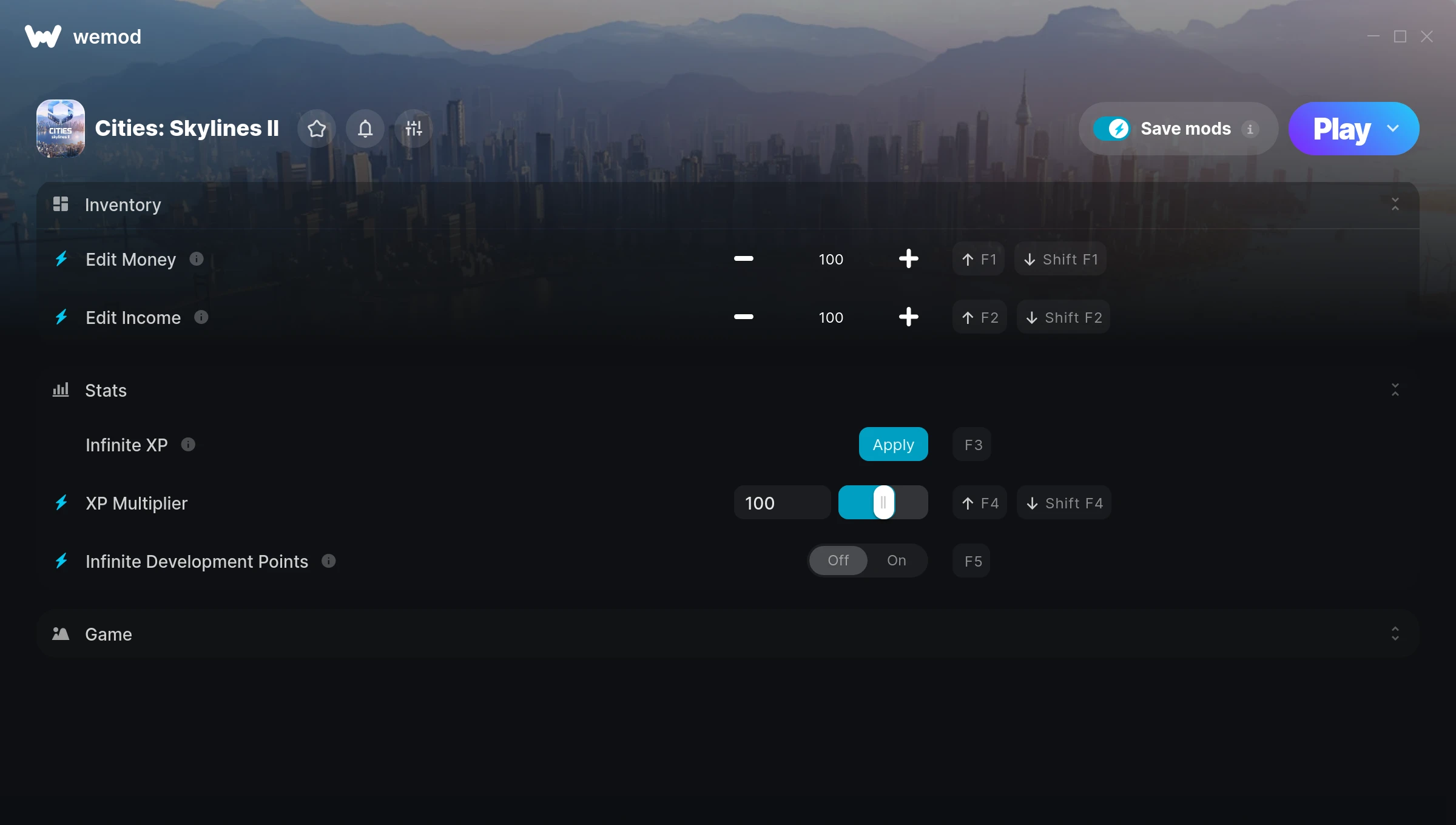
The Cities Skylines II Trainer gives you access to 6 cheats that let you play the game however you want. Struggling with a tough section? Want to skip the grind? Just want to mess around? This trainer has you covered.
These cheats won’t break your save file. Toggle them on, have fun, toggle them off whenever you want.
Out since 2023, this simulator and strategy title is still going strong with players who want to shape the experience on their own terms.
You get two download options here. The Auto-Updating Version stays current automatically whenever the game is patched – zero effort on your part. Or grab the Standalone version if you want a specific build that won’t change.
Some of the most popular cheats included in this trainer are Edit Money, Edit Income, Infinite XP, XP Multiplier, and many more. These modifications let you customize difficulty, skip grinding, or simply experiment with the game in new ways.
Cities Skylines II Trainer Cheats
This trainer includes 6 cheats covering resources, movement, experience, time.
| # | Cheat | Effect |
|---|---|---|
| 1 | Edit Money | Fine-tune your money to the perfect amount |
| 2 | Edit Income | Fine-tune your income to the perfect amount |
| 3 | Infinite XP | Your xp supply becomes endless |
| 4 | XP Multiplier | Boost your xp earnings dramatically |
| 5 | Infinite Development Points | Your development points supply becomes endless |
| 6 | Set Game Speed | Speed up or slow down the entire game to your liking |
What Can You Do With This Trainer?
Here are some of the standout cheats in this trainer – the ones that really change how you play:
- Edit Money – Manually adjust your money to whatever you need
- Edit Income – Manually adjust your income to whatever you need
- Infinite XP – Bottomless xp – it never runs dry
- XP Multiplier – Boost your xp earnings dramatically
- Infinite Development Points – Never worry about running out of development points again
And that’s just scratching the surface. The full cheat list above has everything you need to play the game completely on your own terms.
Recommended Cheat Presets
Not sure which cheats to enable? Here are some recommended preset combinations for different playstyles:
Farming Preset
Skip the grind entirely. Max out your loot, XP, and cash without spending hours farming the same enemies over and over.
- Edit Money
- Infinite XP
- XP Multiplier
Download Cities Skylines II Trainer
Download the latest version of this trainer for PC below.
| Version | Creator | Platform | Date Added | Download |
|---|---|---|---|---|
| Auto-Updating Version (Latest) | FLiNG | Steam, Xbox | 2025-07-13 | Download |
| Standalone Version | FLiNG | Steam | 2025-04-29 | Download |
How to Use This Trainer
- Start the Game First – Always start Cities Skylines II before the trainer. Load your save or start a new game – the trainer needs an active game process.
- Launch Your Trainer – WeMod users: open the app, find “Cities Skylines II”, and hit Play. FLiNG users: right-click the downloaded trainer and run it as Administrator.
- Enable the Cheats You Want – Use the WeMod overlay to enable any combination of cheats. Everything activates in real-time while the game is running.
- Enjoy Your Playthrough – All done. Now play Cities Skylines II however you want. You can tweak your active cheats at any point without restarting.
Tips & Known Issues
- This trainer is strictly for single-player gameplay. Anti-cheat software in online modes will flag and ban your account.
- If using Steam, consider disabling the Steam Overlay (Steam > Settings > In-Game) to avoid conflicts with the trainer.
- Launch the trainer with elevated permissions (Run as Administrator) to avoid access issues.
- While trainers are safe to use, backing up your save file beforehand is always a smart precaution.
- One of the perks of WeMod is automatic updates. The trainer syncs with game patches behind the scenes.
Frequently Asked Questions
Will this trainer affect my save files?
It won’t corrupt your saves. The trainer works in memory only – but keep in mind that any progress made with cheats enabled will be saved normally.
How do I know which version to download?
Most people should grab the Auto-Updating Version since it takes care of patches automatically. The Standalone is there if you need a fixed, offline-friendly build.
How often is this trainer updated?
The Auto-Updating Version gets patched shortly after each game update. The Standalone version is updated periodically, so keep an eye out for new releases.
What should I do if the trainer stops working after an update?
Sit tight. The auto-updating trainer usually fixes itself within a day or so after a patch. If you’re on the Standalone version, look for a newer build.
Is this trainer compatible with mods?
In most cases they work fine together. Conflicts only happen when a mod alters the exact same memory values the trainer is trying to modify.
Does this trainer work with Steam?
Yes. The trainer hooks into the game process regardless of whether you launch through Steam, Xbox.