Computer Tycoon Trainer
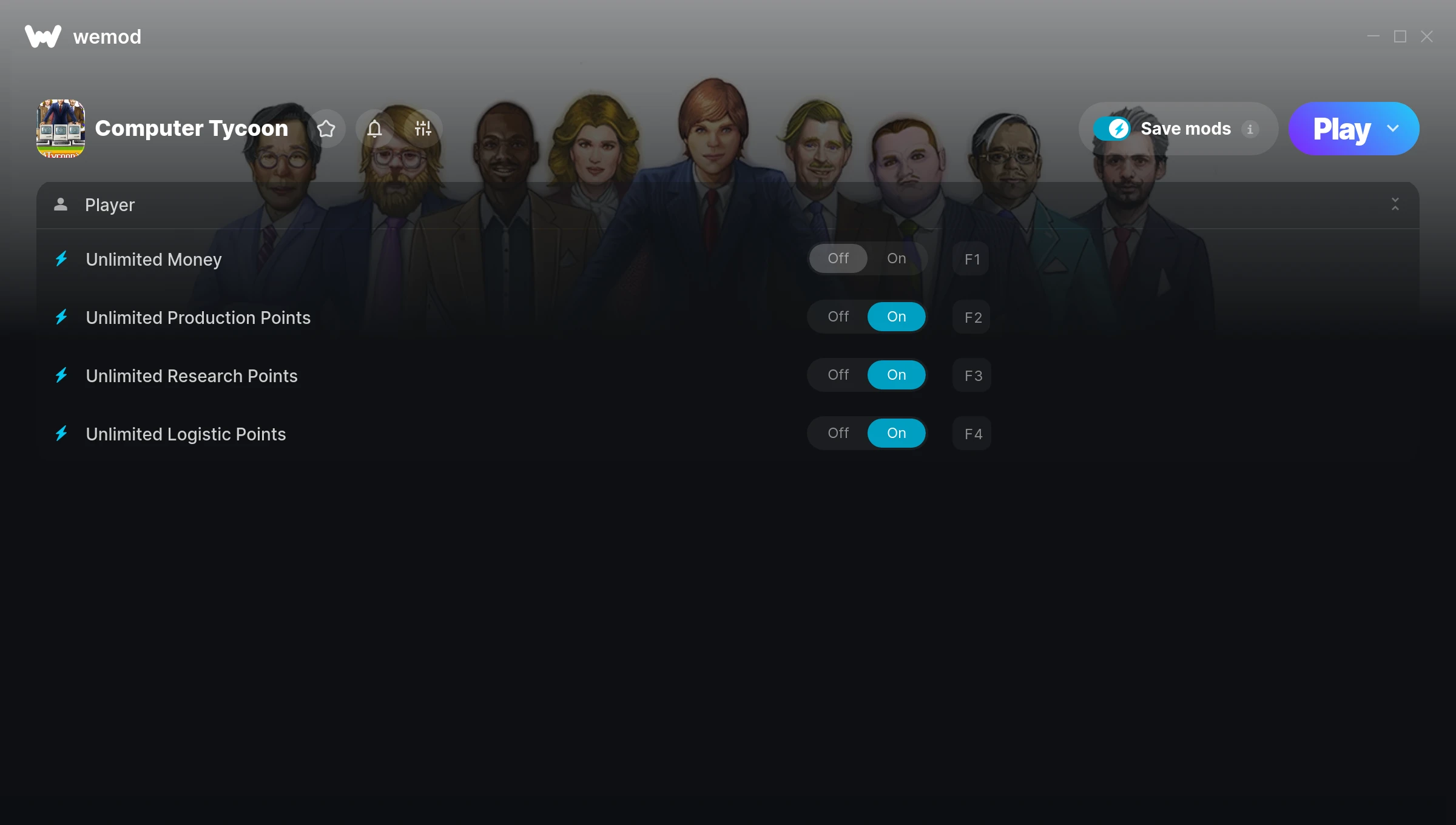
The Computer Tycoon Trainer gives you access to 4 cheats that let you play the game however you want. Struggling with a tough section? Want to skip the grind? Just want to mess around? This trainer has you covered.
Unlimited money removes the grind entirely – just buy what you want and get back to the fun parts. These cheats let you get past the frustrating parts and actually enjoy the game at your own pace.
Pro tip: start with one or two cheats and see how it feels. Or turn them all on. Your call.
Out since 2017, this simulator and strategy title is still going strong with players who want to shape the experience on their own terms.
The best part? This PC trainer auto-updates whenever the game is patched. Zero effort on your part – it stays compatible in the background so you can just play.
Computer Tycoon Trainer Cheats
This trainer includes 4 cheats covering resources.
| # | Cheat | Effect |
|---|---|---|
| 1 | Unlimited Money | Buy anything you want without thinking about cost |
| 2 | Unlimited Production Points | Use your production points as much as you want without limits |
| 3 | Unlimited Research Points | Use your research points as much as you want without limits |
| 4 | Unlimited Logistic Points | Remove all limits on your logistic points |
What Can You Do With This Trainer?
Here are some of the standout cheats in this trainer – the ones that really change how you play:
- Unlimited Money – Buy anything you want without thinking about cost
- Unlimited Production Points – Remove all limits on your production points
- Unlimited Research Points – Your research points never runs out or depletes
- Unlimited Logistic Points – Your logistic points never runs out or depletes
And that’s just scratching the surface. The full Computer Tycoon cheat list above has everything you need to play completely on your own terms.
Download Computer Tycoon Trainer
Download the latest version of this trainer for PC below.
| Version | Creator | Platform | Date Added | Download |
|---|---|---|---|---|
| Auto-Updating Version (Latest) | MrAntiFun | Steam | 2026-01-10 | Download |
How to Use This Trainer
- Get Computer Tycoon Running – Launch the game through your usual platform. Wait until you’re past any intro screens and into the menu or gameplay.
- Launch WeMod – Fire up the WeMod app and search for “Computer Tycoon”. Hit Play and the overlay will appear over your game with all cheats ready to toggle.
- Enable the Cheats You Want – Use the WeMod overlay to enable any combination of cheats. Everything activates in real-time while the game is running.
- Play and Enjoy – That’s it – jump back into the game and enjoy. You can toggle cheats on and off whenever you want. Half the fun is experimenting to find your perfect setup.
Tips & Known Issues
- This is a single-player trainer only. Do not use it in online or multiplayer modes – you will get banned.
- Running the trainer as Admin avoids most permission-related issues. Right-click and choose Run as Administrator.
- Consider backing up your save files before using cheats, especially if you’re on your main playthrough.
- Multiple overlays running at once can cause issues. If the trainer isn’t responding, close any unnecessary overlay software.
- One of the perks of WeMod is automatic updates. The trainer syncs with game patches behind the scenes.
Frequently Asked Questions
Will this trainer affect my save files?
No damage to saves. The trainer tweaks memory values on the fly, not your save data. That said, if you earn a million gold with cheats on, that gold saves too.
Can I use multiple cheats at the same time?
You can run every single cheat at once if you want. Mix and match until you find a combination you enjoy.
Will the trainer work with the latest game version?
The auto-updating trainer stays compatible with new patches on its own. If you grabbed the Standalone version, you might need to check for a newer release after big updates.
How often is this trainer updated?
This trainer auto-updates shortly after each game patch, so it stays compatible without you having to do anything.
Does this trainer work with Steam?
Yes, it works with the Steam version of the game.