Cossacks 3 Trainer
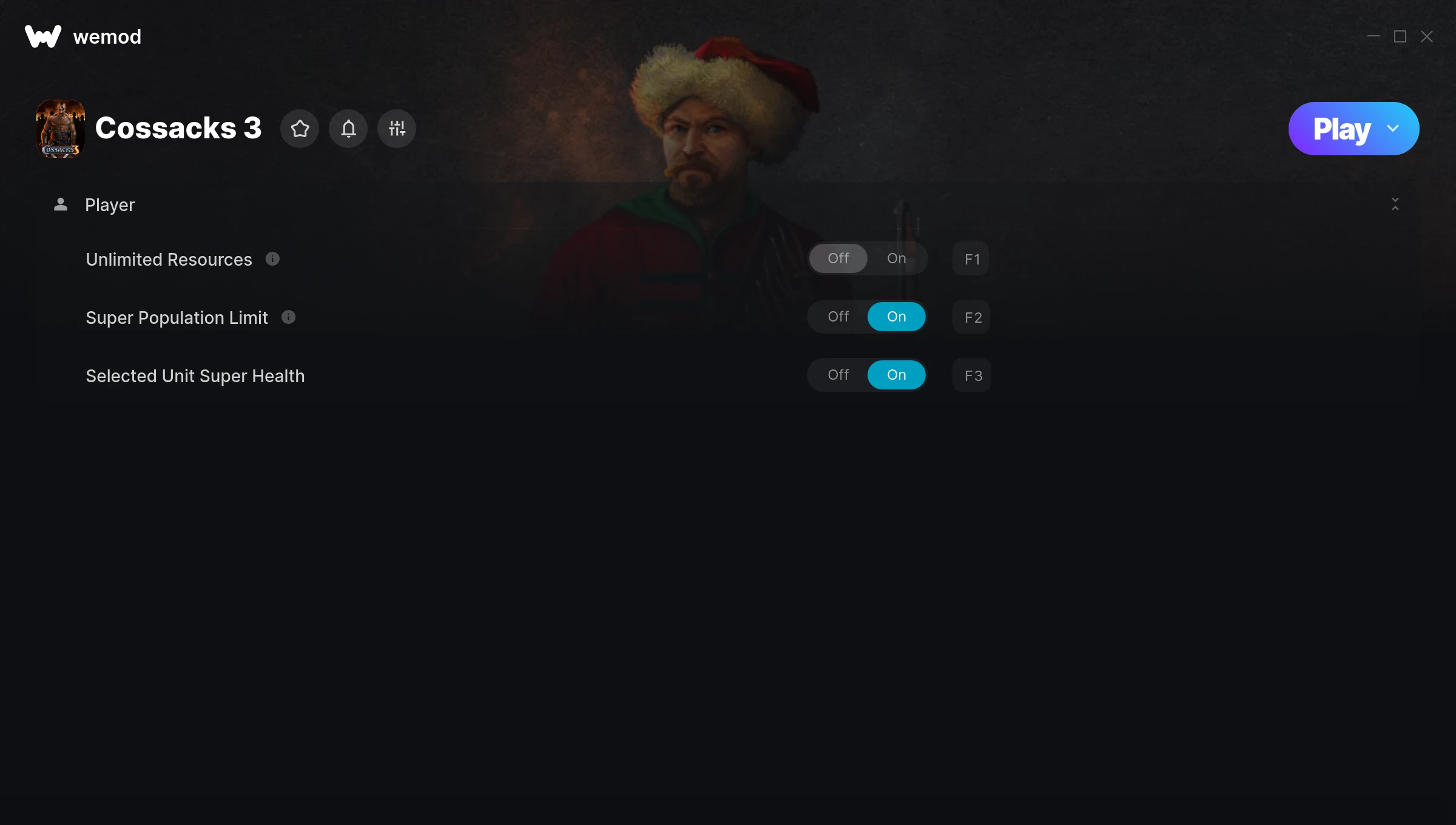
The Cossacks 3 Trainer gives you access to 3 cheats that let you play the game however you want. Struggling with a tough section? Want to skip the grind? Just want to mess around? This trainer has you covered.
Fair warning – some of these cheats will completely break the game. In the best way possible.
A real time strategy (rts) and strategy title that first dropped in 2016, Cossacks 3 still draws players who want to tweak the experience to their liking.
This is an auto-updating trainer that keeps pace with every game patch automatically. No need to manually grab new versions after updates.
Cossacks 3 Trainer Cheats
This trainer includes 3 cheats covering health, resources.
| # | Cheat | Effect |
|---|---|---|
| 1 | Unlimited Resources | Gather and spend resources without worrying about running low |
| 2 | Super Population Limit | Massively boost your population limit beyond normal limits |
| 3 | Selected Unit Super Health | Crank your selected unit health up to ridiculous levels |
What Can You Do With This Trainer?
Here are some of the standout cheats in this trainer – the ones that really change how you play:
- Unlimited Resources – Gather and spend resources without worrying about running low
- Super Population Limit – Massively boost your population limit beyond normal limits
- Selected Unit Super Health – Massively boost your selected unit health beyond normal limits
And that’s just scratching the surface. The full Cossacks 3 cheat list above has everything you need to play completely on your own terms.
Download Cossacks 3 Trainer
Download the latest version of this trainer for PC below.
| Version | Creator | Platform | Date Added | Download |
|---|---|---|---|---|
| Auto-Updating Version (Latest) | MrAntiFun | Steam | 2026-01-09 | Download |
How to Use This Trainer
- Open Cossacks 3 – Launch the game and wait until you’re in-game or at the main menu. The trainer needs the game process running to hook into it.
- Open WeMod Overlay – Search for “Cossacks 3” in WeMod and click Play. The in-game overlay will appear with toggles for every available cheat.
- Turn On Cheats – Pick the cheats you want from the WeMod overlay and switch them on. They kick in instantly and you can toggle them off anytime.
- Enjoy Your Playthrough – All done. Now play Cossacks 3 however you want. You can tweak your active cheats at any point without restarting.
Tips & Known Issues
- Trainers are designed for single-player use only. Using them online or in multiplayer will result in a ban.
- The Steam Overlay can occasionally conflict with trainer software. Disable it in Steam settings if you notice problems.
- It’s good practice to back up your saves before activating cheats. That way you can revert if anything feels off.
- This trainer only works on PC. Console versions and cloud gaming platforms are not supported.
- Using WeMod? The trainer stays current on its own – it auto-patches after every game update.
Frequently Asked Questions
How do I know which version to download?
This trainer auto-updates whenever the game is patched, so you always have the latest compatible version. Just download it once and you’re set.
Do I need to restart the game after activating cheats?
Nope. Cheats kick in immediately while the game is running. Just toggle them on and off whenever you want.
Can I get banned for using this trainer?
Trainers are for single-player only. Seriously, do not try these in online or multiplayer modes – that is a fast track to a ban.
How often is this trainer updated?
This trainer auto-updates shortly after each game patch, so it stays compatible without you having to do anything.
Will this trainer affect my save files?
Your save files are safe. Cheats only change values in RAM while you play. Just be aware that anything you accomplish with cheats active gets saved like normal progress.
Can I customise how much health or money I get?
Some cheats include an edit mode where you can set a specific value rather than just maxing things out. Great for keeping things balanced if you want.
Does this trainer work with Steam?
Fully compatible with Steam. Just launch the game through Steam and run the trainer alongside it.