Cultivation Tales Trainer
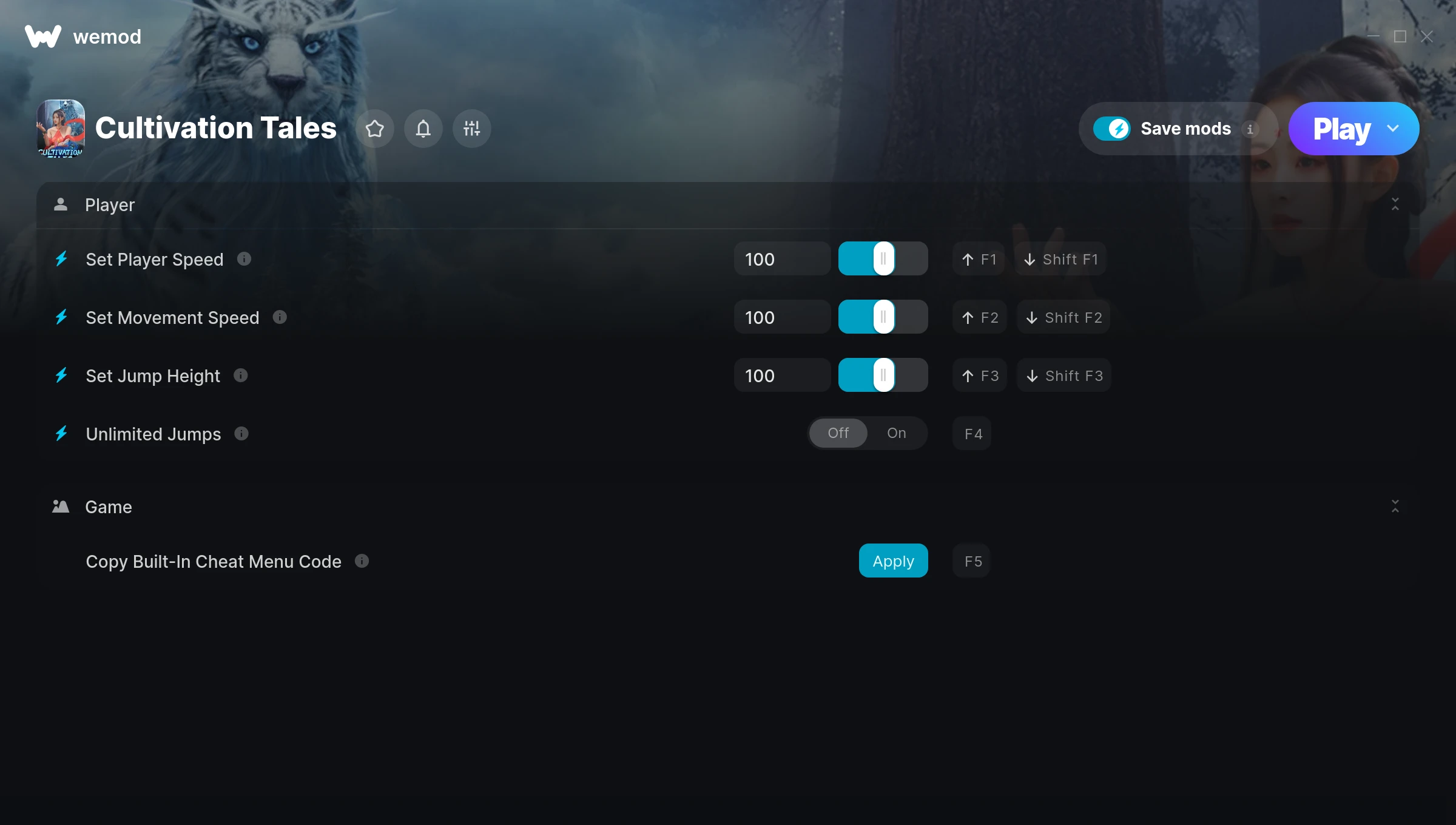
The Cultivation Tales Trainer gives you access to 4 cheats that let you play the game however you want. Struggling with a tough section? Want to skip the grind? Just want to mess around? This trainer has you covered.
If you’ve already finished the story and want to replay it like an overpowered lunatic, this is for you.
Once you’ve got this trainer installed, it takes care of itself. Every time the game gets a patch, the trainer updates automatically so your cheats keep working.
Cultivation Tales Trainer Cheats
This trainer includes 4 cheats covering movement.
| # | Cheat | Effect |
|---|---|---|
| 1 | Set Player Speed | Pick your own value for player speed |
| 2 | Set Movement Speed | Choose exactly how much movement speed you want |
| 3 | Set Jump Height | Choose exactly how much jump height you want |
| 4 | Unlimited Jumps | Your jumps never runs out or depletes |
What Can You Do With This Trainer?
Here are some of the standout cheats in this trainer – the ones that really change how you play:
- Set Player Speed – Pick your own value for player speed
- Set Movement Speed – Choose exactly how much movement speed you want
- Set Jump Height – Adjust jump height to whatever feels right
- Unlimited Jumps – Remove all limits on your jumps
And that’s just scratching the surface. The full Cultivation Tales cheat list above has everything you need to play completely on your own terms.
Download Cultivation Tales Trainer
Download the latest version of this trainer for PC below.
| Version | Creator | Platform | Date Added | Download |
|---|---|---|---|---|
| Auto-Updating Version (Latest) | FLiNG | Steam | 2025-12-12 | Download |
How to Use This Trainer
- Boot Up Cultivation Tales – Start the game like you normally would. Once you’re at the main menu or loaded into your save, you’re ready for the next step.
- Open the Trainer – Open the WeMod app and search for “Cultivation Tales”. Click Play to launch the overlay. WeMod will detect the game and enable all available cheats.
- Flip On the Cheats – In the WeMod overlay, toggle the cheats you’re interested in. They apply immediately to your game session.
- Jump Back In – You’re good to go. Return to the game and enjoy your modified experience. Toggle cheats on or off anytime as you play.
Tips & Known Issues
- This is a single-player trainer only. Do not use it in online or multiplayer modes – you will get banned.
- Cloud gaming services like GeForce NOW or Xbox Cloud Gaming are not compatible with trainers. You need the game running locally on PC.
- If you’re running other overlays (Discord, NVIDIA, MSI Afterburner), try disabling them if the trainer isn’t responding.
- For the smoothest experience on Steam, switch off the Steam Overlay in your Steam settings before running the trainer.
- The WeMod version updates itself automatically after each game patch. No action needed on your end.
Frequently Asked Questions
What should I do if the trainer stops working after an update?
If a game patch breaks things, the auto-updating trainer will fix itself automatically – usually within a day or two.
Do I need to restart the game after activating cheats?
No restart needed. Cheats take effect the moment you activate them – toggle freely while you play.
Is this trainer free to download?
Yep, completely free. Just grab it from the download links above and you’re good to go.
Can I customise how much health or money I get?
Yes – many cheats have edit or set options that let you type in the exact value you want. Perfect for dialling things in without going completely overboard.
Does this trainer work with Steam?
Fully compatible with Steam. Just launch the game through Steam and run the trainer alongside it.