DarkSwitch Trainer
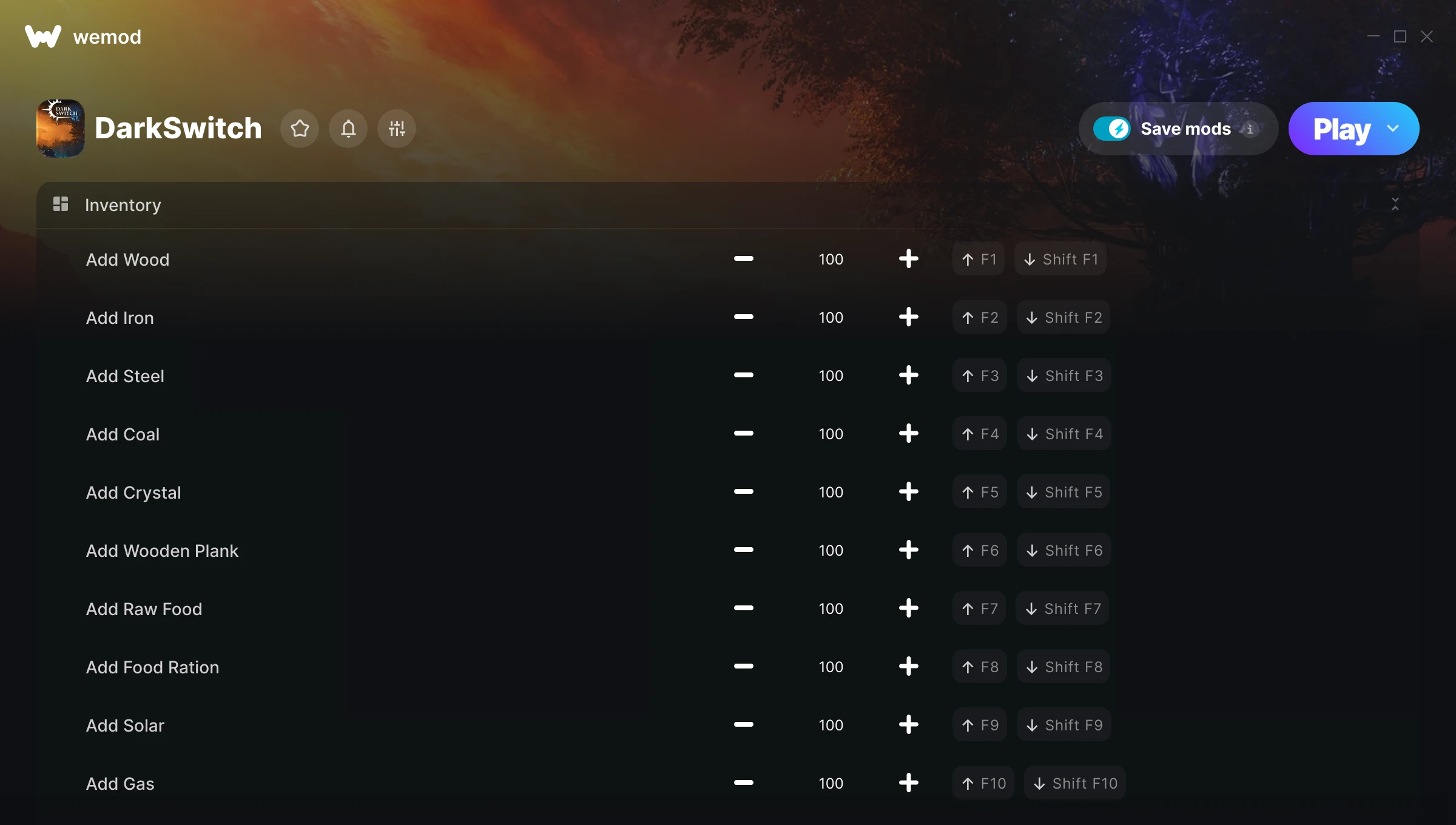
The DarkSwitch Trainer gives you access to 12 cheats that let you play the game however you want. Struggling with a tough section? Want to skip the grind? Just want to mess around? This trainer has you covered.
Skip the grind, skip the frustration, and get straight to the fun part.
This strategy and tactical title has been around since 2026 and remains a popular pick for players looking to push their experience further.
This trainer stays in sync with game patches automatically. You’ll never have to worry about downloading a new version after an update – it handles everything behind the scenes.
Some of the most popular cheats included in this trainer are Add Wood, Add Iron, Add Steel, Add Coal, and many more. These modifications let you customize difficulty, skip grinding, or simply experiment with the game in new ways.
DarkSwitch Trainer Cheats
This trainer includes 12 cheats covering movement, time.
| # | Cheat | Effect |
|---|---|---|
| 1 | Add Wood | Give yourself more wood on demand |
| 2 | Add Iron | Add extra iron whenever you need it |
| 3 | Add Steel | Give yourself more steel on demand |
| 4 | Add Coal | Give yourself more coal on demand |
| 5 | Add Crystal | Give yourself more crystal on demand |
| 6 | Add Wooden Plank | Add extra wooden plank whenever you need it |
| 7 | Add Raw Food | Give yourself more raw food on demand |
| 8 | Add Food Ration | Give yourself more food ration on demand |
| 9 | Add Solar | Give yourself more solar on demand |
| 10 | Add Gas | Give yourself more gas on demand |
| 11 | Add Gasoline | Give yourself more gasoline on demand |
| 12 | Game Speed Multiplier | Speed up or slow down the entire game to your liking |
What Can You Do With This Trainer?
Here are some of the standout cheats in this trainer – the ones that really change how you play:
- Add Wood – Give yourself more wood on demand
- Add Iron – Give yourself more iron on demand
- Add Steel – Give yourself more steel on demand
- Add Coal – Give yourself more coal on demand
- Add Crystal – Give yourself more crystal on demand
And that’s just scratching the surface. The full DarkSwitch cheat list above has everything you need to play completely on your own terms.
Download DarkSwitch Trainer
Download the latest version of this trainer for PC below.
| Version | Creator | Platform | Date Added | Download |
|---|---|---|---|---|
| Auto-Updating Version (Latest) | Sandvix | Steam | 2026-04-15 | Download |
How to Use This Trainer
- Open DarkSwitch – Launch the game and wait until you’re in-game or at the main menu. The trainer needs the game process running to hook into it.
- Launch WeMod – Fire up the WeMod app and search for “DarkSwitch”. Hit Play and the overlay will appear over your game with all cheats ready to toggle.
- Toggle Your Cheats – Flip on whichever cheats you want from the WeMod overlay. Each one takes effect immediately – no restart needed.
- Dive In – Everything is ready. Return to DarkSwitch and enjoy the game your way. Swap cheats around whenever you feel like mixing things up.
Tips & Known Issues
- This trainer is strictly for single-player gameplay. Anti-cheat software in online modes will flag and ban your account.
- If cheats aren’t activating, check that the trainer is running with Administrator rights.
- This trainer is for the PC version of the game only. PlayStation, Xbox, and Switch are not supported.
- Don’t be alarmed if Windows Defender or your antivirus flags the download. Trainers are routinely flagged as false positives.
- The WeMod version updates itself automatically after each game patch. No action needed on your end.
Frequently Asked Questions
How do I know which version to download?
This trainer auto-updates whenever the game is patched, so you always have the latest compatible version. Just download it once and you’re set.
Will this trainer affect my save files?
No damage to saves. The trainer tweaks memory values on the fly, not your save data. That said, if you earn a million gold with cheats on, that gold saves too.
Is this trainer compatible with mods?
Generally, yes. Most mods and trainers operate independently. You might see odd behaviour if a mod directly changes the same stats the trainer controls.
How do I use this trainer?
Grab the download, launch the game, then fire up the trainer. Toggle cheats with the hotkeys or the overlay – done.
How often is this trainer updated?
This trainer auto-updates shortly after each game patch, so it stays compatible without you having to do anything.
Does this trainer work with Steam?
Yes, it works with the Steam version of the game.