DEEP SPACE WAIFU Trainer
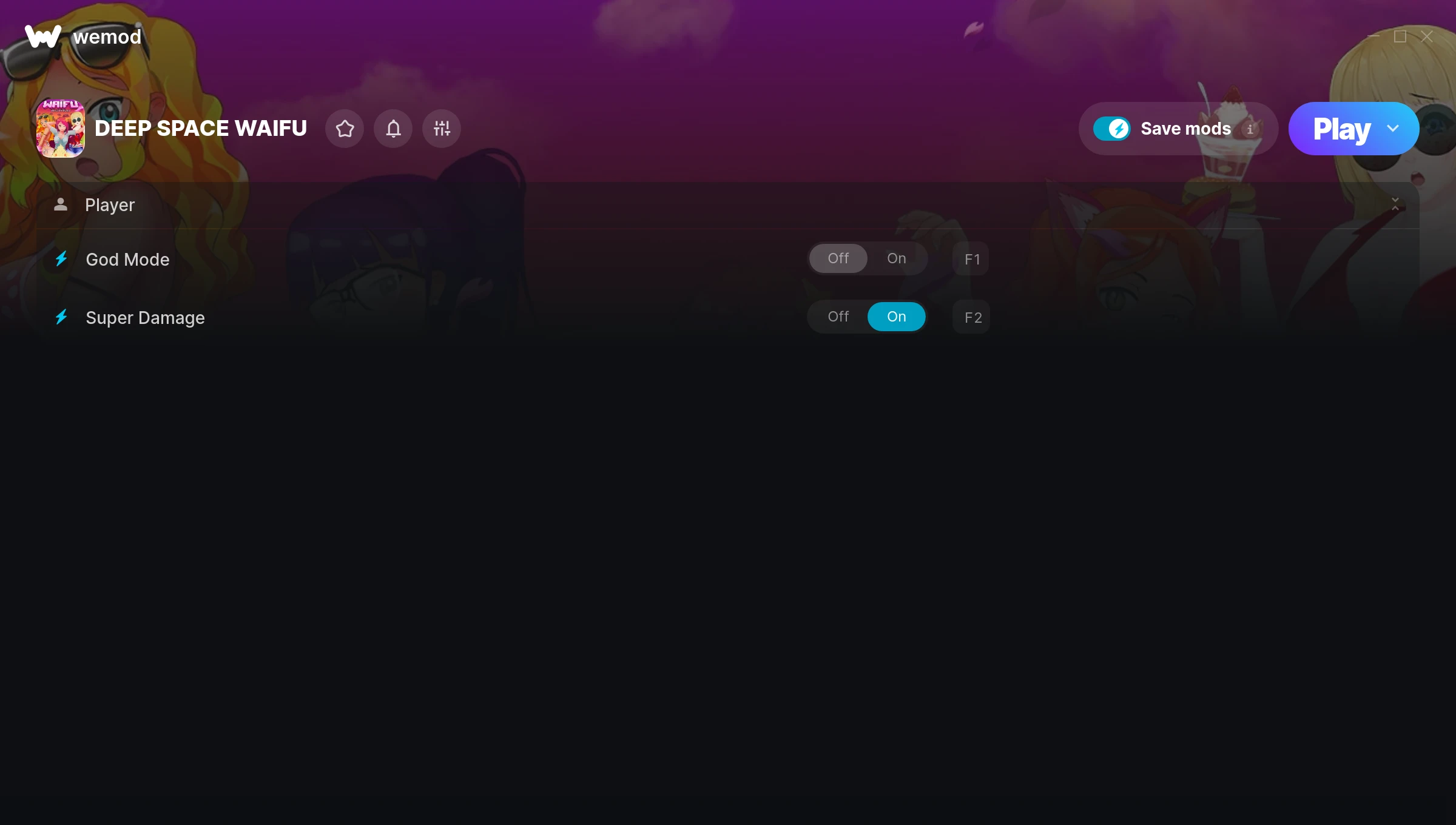
The DEEP SPACE WAIFU Trainer gives you access to 2 cheats that let you play the game however you want. Struggling with a tough section? Want to skip the grind? Just want to mess around? This trainer has you covered.
God mode lets you take on anything the game throws at you without breaking a sweat. Boss fights become victory laps. These cheats let you get past the frustrating parts and actually enjoy the game at your own pace.
Skip the grind, skip the frustration, and get straight to the fun part.
Originally a 2017 release, DEEP SPACE WAIFU carved out a solid spot in the shooter and indie space and players keep coming back.
This trainer is auto-updating – it patches itself every time the game gets an update, so you never have to hunt for a new download. Just install it once and you’re set.
DEEP SPACE WAIFU Trainer Cheats
This trainer includes 2 cheats covering health, combat.
| # | Cheat | Effect |
|---|---|---|
| 1 | God Mode | Become completely invincible – nothing in the game can hurt you |
| 2 | Super Damage | Crank your damage up to ridiculous levels |
Download DEEP SPACE WAIFU Trainer
Download the latest version of this trainer for PC below.
| Version | Creator | Platform | Date Added | Download |
|---|---|---|---|---|
| Auto-Updating Version (Latest) | MrAntiFun | Steam | 2025-11-11 | Download |
How to Use This Trainer
- Fire Up DEEP SPACE WAIFU – Open the game and let it load fully. Whether you’re continuing a save or starting new, just make sure it’s running.
- Start the Trainer – Open WeMod, type “DEEP SPACE WAIFU” in the search bar, and click Play. The overlay pops up in-game and you’re ready to go.
- Turn On Cheats – Pick the cheats you want from the WeMod overlay and switch them on. They kick in instantly and you can toggle them off anytime.
- Start Playing – That’s all there is to it. Dive back in and enjoy DEEP SPACE WAIFU with your cheats running. Feel free to adjust them anytime mid-game.
Tips & Known Issues
- Only use this trainer in single-player. Online and multiplayer modes have anti-cheat systems that will detect and ban you.
- If you’re running other overlays (Discord, NVIDIA, MSI Afterburner), try disabling them if the trainer isn’t responding.
- Having issues on Steam? Try disabling the Steam Overlay under Settings > In-Game. It can sometimes clash with trainers.
- Running the trainer as Admin avoids most permission-related issues. Right-click and choose Run as Administrator.
- Using WeMod? The trainer stays current on its own – it auto-patches after every game update.
Frequently Asked Questions
What should I do if the trainer stops working after an update?
If a game patch breaks things, the auto-updating trainer will fix itself automatically – usually within a day or two.
Can I customise how much health or money I get?
Where available, yes. Look for cheats labelled ‘Set’ or ‘Edit’ – these let you punch in a custom value instead of going straight to infinite.
How often is this trainer updated?
This trainer auto-updates shortly after each game patch, so it stays compatible without you having to do anything.
Will this trainer affect my save files?
It won’t corrupt your saves. The trainer works in memory only – but keep in mind that any progress made with cheats enabled will be saved normally.
Do I need to restart the game after activating cheats?
No restart needed. Cheats take effect the moment you activate them – toggle freely while you play.
Can I get banned for using this trainer?
Not in single-player – that’s what trainers are designed for. Never use them in online or multiplayer though, that will get you banned.
Does this trainer work with Steam?
Fully compatible with Steam. Just launch the game through Steam and run the trainer alongside it.