Democracy 3 Trainer
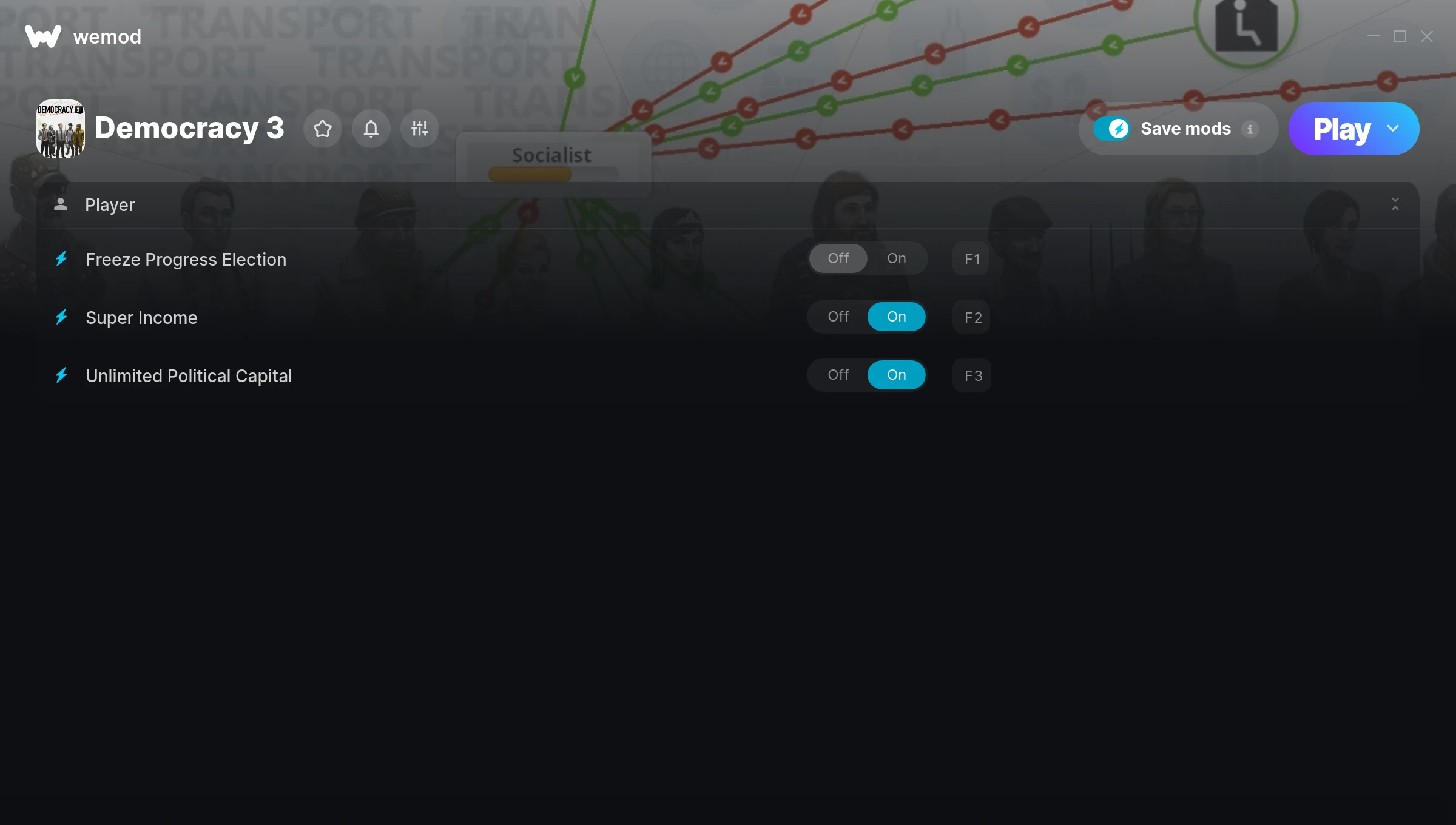
The Democracy 3 Trainer gives you access to 3 cheats that let you play the game however you want. Struggling with a tough section? Want to skip the grind? Just want to mess around? This trainer has you covered.
Turn on god mode and play the game like a walking cutscene. No shame in it.
Out since 2013, this simulator and strategy title is still going strong with players who want to shape the experience on their own terms.
No need to check for updates manually. This auto-updating trainer keeps itself compatible with the latest version of the game so your cheats always work.
Democracy 3 Trainer Cheats
This trainer includes 3 cheats covering time.
| # | Cheat | Effect |
|---|---|---|
| 1 | Freeze Progress Election | Lock your progress election so it never changes |
| 2 | Super Income | Crank your income up to ridiculous levels |
| 3 | Unlimited Political Capital | Remove all limits on your political capital |
What Can You Do With This Trainer?
Here are some of the standout cheats in this trainer – the ones that really change how you play:
- Freeze Progress Election – Prevent your progress election from going up or down
- Super Income – Massively boost your income beyond normal limits
- Unlimited Political Capital – Your political capital never runs out or depletes
And that’s just scratching the surface. The full Democracy 3 cheat list above has everything you need to play completely on your own terms.
Download Democracy 3 Trainer
Download the latest version of this trainer for PC below.
| Version | Creator | Platform | Date Added | Download |
|---|---|---|---|---|
| Auto-Updating Version (Latest) | MrAntiFun | Steam | 2026-01-09 | Download |
How to Use This Trainer
- Get Into Democracy 3 – Launch the game, get past the splash screens, and load into gameplay. Once you can see your character or the main menu, move to step 2.
- Open WeMod Overlay – Search for “Democracy 3” in WeMod and click Play. The in-game overlay will appear with toggles for every available cheat.
- Activate Cheats – Toggle the cheats you want using the WeMod overlay or press the assigned hotkeys. Cheats activate in real-time while you play.
- Enjoy the Game – You’re all set. Play the game with your cheats active and switch them around as you go. Try different combinations to see what’s the most fun.
Tips & Known Issues
- Only use this trainer in single-player. Online and multiplayer modes have anti-cheat systems that will detect and ban you.
- Multiple overlays running at once can cause issues. If the trainer isn’t responding, close any unnecessary overlay software.
- Don’t be alarmed if Windows Defender or your antivirus flags the download. Trainers are routinely flagged as false positives.
- It’s good practice to back up your saves before activating cheats. That way you can revert if anything feels off.
- WeMod handles version compatibility automatically. When the game updates, the trainer follows shortly after.
Frequently Asked Questions
How often is this trainer updated?
This trainer auto-updates shortly after each game patch, so it stays compatible without you having to do anything.
Can I use multiple cheats at the same time?
Yes – enable as many as you like simultaneously. Combining cheats is where things get really fun.
Can I get banned for using this trainer?
Single-player? No risk at all. Online or multiplayer? Do not even think about it. Anti-cheat systems will catch you and you will be banned.
How do I know which version to download?
This trainer auto-updates whenever the game is patched, so you always have the latest compatible version. Just download it once and you’re set.
Will this trainer affect my save files?
Your save files are safe. Cheats only change values in RAM while you play. Just be aware that anything you accomplish with cheats active gets saved like normal progress.
What cheats are included in this trainer?
This trainer packs 3 cheats covering everything from infinite health to unlimited resources and more. The full list is in the table above.
Does this trainer work with Steam?
It does. This trainer is built to work with the Steam version.