
Democracy 4 Trainer
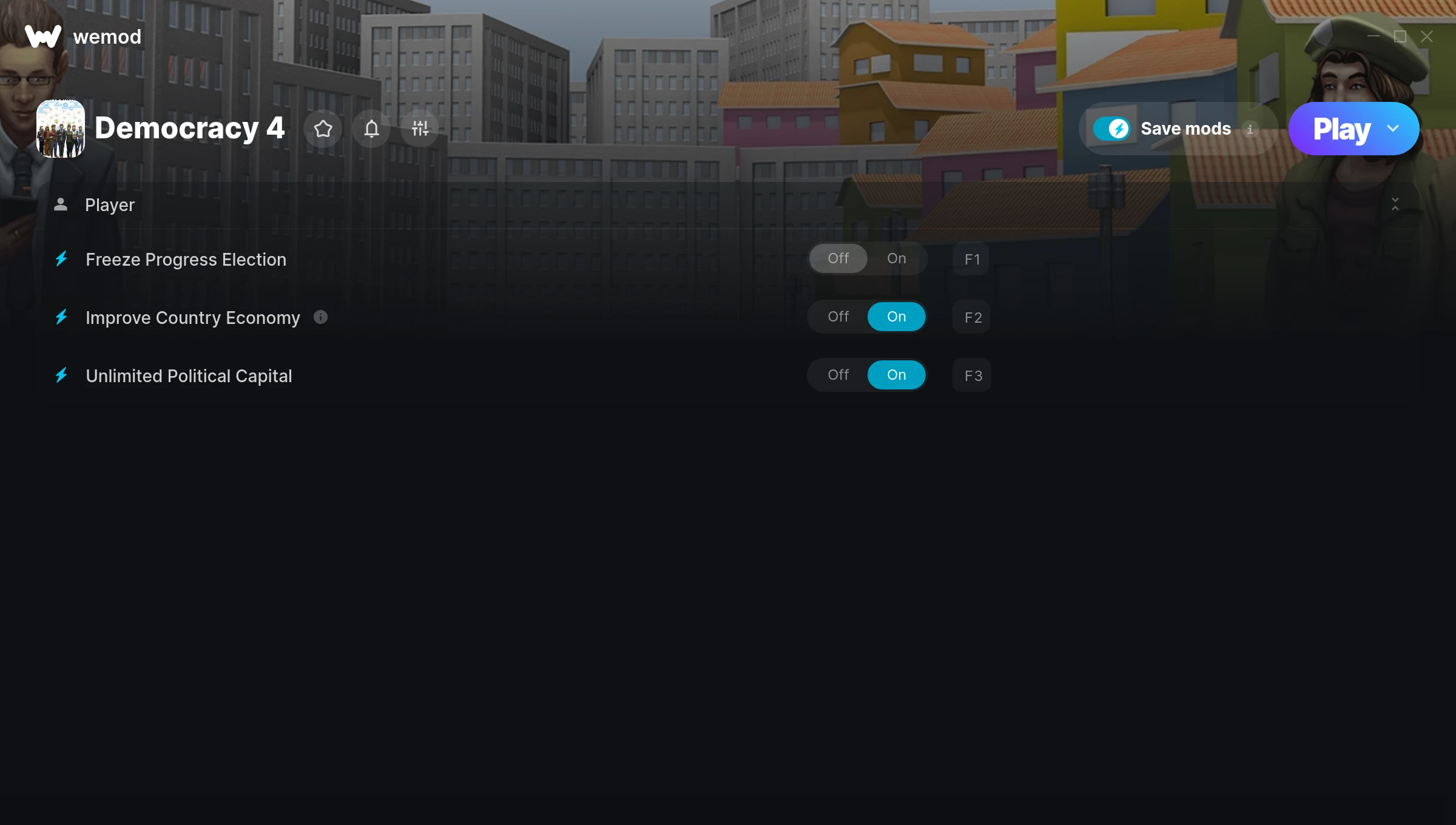
The Democracy 4 Trainer gives you access to 3 cheats that let you play the game however you want. Struggling with a tough section? Want to skip the grind? Just want to mess around? This trainer has you covered.
These aren’t subtle tweaks. Some of these cheats will completely change how the game feels.
Players have been diving into Democracy 4 since 2020, making it one of the more enduring simulator and strategy titles out there.
Once you’ve got this trainer installed, it takes care of itself. Every time the game gets a patch, the trainer updates automatically so your cheats keep working.
Democracy 4 Trainer Cheats
This trainer includes 3 cheats covering time.
| # | Cheat | Effect |
|---|---|---|
| 1 | Freeze Progress Election | Prevent your progress election from going up or down |
| 2 | Improve Country Economy | Tweak the improve country economy mechanic to your advantage |
| 3 | Unlimited Political Capital | Use your political capital as much as you want without limits |
What Can You Do With This Trainer?
Here are some of the standout cheats in this trainer – the ones that really change how you play:
- Freeze Progress Election – Prevent your progress election from going up or down
- Improve Country Economy – Tweak the improve country economy mechanic to your advantage
- Unlimited Political Capital – Use your political capital as much as you want without limits
And that’s just scratching the surface. The full Democracy 4 cheat list above has everything you need to play completely on your own terms.
Download Democracy 4 Trainer
Download the latest version of this trainer for PC below.
| Version | Creator | Platform | Date Added | Download |
|---|---|---|---|---|
| Auto-Updating Version (Latest) | MrAntiFun | Steam | 2026-01-09 | Download |
How to Use This Trainer
- Fire Up Democracy 4 – Open the game and let it load fully. Whether you’re continuing a save or starting new, just make sure it’s running.
- Activate WeMod – Run the WeMod app, locate “Democracy 4”, and hit Play. WeMod attaches to the game and shows you the full cheat list in the overlay.
- Turn On Cheats – Pick the cheats you want from the WeMod overlay and switch them on. They kick in instantly and you can toggle them off anytime.
- Enjoy Your Playthrough – All done. Now play Democracy 4 however you want. You can tweak your active cheats at any point without restarting.
Tips & Known Issues
- This is a single-player trainer only. Do not use it in online or multiplayer modes – you will get banned.
- A quick save backup takes seconds and gives you peace of mind when experimenting with trainer cheats.
- Running into problems? Other overlay software (Discord, NVIDIA ShadowPlay) can conflict with trainers. Try turning them off.
- If your antivirus blocks the trainer, add it to your exception list. Memory-editing tools are commonly flagged as false positives.
- Using WeMod? The trainer stays current on its own – it auto-patches after every game update.
Frequently Asked Questions
How do I know which version to download?
This trainer auto-updates whenever the game is patched, so you always have the latest compatible version. Just download it once and you’re set.
Will this trainer affect my save files?
No damage to saves. The trainer tweaks memory values on the fly, not your save data. That said, if you earn a million gold with cheats on, that gold saves too.
How often is this trainer updated?
This trainer auto-updates shortly after each game patch, so it stays compatible without you having to do anything.
Is this trainer free to download?
It is. No hidden fees, no sign-up walls – just download it from the links above and start playing.
Can I customise how much health or money I get?
Some cheats include an edit mode where you can set a specific value rather than just maxing things out. Great for keeping things balanced if you want.
Can I use multiple cheats at the same time?
Of course. There’s no limit to how many you can have active. Layer them however you want.
Does this trainer work with Steam?
Fully compatible with Steam. Just launch the game through Steam and run the trainer alongside it.



