
Football Manager 26 Trainer
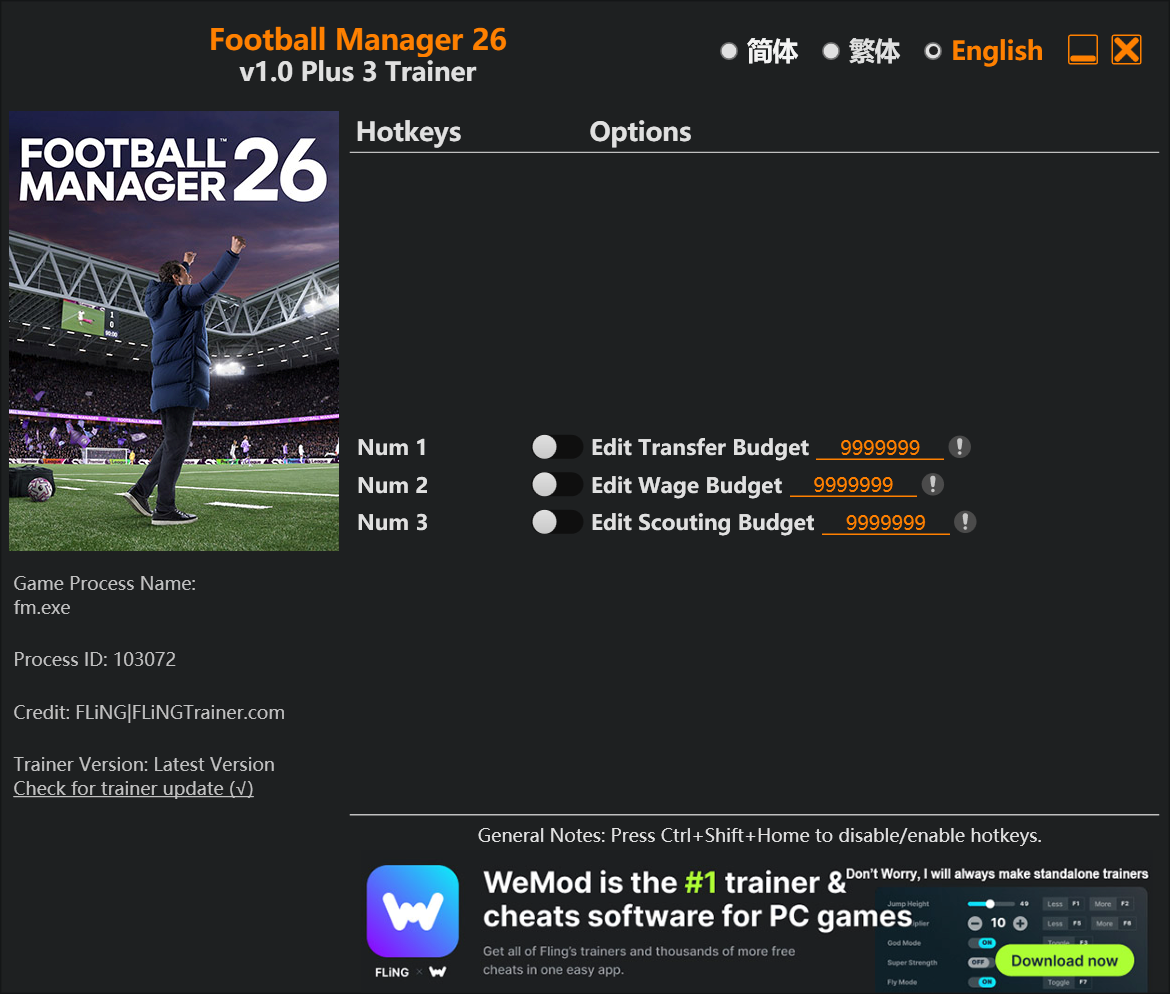
The Football Manager 26 Trainer gives you access to 3 cheats that let you play the game however you want. Struggling with a tough section? Want to skip the grind? Just want to mess around? This trainer has you covered.
Some of these cheats are subtle quality-of-life tweaks. Others are straight-up game-breaking. Both are great.
First hitting the scene in 2025, this simulator and sport title keeps attracting players who want more control over their run.
Two versions are available: pick the Auto-Updating Version and it will keep pace with every game patch automatically, or go with the Standalone download if you’d rather stick to one fixed release.
Football Manager 26 Trainer Cheats
This trainer includes 3 cheats for tweaking your gameplay.
| # | Cheat | Effect |
|---|---|---|
| 1 | Edit Transfer Budget | Fine-tune your transfer budget to the perfect amount |
| 2 | Edit Wage Budget | Fine-tune your wage budget to the perfect amount |
| 3 | Edit Scouting Budget | Manually adjust your scouting budget to whatever you need |
What Can You Do With This Trainer?
Here are some of the standout cheats in this trainer – the ones that really change how you play:
- Edit Transfer Budget – Fine-tune your transfer budget to the perfect amount
- Edit Wage Budget – Manually adjust your wage budget to whatever you need
- Edit Scouting Budget – Set your scouting budget to any value you choose
And that’s just scratching the surface. The full cheat list above has everything you need to play the game completely on your own terms.
Download Football Manager 26 Trainer
Download the latest version of this trainer for PC below.
| Version | Creator | Platform | Date Added | Download |
|---|---|---|---|---|
| Auto-Updating Version (Latest) | FLiNG | Steam, Xbox | 2026-01-09 | Download |
| Standalone Version | FLiNG | Steam | 2025-11-10 | Download |
How to Use This Trainer
- Run Football Manager 26 – Get the game running first – load a save or start fresh. The trainer won’t work unless the game is already open.
- Start the Trainer – Got WeMod? Search for “Football Manager 26” in the app and click Play. Using the FLiNG standalone? Run the .exe with Administrator privileges.
- Enable the Cheats You Want – Use the WeMod overlay to enable any combination of cheats. Everything activates in real-time while the game is running.
- Dive In – Everything is ready. Return to Football Manager 26 and enjoy the game your way. Swap cheats around whenever you feel like mixing things up.
Tips & Known Issues
- This trainer is strictly for single-player gameplay. Anti-cheat software in online modes will flag and ban your account.
- Trainer compatibility depends on game version. If cheats aren’t activating, check that your game is up to date.
- Always run the trainer as Administrator for best compatibility.
- Trainers are PC-only. If you’re playing on console or through a cloud streaming service, the trainer won’t work.
- The WeMod version updates itself automatically after each game patch. No action needed on your end.
Frequently Asked Questions
Can I use multiple cheats at the same time?
Of course. There’s no limit to how many you can have active. Layer them however you want.
What should I do if the trainer stops working after an update?
Sit tight. The auto-updating trainer usually fixes itself within a day or so after a patch. If you’re on the Standalone version, look for a newer build.
How often is this trainer updated?
Updates roll out shortly after game patches for the Auto-Updating Version. The Standalone build gets refreshed less frequently.
Can I get banned for using this trainer?
Not in single-player – that’s what trainers are designed for. Never use them in online or multiplayer though, that will get you banned.
Is this trainer compatible with mods?
Generally, yes. Most mods and trainers operate independently. You might see odd behaviour if a mod directly changes the same stats the trainer controls.
Does this trainer work with Steam?
Yes, it works with Steam, Xbox. Check the download table above for specific platform details.
Game