
Dig or Die Trainer
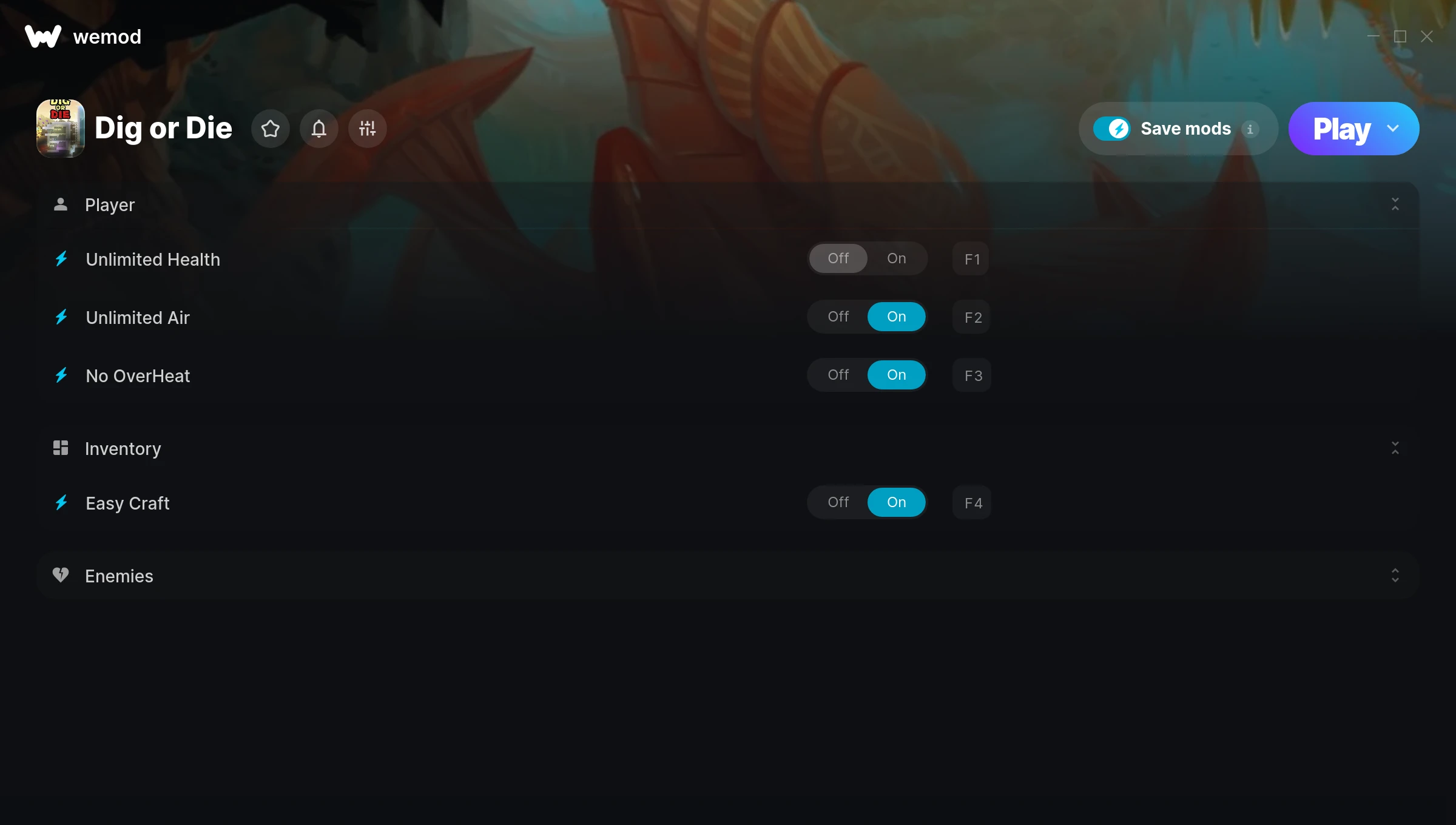
The Dig or Die Trainer gives you access to 5 cheats that let you play the game however you want. Struggling with a tough section? Want to skip the grind? Just want to mess around? This trainer has you covered.
You can play it straight or go full chaos mode. No judgement either way.
This role-playing (rpg) and simulator title has been around since 2018 and remains a popular pick for players looking to push their experience further.
This is an auto-updating trainer that keeps pace with every game patch automatically. No need to manually grab new versions after updates.
Some of the most popular cheats included in this trainer are Unlimited Health, Unlimited Air, No OverHeat, Easy Craft, and many more. These modifications let you customize difficulty, skip grinding, or simply experiment with the game in new ways.
Dig or Die Trainer Cheats
This trainer includes 5 cheats covering health, crafting.
| # | Cheat | Effect |
|---|---|---|
| 1 | Unlimited Health | Your health stays maxed out no matter what hits you |
| 2 | Unlimited Air | Use your air as much as you want without limits |
| 3 | No OverHeat | Turn off overheat entirely for easier gameplay |
| 4 | Easy Craft | Tweak the easy craft mechanic to your advantage |
| 5 | Weak Enemies | Tweak the weak enemies mechanic to your advantage |
What Can You Do With This Trainer?
Here are some of the standout cheats in this trainer – the ones that really change how you play:
- Unlimited Health – Your health stays maxed out no matter what hits you
- Unlimited Air – Your air never runs out or depletes
- No OverHeat – Remove overheat from the equation
- Easy Craft – Tweak the easy craft mechanic to your advantage
- Weak Enemies – Tweak the weak enemies mechanic to your advantage
And that’s just scratching the surface. The full Dig or Die cheat list above has everything you need to play completely on your own terms.
Download Dig or Die Trainer
Download the latest version of this trainer for PC below.
| Version | Creator | Platform | Date Added | Download |
|---|---|---|---|---|
| Auto-Updating Version (Latest) | MrAntiFun | Steam | 2025-12-10 | Download |
How to Use This Trainer
- Get Into Dig or Die – Launch the game, get past the splash screens, and load into gameplay. Once you can see your character or the main menu, move to step 2.
- Open WeMod Overlay – Search for “Dig or Die” in WeMod and click Play. The in-game overlay will appear with toggles for every available cheat.
- Choose Your Cheats – Scroll through the WeMod overlay and enable the cheats that interest you. All changes happen live while you play.
- Play and Enjoy – That’s it – jump back into the game and enjoy. You can toggle cheats on and off whenever you want. Half the fun is experimenting to find your perfect setup.
Tips & Known Issues
- This is a single-player trainer only. Do not use it in online or multiplayer modes – you will get banned.
- Running the trainer as Admin avoids most permission-related issues. Right-click and choose Run as Administrator.
- If using Steam, consider disabling the Steam Overlay (Steam > Settings > In-Game) to avoid conflicts with the trainer.
- If this is your primary save, consider making a backup first. Cheats won’t corrupt data, but it’s good to have a safety net.
- One of the perks of WeMod is automatic updates. The trainer syncs with game patches behind the scenes.
Frequently Asked Questions
Can I use multiple cheats at the same time?
Yes – enable as many as you like simultaneously. Combining cheats is where things get really fun.
How do I use this trainer?
Grab the download, launch the game, then fire up the trainer. Toggle cheats with the hotkeys or the overlay – done.
What should I do if the trainer stops working after an update?
If a game patch breaks things, the auto-updating trainer will fix itself automatically – usually within a day or two.
Will this trainer affect my save files?
The trainer only modifies values in memory while the game is running. Your save files stay intact, though any progress you make with cheats on will save as normal.
Does this trainer work with Steam?
Yes, it works with the Steam version of the game.



