Distant Worlds: Universe Trainer
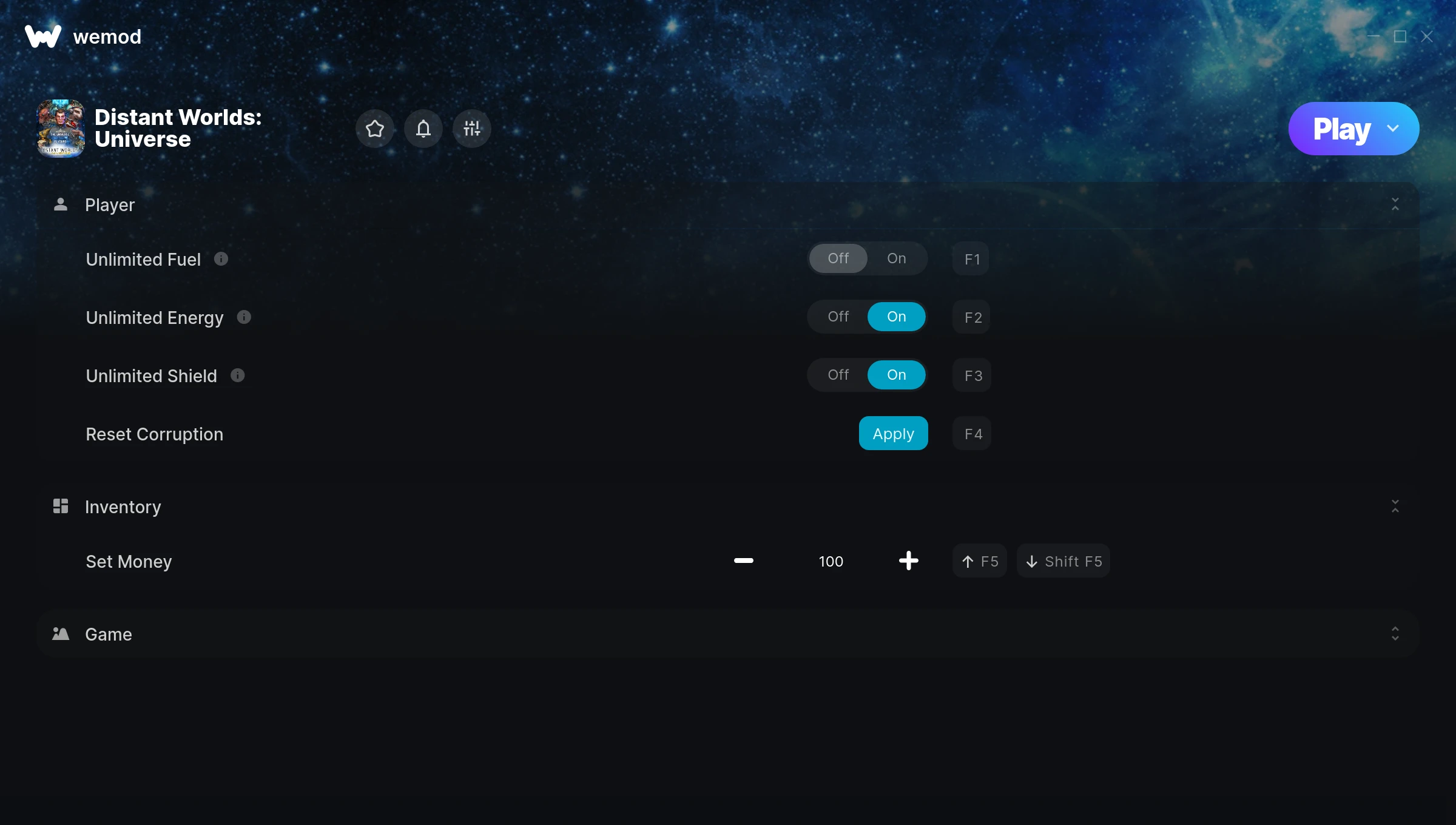
The Distant Worlds: Universe Trainer gives you access to 7 cheats that let you play the game however you want. Struggling with a tough section? Want to skip the grind? Just want to mess around? This trainer has you covered.
The trainers below give you complete control over your experience. Use them however you want.
Dropping in 2014, Distant Worlds: Universe brought something different to the real time strategy (rts) and simulator scene and players are still hooked.
This trainer is auto-updating – it patches itself every time the game gets an update, so you never have to hunt for a new download. Just install it once and you’re set.
Some of the most popular cheats included in this trainer are Unlimited Fuel, Unlimited Energy, Unlimited Shield, Reset Corruption, and many more. These modifications let you customize difficulty, skip grinding, or simply experiment with the game in new ways.
Distant Worlds: Universe Trainer Cheats
This trainer includes 7 cheats covering resources, defense.
| # | Cheat | Effect |
|---|---|---|
| 1 | Unlimited Fuel | Your fuel never runs out or depletes |
| 2 | Unlimited Energy | Your energy never runs out or depletes |
| 3 | Unlimited Shield | Remove all limits on your shield |
| 4 | Reset Corruption | Manually set your recorruption to any number |
| 5 | Set Money | Pick your own value for money |
| 6 | Fast Research | Tweak the fast research mechanic to your advantage |
| 7 | Fast Construction | Tweak the fast construction mechanic to your advantage |
What Can You Do With This Trainer?
Here are some of the standout cheats in this trainer – the ones that really change how you play:
- Unlimited Fuel – Remove all limits on your fuel
- Unlimited Energy – Your energy never runs out or depletes
- Unlimited Shield – Remove all limits on your shield
- Reset Corruption – Pick your own value for recorruption
- Set Money – Adjust money to whatever feels right
And that’s just scratching the surface. The full Distant Worlds: Universe cheat list above has everything you need to play completely on your own terms.
Download Distant Worlds: Universe Trainer
Download the latest version of this trainer for PC below.
| Version | Creator | Platform | Date Added | Download |
|---|---|---|---|---|
| Auto-Updating Version (Latest) | MrAntiFun | Steam | 2025-12-12 | Download |
How to Use This Trainer
- Boot Up Distant Worlds: Universe – Start the game like you normally would. Once you’re at the main menu or loaded into your save, you’re ready for the next step.
- Connect WeMod – Launch the WeMod application and find “Distant Worlds: Universe” in the library. Press Play and WeMod will hook into the running game automatically.
- Toggle Your Cheats – Flip on whichever cheats you want from the WeMod overlay. Each one takes effect immediately – no restart needed.
- Get Back to the Game – Everything is set up. Continue playing Distant Worlds: Universe with your chosen cheats active. Experiment freely – you can change things at any time.
Tips & Known Issues
- This is a single-player trainer only. Do not use it in online or multiplayer modes – you will get banned.
- It’s good practice to back up your saves before activating cheats. That way you can revert if anything feels off.
- For the trainer to work properly, make sure you launch it with Administrator privileges.
- Steam users may want to turn off the Steam Overlay to prevent it from interfering with the trainer.
- The WeMod version updates itself automatically after each game patch. No action needed on your end.
Frequently Asked Questions
Can I get banned for using this trainer?
Not in single-player – that’s what trainers are designed for. Never use them in online or multiplayer though, that will get you banned.
Do I need to restart the game after activating cheats?
No. Cheats are live the instant you toggle them. You can switch them on and off mid-gameplay without interruption.
Will the trainer work with the latest game version?
The auto-updating trainer stays compatible with new patches on its own. If you grabbed the Standalone version, you might need to check for a newer release after big updates.
Is this trainer free to download?
It is. No hidden fees, no sign-up walls – just download it from the links above and start playing.
What should I do if the trainer stops working after an update?
If a game patch breaks things, the auto-updating trainer will fix itself automatically – usually within a day or two.
Can I customise how much health or money I get?
Some cheats include an edit mode where you can set a specific value rather than just maxing things out. Great for keeping things balanced if you want.
Does this trainer work with Steam?
Fully compatible with Steam. Just launch the game through Steam and run the trainer alongside it.