Dome Keeper Trainer
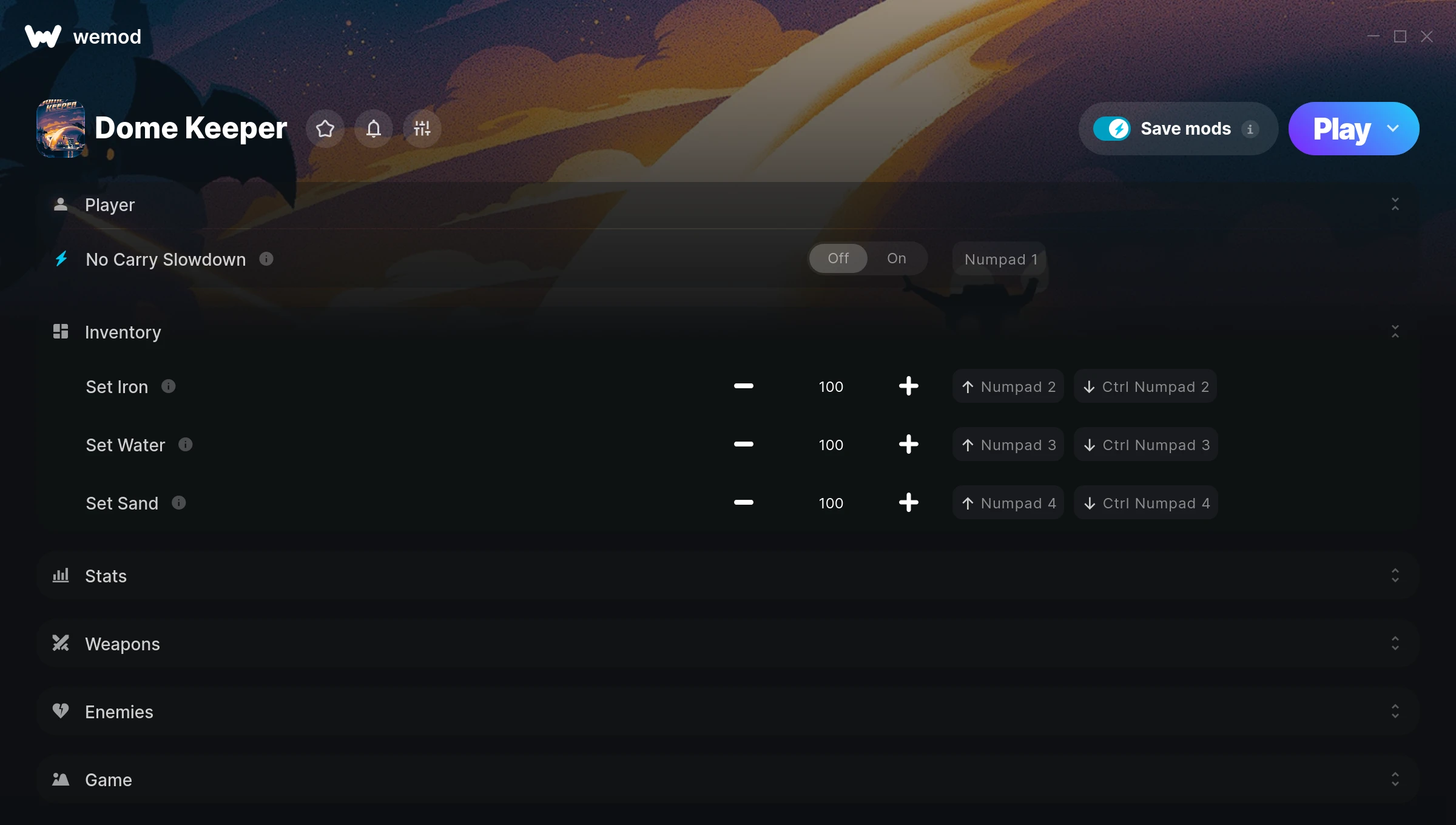
The Dome Keeper Trainer gives you access to 10 cheats that let you play the game however you want. Struggling with a tough section? Want to skip the grind? Just want to mess around? This trainer has you covered.
Honestly, half the fun is seeing what happens when you turn everything on at once.
First hitting the scene in 2022, this tactical and indie title keeps attracting players who want more control over their run.
Choose between two versions: the Auto-Updating one handles game patches for you behind the scenes, while the Standalone build is a straightforward one-and-done download.
Some of the most popular cheats included in this trainer are Unlimited Health, Freeze Monster Waves, No Carry Slowdown, Set Iron, and many more. These modifications let you customize difficulty, skip grinding, or simply experiment with the game in new ways.
Dome Keeper Trainer Cheats
This trainer includes 10 cheats covering health, combat, movement, inventory, defense.
| # | Cheat | Effect |
|---|---|---|
| 1 | No Carry Slowdown | Turn off carry slowdown entirely for easier gameplay |
| 2 | Set Iron | Choose exactly how much iron you want |
| 3 | Set Water | Pick your own value for water |
| 4 | Set Sand | Adjust sand to whatever feels right |
| 5 | Unlimited Shield | Use your shield as much as you want without limits |
| 6 | Unlimited Health | Your health stays maxed out no matter what hits you |
| 7 | Massive Laser Damage | Tweak the massive laser damage mechanic to your advantage |
| 8 | Massive Drill Damage | Tweak the massive drill damage mechanic to your advantage |
| 9 | Freeze Monster Waves | Lock your monster waves so it never changes |
| 10 | Set Game Speed | Speed up or slow down the entire game to your liking |
What Can You Do With This Trainer?
Here are some of the standout cheats in this trainer – the ones that really change how you play:
- No Carry Slowdown – Turn off carry slowdown entirely for easier gameplay
- Set Iron – Manually set your iron to any number
- Set Water – Manually set your water to any number
- Set Sand – Manually set your sand to any number
- Unlimited Shield – Use your shield as much as you want without limits
And that’s just scratching the surface. The full Dome Keeper cheat list above has everything you need to play completely on your own terms.
Download Dome Keeper Trainer
Download the latest version of this trainer for PC below.
| Version | Creator | Platform | Date Added | Download |
|---|---|---|---|---|
| Auto-Updating Version (Latest) | GreenHouse | Steam | 2025-10-11 | Download |
| Standalone Version | FLiNG | Steam | 2025-07-16 | Download |
How to Use This Trainer
- Boot Up Dome Keeper – Start the game like you normally would. Once you’re at the main menu or loaded into your save, you’re ready for the next step.
- Activate the Trainer App – Open WeMod and search for “Dome Keeper” to launch the overlay, or run the standalone FLiNG trainer .exe as Administrator – depending on which version you downloaded.
- Select and Activate – Choose your cheats from the WeMod overlay and flip them on. Every toggle takes effect right away with no need to reload.
- Start Playing – That’s all there is to it. Dive back in and enjoy Dome Keeper with your cheats running. Feel free to adjust them anytime mid-game.
Tips & Known Issues
- This trainer is strictly for single-player gameplay. Anti-cheat software in online modes will flag and ban your account.
- If cheats toggle on but have no effect, your game version might be out of date. Update the game and try again.
- If cheats aren’t working, check for conflicting overlays. Discord, GeForce Experience, and similar tools can interfere.
- This trainer only works on PC. Console versions and cloud gaming platforms are not supported.
- No need to check for updates manually with WeMod. The trainer patches itself whenever the game is updated.
Frequently Asked Questions
Can I use multiple cheats at the same time?
You can run every single cheat at once if you want. Mix and match until you find a combination you enjoy.
Can I get banned for using this trainer?
Not in single-player – that’s what trainers are designed for. Never use them in online or multiplayer though, that will get you banned.
Do I need to restart the game after activating cheats?
Nope. Cheats kick in immediately while the game is running. Just toggle them on and off whenever you want.
Can I customise how much health or money I get?
Where available, yes. Look for cheats labelled ‘Set’ or ‘Edit’ – these let you punch in a custom value instead of going straight to infinite.
How do I use this trainer?
Grab the download, launch the game, then fire up the trainer. Toggle cheats with the hotkeys or the overlay – done.
What cheats are included in this trainer?
You get 10 cheats to play with. Scroll up to the cheat list to see exactly what’s available.
Does this trainer work with Steam?
Yes. The trainer hooks into the game process when launched through Steam.