EVERSPACE (Windows Store) Trainer
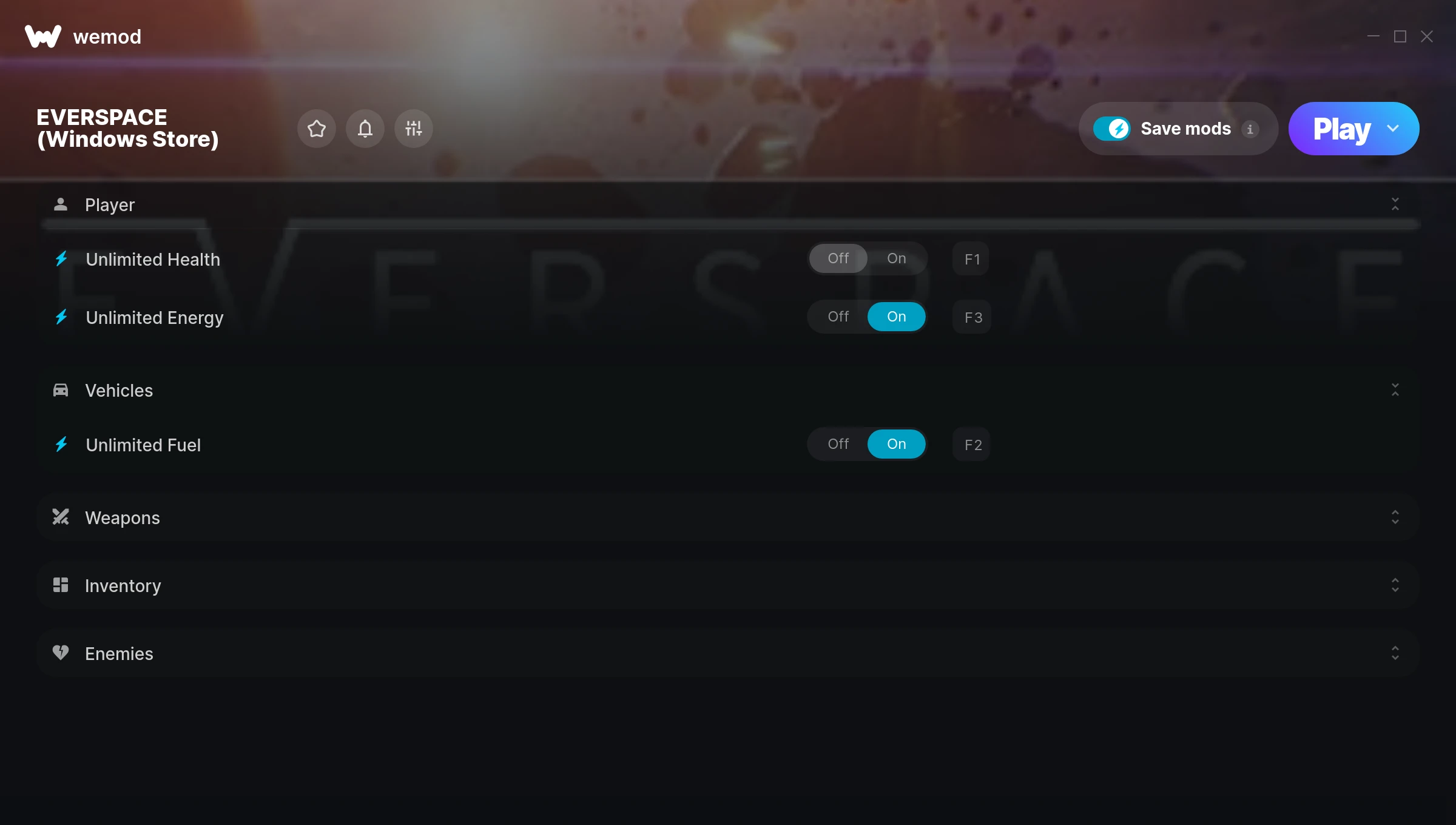
The EVERSPACE (Windows Store) Trainer gives you access to 8 cheats that let you play the game however you want. Struggling with a tough section? Want to skip the grind? Just want to mess around? This trainer has you covered.
Whether you’ve already beaten it legit or just want to cause some chaos, you’re in the right place.
This trainer is auto-updating – it patches itself every time the game gets an update, so you never have to hunt for a new download. Just install it once and you’re set.
Some of the most popular cheats included in this trainer are Unlimited Health, Unlimited Resources, Unlimited Energy, Unlimited Fuel, and many more. These modifications let you customize difficulty, skip grinding, or simply experiment with the game in new ways.
EVERSPACE (Windows Store) Trainer Cheats
This trainer includes 8 cheats covering health, resources, cooldowns.
| # | Cheat | Effect |
|---|---|---|
| 1 | Unlimited Health | Your health stays maxed out no matter what hits you |
| 2 | Unlimited Energy | Remove all limits on your energy |
| 3 | Unlimited Fuel | Use your fuel as much as you want without limits |
| 4 | No Cooldown | Use abilities back-to-back with zero wait time between them |
| 5 | Unlimited Missiles | Remove all limits on your missiles |
| 6 | Unlimited Resources | Gather and spend resources without worrying about running low |
| 7 | Add Credits | Manually adjust your credits to whatever you need |
| 8 | Enemies Cannot Move | Tweak the enemies cannot move mechanic to your advantage |
What Can You Do With This Trainer?
Here are some of the standout cheats in this trainer – the ones that really change how you play:
- Unlimited Health – Your health stays maxed out no matter what hits you
- Unlimited Energy – Your energy never runs out or depletes
- Unlimited Fuel – Your fuel never runs out or depletes
- No Cooldown – Use abilities back-to-back with zero wait time between them
- Unlimited Missiles – Remove all limits on your missiles
And that’s just scratching the surface. The full EVERSPACE (Windows Store) cheat list above has everything you need to play completely on your own terms.
Recommended Cheat Presets
Not sure which cheats to enable? Here are some recommended preset combinations for different playstyles:
Farming Preset
Skip the grind entirely. Max out your loot, XP, and cash without spending hours farming the same enemies over and over.
- Unlimited Resources
- Add Credits
Download EVERSPACE (Windows Store) Trainer
Download the latest version of this trainer for PC below.
| Version | Creator | Platform | Date Added | Download |
|---|---|---|---|---|
| Auto-Updating Version (Latest) | STN | Xbox | 2025-12-11 | Download |
How to Use This Trainer
- Open EVERSPACE (Windows Store) – Launch the game and wait until you’re in-game or at the main menu. The trainer needs the game process running to hook into it.
- Activate WeMod – Run the WeMod app, locate “EVERSPACE (Windows Store)”, and hit Play. WeMod attaches to the game and shows you the full cheat list in the overlay.
- Turn On Cheats – Pick the cheats you want from the WeMod overlay and switch them on. They kick in instantly and you can toggle them off anytime.
- Start Playing – That’s all there is to it. Dive back in and enjoy EVERSPACE (Windows Store) with your cheats running. Feel free to adjust them anytime mid-game.
Tips & Known Issues
- This trainer is strictly for single-player gameplay. Anti-cheat software in online modes will flag and ban your account.
- Multiple overlays running at once can cause issues. If the trainer isn’t responding, close any unnecessary overlay software.
- This trainer only works on PC. Console versions and cloud gaming platforms are not supported.
- Trainers modify game memory, which can trigger antivirus warnings. These are false positives – add an exception if needed.
- Using WeMod? The trainer stays current on its own – it auto-patches after every game update.
Frequently Asked Questions
How often is this trainer updated?
This trainer auto-updates shortly after each game patch, so it stays compatible without you having to do anything.
Is this trainer free to download?
Free as it gets. The download links are right above this section, pick whichever version suits you.
Will the trainer work with the latest game version?
The auto-updating trainer stays compatible with new patches on its own. If you grabbed the Standalone version, you might need to check for a newer release after big updates.
Can I customise how much health or money I get?
Where available, yes. Look for cheats labelled ‘Set’ or ‘Edit’ – these let you punch in a custom value instead of going straight to infinite.
Does this trainer work with Xbox?
Fully compatible with Xbox. Just launch the game through Xbox and run the trainer alongside it.