Expeditions: A MudRunner Game Trainer
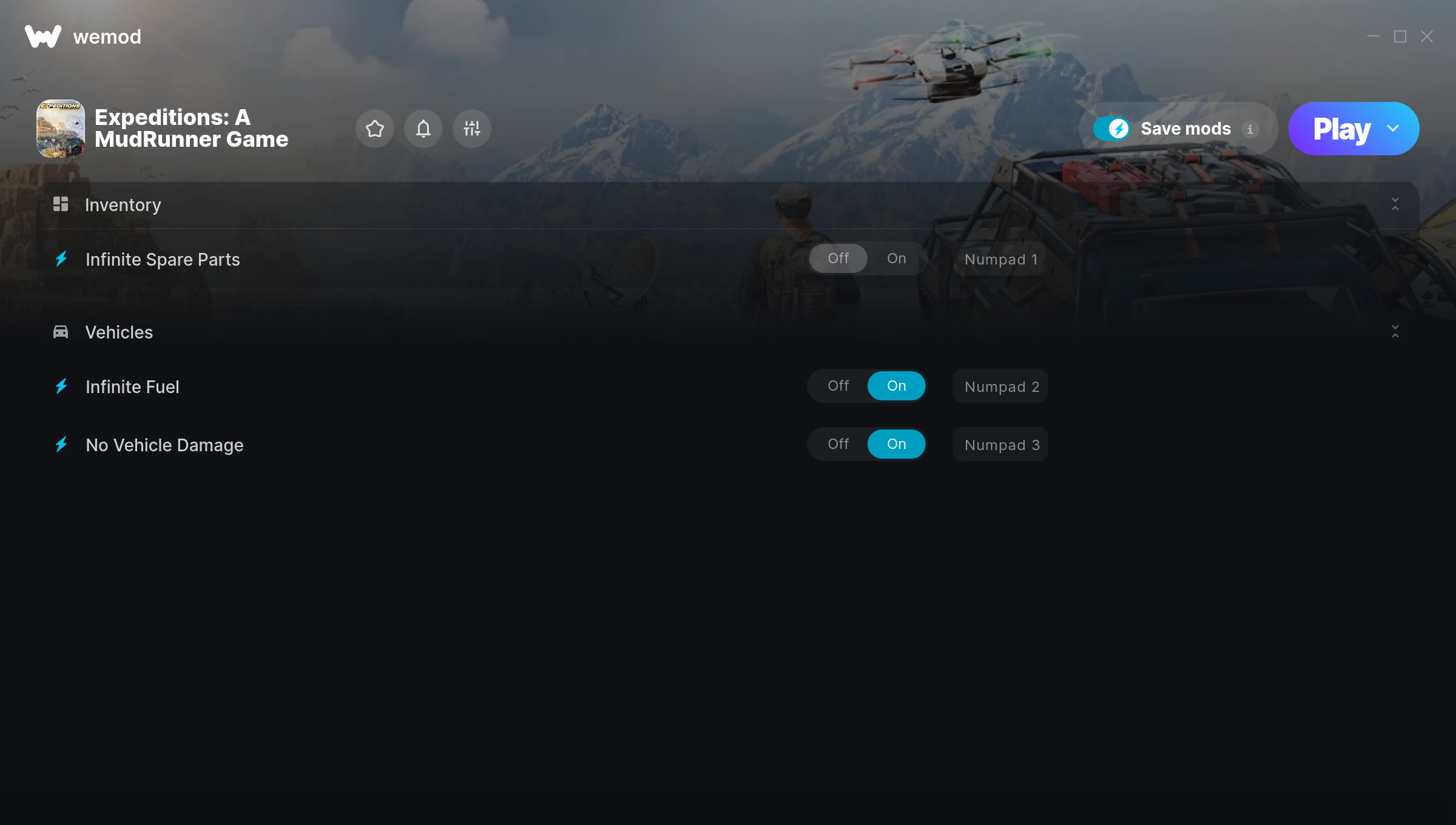
The Expeditions: A MudRunner Game Trainer gives you access to 3 cheats that let you play the game however you want. Struggling with a tough section? Want to skip the grind? Just want to mess around? This trainer has you covered.
If you’ve been stuck on a boss for hours, you’re about to have a very good day.
A racing and simulator title that first dropped in 2024, Expeditions: A MudRunner Game still draws players who want to tweak the experience to their liking.
No need to check for updates manually. This auto-updating trainer keeps itself compatible with the latest version of the game so your cheats always work.
Expeditions: A MudRunner Game Trainer Cheats
This trainer includes 3 cheats covering combat.
| # | Cheat | Effect |
|---|---|---|
| 1 | Infinite Spare Parts | Your spare parts supply becomes endless |
| 2 | Infinite Fuel | Your fuel supply becomes endless |
| 3 | No Vehicle Damage | Turn off vehicle damage entirely for easier gameplay |
What Can You Do With This Trainer?
Here are some of the standout cheats in this trainer – the ones that really change how you play:
- Infinite Spare Parts – Your spare parts supply becomes endless
- Infinite Fuel – Never worry about running out of fuel again
- No Vehicle Damage – Turn off vehicle damage entirely for easier gameplay
And that’s just scratching the surface. The full Expeditions: A MudRunner Game cheat list above has everything you need to play completely on your own terms.
Download Expeditions: A MudRunner Game Trainer
Download the latest version of this trainer for PC below.
| Version | Creator | Platform | Date Added | Download |
|---|---|---|---|---|
| Auto-Updating Version (Latest) | GreenHouse | Steam, Xbox, PC Game Pass | 2026-01-10 | Download |
How to Use This Trainer
- Start Expeditions: A MudRunner Game – Fire up the game and get to the main menu or load your save. The game needs to be running before you open the trainer.
- Open WeMod Overlay – Search for “Expeditions: A MudRunner Game” in WeMod and click Play. The in-game overlay will appear with toggles for every available cheat.
- Turn On Cheats – Pick the cheats you want from the WeMod overlay and switch them on. They kick in instantly and you can toggle them off anytime.
- Dive In – Everything is ready. Return to Expeditions: A MudRunner Game and enjoy the game your way. Swap cheats around whenever you feel like mixing things up.
Tips & Known Issues
- Never activate this trainer during online play. It’s built for single-player only and multiplayer anti-cheat will catch it.
- Trainers need direct access to the game’s memory on your PC. They won’t work with console editions or streamed versions.
- If your antivirus blocks the trainer, add it to your exception list. Memory-editing tools are commonly flagged as false positives.
- Make a copy of your save data before experimenting with cheats. Better safe than sorry.
- One of the perks of WeMod is automatic updates. The trainer syncs with game patches behind the scenes.
Frequently Asked Questions
Is this trainer free to download?
It is. No hidden fees, no sign-up walls – just download it from the links above and start playing.
What should I do if the trainer stops working after an update?
If a game patch breaks things, the auto-updating trainer will fix itself automatically – usually within a day or two.
Can I get banned for using this trainer?
Single-player? No risk at all. Online or multiplayer? Do not even think about it. Anti-cheat systems will catch you and you will be banned.
Is this trainer compatible with mods?
They’re typically fine together. The rare exception is when a mod overwrites the same values the trainer hooks into, but that’s uncommon.
Does this trainer work with Steam?
Yes. The trainer hooks into the game process regardless of whether you launch through Steam, Xbox.
Is this trainer compatible with PC Game Pass?
Yes, this trainer works with the PC Game Pass version. Since the game is available through the Xbox app, the trainer hooks into it just like any other PC version.