
Farmer’s Dynasty Trainer
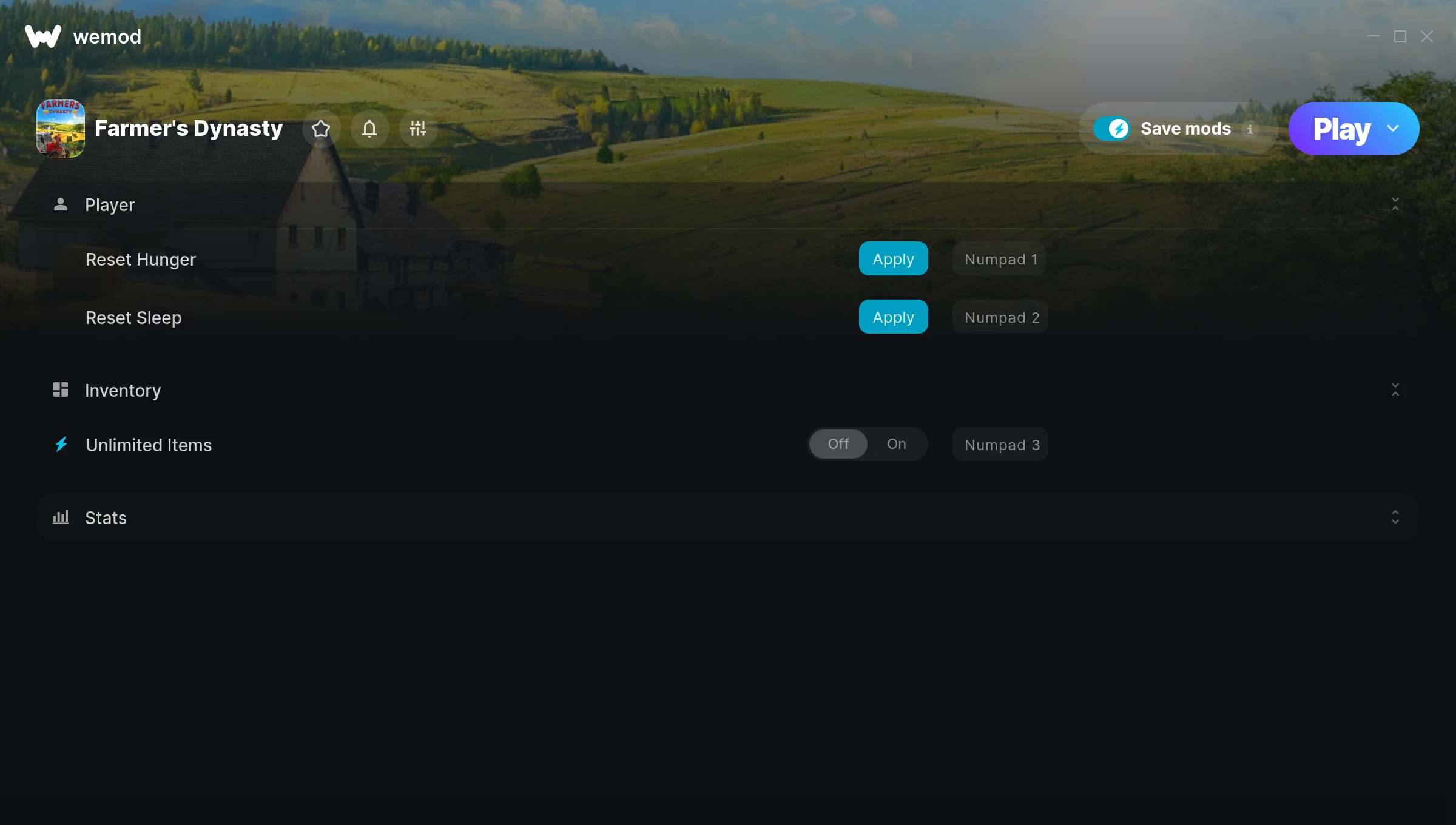
The Farmer’s Dynasty Trainer gives you access to 5 cheats that let you play the game however you want. Struggling with a tough section? Want to skip the grind? Just want to mess around? This trainer has you covered.
Once you try god mode in this game, it’s hard to go back. Just saying.
A role-playing (rpg) and simulator title that first dropped in 2019, Farmer’s Dynasty still draws players who want to tweak the experience to their liking.
Once you’ve got this trainer installed, it takes care of itself. Every time the game gets a patch, the trainer updates automatically so your cheats keep working.
Some of the most popular cheats included in this trainer are Reset Hunger, Reset Sleep, Unlimited Items, Add 5K Money, and many more. These modifications let you customize difficulty, skip grinding, or simply experiment with the game in new ways.
Farmer’s Dynasty Trainer Cheats
This trainer includes 5 cheats covering resources, inventory.
| # | Cheat | Effect |
|---|---|---|
| 1 | Reset Hunger | Adjust rehunger to whatever feels right |
| 2 | Reset Sleep | Pick your own value for resleep |
| 3 | Unlimited Items | Use items freely without your inventory running out |
| 4 | Add 5K Money | Add extra 5k money whenever you need it |
| 5 | Add 1K Social Points | Add extra 1k social points whenever you need it |
What Can You Do With This Trainer?
Here are some of the standout cheats in this trainer – the ones that really change how you play:
- Reset Hunger – Manually set your rehunger to any number
- Reset Sleep – Pick your own value for resleep
- Unlimited Items – Use items freely without your inventory running out
- Add 5K Money – Give yourself more 5k money on demand
- Add 1K Social Points – Add extra 1k social points whenever you need it
And that’s just scratching the surface. The full Farmer’s Dynasty cheat list above has everything you need to play completely on your own terms.
Download Farmer’s Dynasty Trainer
Download the latest version of this trainer for PC below.
| Version | Creator | Platform | Date Added | Download |
|---|---|---|---|---|
| Auto-Updating Version (Latest) | STiNGERR | Steam | 2026-01-09 | Download |
How to Use This Trainer
- Get Farmer’s Dynasty Running – Launch the game through your usual platform. Wait until you’re past any intro screens and into the menu or gameplay.
- Activate WeMod – Run the WeMod app, locate “Farmer’s Dynasty”, and hit Play. WeMod attaches to the game and shows you the full cheat list in the overlay.
- Activate Cheats – Toggle the cheats you want using the WeMod overlay or press the assigned hotkeys. Cheats activate in real-time while you play.
- Get Back to the Game – Everything is set up. Continue playing Farmer’s Dynasty with your chosen cheats active. Experiment freely – you can change things at any time.
Tips & Known Issues
- Only use this trainer in single-player. Online and multiplayer modes have anti-cheat systems that will detect and ban you.
- For the smoothest experience on Steam, switch off the Steam Overlay in your Steam settings before running the trainer.
- Your antivirus might quarantine the trainer file. This is a known false positive – whitelist the trainer in your security software.
- Make a copy of your save data before experimenting with cheats. Better safe than sorry.
- WeMod handles version compatibility automatically. When the game updates, the trainer follows shortly after.
Frequently Asked Questions
Will this trainer affect my save files?
No damage to saves. The trainer tweaks memory values on the fly, not your save data. That said, if you earn a million gold with cheats on, that gold saves too.
Can I use multiple cheats at the same time?
You can run every single cheat at once if you want. Mix and match until you find a combination you enjoy.
How do I know which version to download?
This trainer auto-updates whenever the game is patched, so you always have the latest compatible version. Just download it once and you’re set.
What cheats are included in this trainer?
The trainer comes loaded with 5 cheats. Everything from combat tweaks to resource mods – the full list is in the table above.
How often is this trainer updated?
This trainer auto-updates shortly after each game patch, so it stays compatible without you having to do anything.
Will the trainer work with the latest game version?
If you’re using the Auto-Updating Version, yes – it patches itself after every game update.
Does this trainer work with Steam?
Yes, it works with the Steam version of the game.



