
Five Nights at Freddy’s 4 Trainer
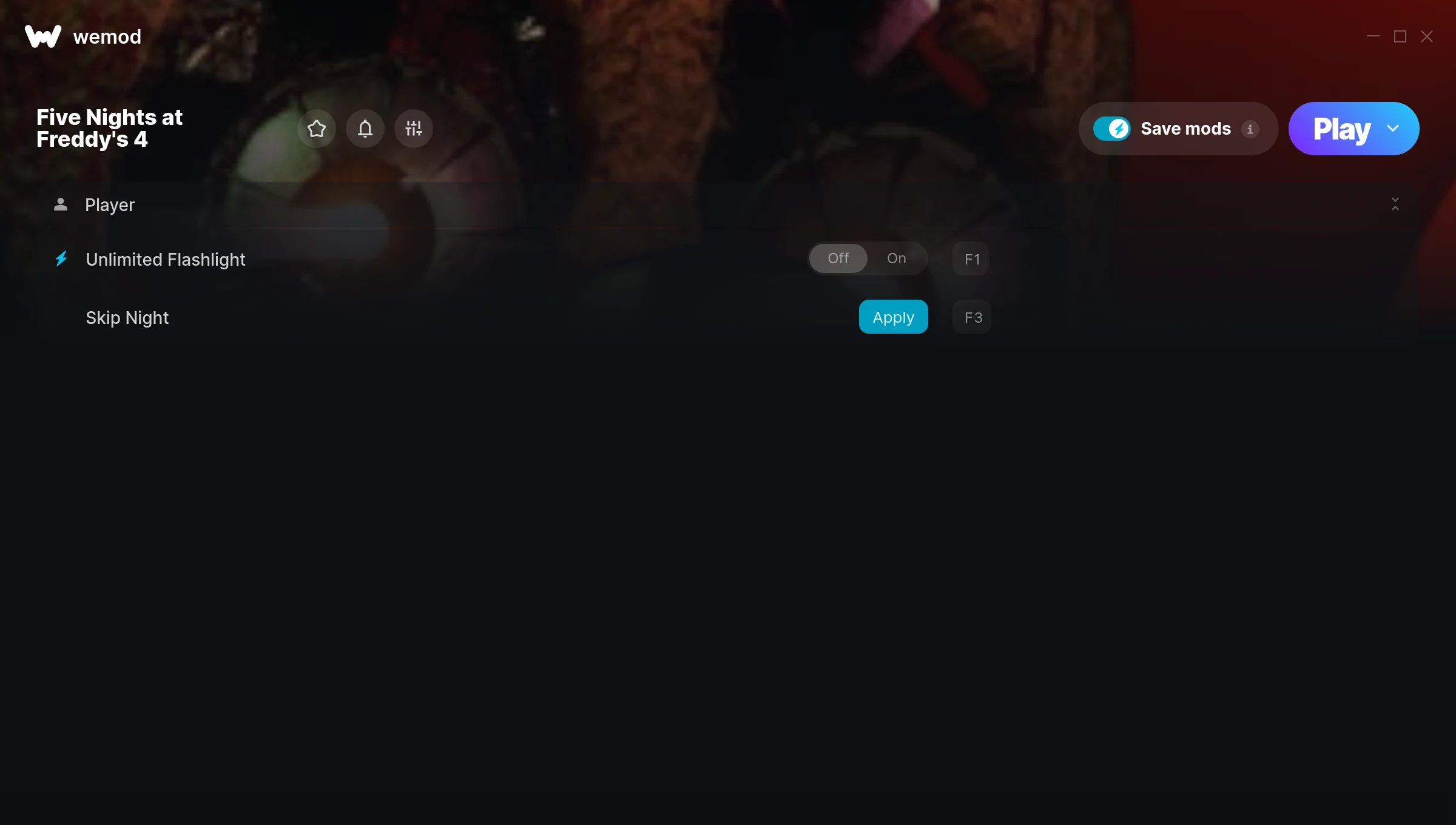
The Five Nights at Freddy’s 4 Trainer gives you access to 2 cheats that let you play the game however you want. Struggling with a tough section? Want to skip the grind? Just want to mess around? This trainer has you covered.
Load up the trainer, pick your cheats, and watch the game bend to your will. It never gets old.
Released in 2015, this point-and-click and simulator title continues to pull in players who want to get more out of it.
No need to check for updates manually. This auto-updating trainer keeps itself compatible with the latest version of the game so your cheats always work.
Five Nights at Freddy’s 4 Trainer Cheats
This trainer includes 2 cheats for tweaking your gameplay.
| # | Cheat | Effect |
|---|---|---|
| 1 | Unlimited Flashlight | Your flashlight never runs out or depletes |
| 2 | Skip Night | Tweak the skip night mechanic to your advantage |
Download Five Nights at Freddy’s 4 Trainer
Download the latest version of this trainer for PC below.
| Version | Creator | Platform | Date Added | Download |
|---|---|---|---|---|
| Auto-Updating Version (Latest) | MrAntiFun | Steam | 2026-01-30 | Download |
How to Use This Trainer
- Load Five Nights at Freddy’s 4 – Start the game and either load your existing save or begin a new one. The trainer connects to the running game process.
- Activate WeMod – Run the WeMod app, locate “Five Nights at Freddy’s 4”, and hit Play. WeMod attaches to the game and shows you the full cheat list in the overlay.
- Activate Cheats – Toggle the cheats you want using the WeMod overlay or press the assigned hotkeys. Cheats activate in real-time while you play.
- Game On – You’re set. Head back into Five Nights at Freddy’s 4 and have fun. Remember, you can toggle cheats at any time – find the combination that works best for you.
Tips & Known Issues
- Keep this trainer offline. Single-player only – any online or multiplayer use risks a permanent ban from the game.
- Steam users may want to turn off the Steam Overlay to prevent it from interfering with the trainer.
- Trainers modify game memory, which can trigger antivirus warnings. These are false positives – add an exception if needed.
- Trainer compatibility depends on game version. If cheats aren’t activating, check that your game is up to date.
- WeMod handles version compatibility automatically. When the game updates, the trainer follows shortly after.
Frequently Asked Questions
Is this trainer free to download?
Yep, completely free. Just grab it from the download links above and you’re good to go.
How do I use this trainer?
It’s straightforward: download, run the trainer while the game is open, and press the hotkeys to activate whichever cheats you want.
Will this trainer affect my save files?
Your save files are safe. Cheats only change values in RAM while you play. Just be aware that anything you accomplish with cheats active gets saved like normal progress.
Can I use multiple cheats at the same time?
Yes – enable as many as you like simultaneously. Combining cheats is where things get really fun.
Does this trainer work with Steam?
Fully compatible with Steam. Just launch the game through Steam and run the trainer alongside it.



