FOUNDRY Trainer
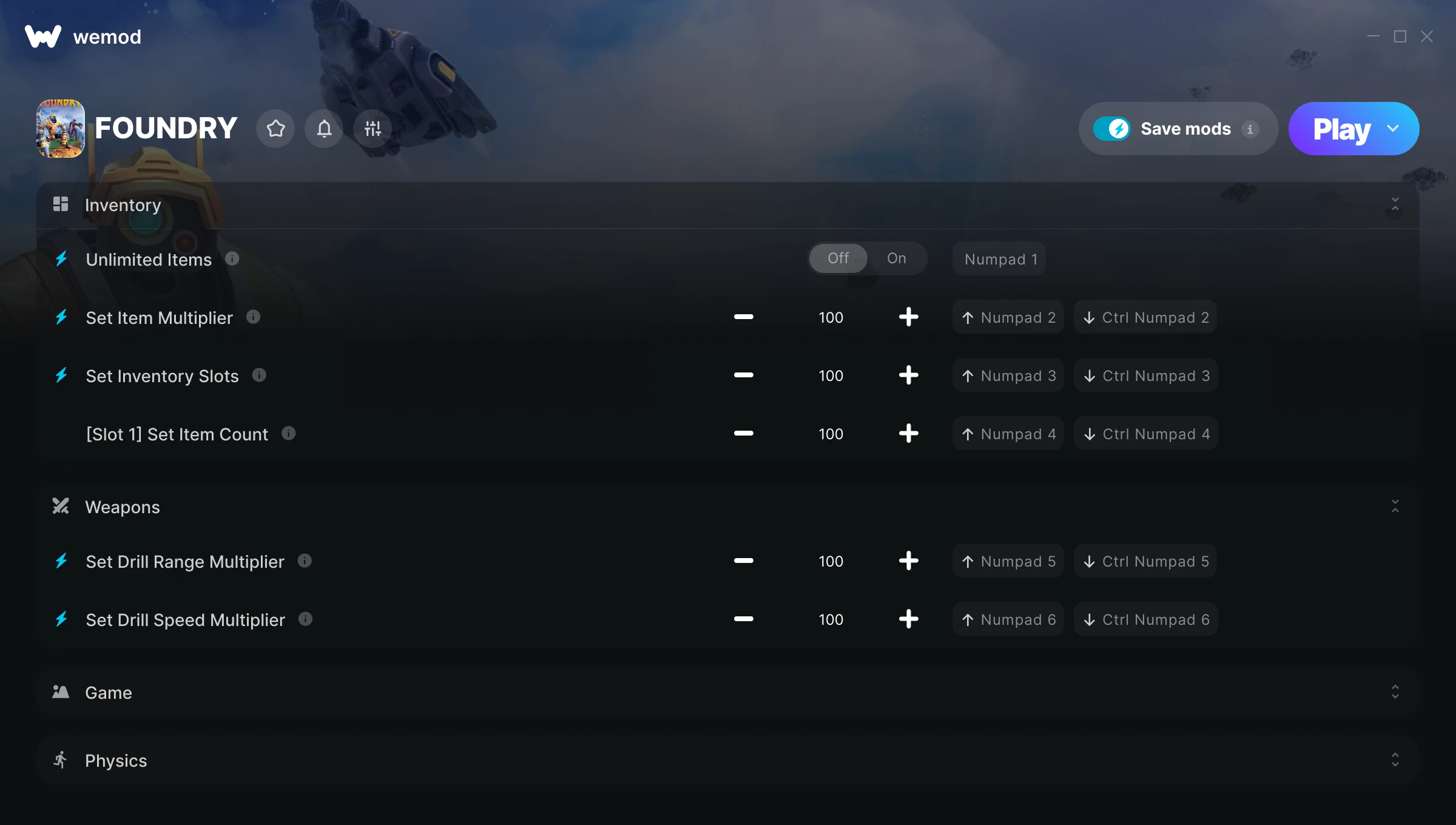
The FOUNDRY Trainer gives you access to 11 cheats that let you play the game however you want. Struggling with a tough section? Want to skip the grind? Just want to mess around? This trainer has you covered.
Not every game needs to be a challenge. Sometimes you just want to vibe and explore.
Since its 2024 release, FOUNDRY has built a loyal following among simulator and strategy fans looking to customize their playthrough.
The best part? This PC trainer auto-updates whenever the game is patched. Zero effort on your part – it stays compatible in the background so you can just play.
Some of the most popular cheats included in this trainer are Unlimited Items, Set Item Multiplier, Set Inventory Slots, [Slot 1] Set Item Count, and many more. These modifications let you customize difficulty, skip grinding, or simply experiment with the game in new ways.
FOUNDRY Trainer Cheats
This trainer includes 11 cheats covering movement, crafting, inventory.
| # | Cheat | Effect |
|---|---|---|
| 1 | Unlimited Items | Use items freely without your inventory running out |
| 2 | Set Item Multiplier | Manually set your item to any number |
| 3 | Set Inventory Slots | Manually set your inventory slots to any number |
| 4 | [Slot 1] Set Item Count | Choose exactly how much [slot 1] item count you want |
| 5 | Set Drill Range Multiplier | Adjust drill range to whatever feels right |
| 6 | Set Drill Speed Multiplier | Choose exactly how much drill speed you want |
| 7 | Unlimited Science Packs | Use your science packs as much as you want without limits |
| 8 | Unlimited Fuel | Remove all limits on your fuel |
| 9 | Instant Research | Skip the wait and trigger research right away |
| 10 | Instant Crafting | Get crafting immediately with no waiting |
| 11 | Set Movement Speed Multiplier | Pick your own value for movement speed |
What Can You Do With This Trainer?
Here are some of the standout cheats in this trainer – the ones that really change how you play:
- Unlimited Items – Use items freely without your inventory running out
- Set Item Multiplier – Pick your own value for item
- Set Inventory Slots – Choose exactly how much inventory slots you want
- [Slot 1] Set Item Count – Adjust [slot 1] item count to whatever feels right
- Set Drill Range Multiplier – Manually set your drill range to any number
And that’s just scratching the surface. The full FOUNDRY cheat list above has everything you need to play completely on your own terms.
Download FOUNDRY Trainer
Download the latest version of this trainer for PC below.
| Version | Creator | Platform | Date Added | Download |
|---|---|---|---|---|
| Auto-Updating Version (Latest) | GreenHouse | Steam | 2025-12-10 | Download |
How to Use This Trainer
- Load FOUNDRY – Start the game and either load your existing save or begin a new one. The trainer connects to the running game process.
- Activate WeMod – Run the WeMod app, locate “FOUNDRY”, and hit Play. WeMod attaches to the game and shows you the full cheat list in the overlay.
- Turn On Cheats – Pick the cheats you want from the WeMod overlay and switch them on. They kick in instantly and you can toggle them off anytime.
- Play Your Way – That’s the full setup. Get back into FOUNDRY and play on your own terms. Adjust cheats whenever the mood strikes.
Tips & Known Issues
- Trainers are designed for single-player use only. Using them online or in multiplayer will result in a ban.
- Multiple overlays running at once can cause issues. If the trainer isn’t responding, close any unnecessary overlay software.
- Trainer hooks are version-specific. Make sure your copy of the game is on the latest patch for full compatibility.
- A quick save backup takes seconds and gives you peace of mind when experimenting with trainer cheats.
- WeMod auto-updates the trainer after game patches, so you never have to manually download a new version.
Frequently Asked Questions
What should I do if the trainer stops working after an update?
If a game patch breaks things, the auto-updating trainer will fix itself automatically – usually within a day or two.
Can I customise how much health or money I get?
Certain cheats let you choose exact amounts instead of just toggling unlimited. Check for any ‘set’ or ‘edit’ options in the cheat list.
Is this trainer compatible with mods?
They’re typically fine together. The rare exception is when a mod overwrites the same values the trainer hooks into, but that’s uncommon.
What cheats are included in this trainer?
There are 11 cheats in total – check the cheat table further up the page for the complete breakdown.
How often is this trainer updated?
This trainer auto-updates shortly after each game patch, so it stays compatible without you having to do anything.
Will this trainer affect my save files?
It won’t corrupt your saves. The trainer works in memory only – but keep in mind that any progress made with cheats enabled will be saved normally.
Does this trainer work with Steam?
Fully compatible with Steam. Just launch the game through Steam and run the trainer alongside it.