
Gleaner Heights Trainer
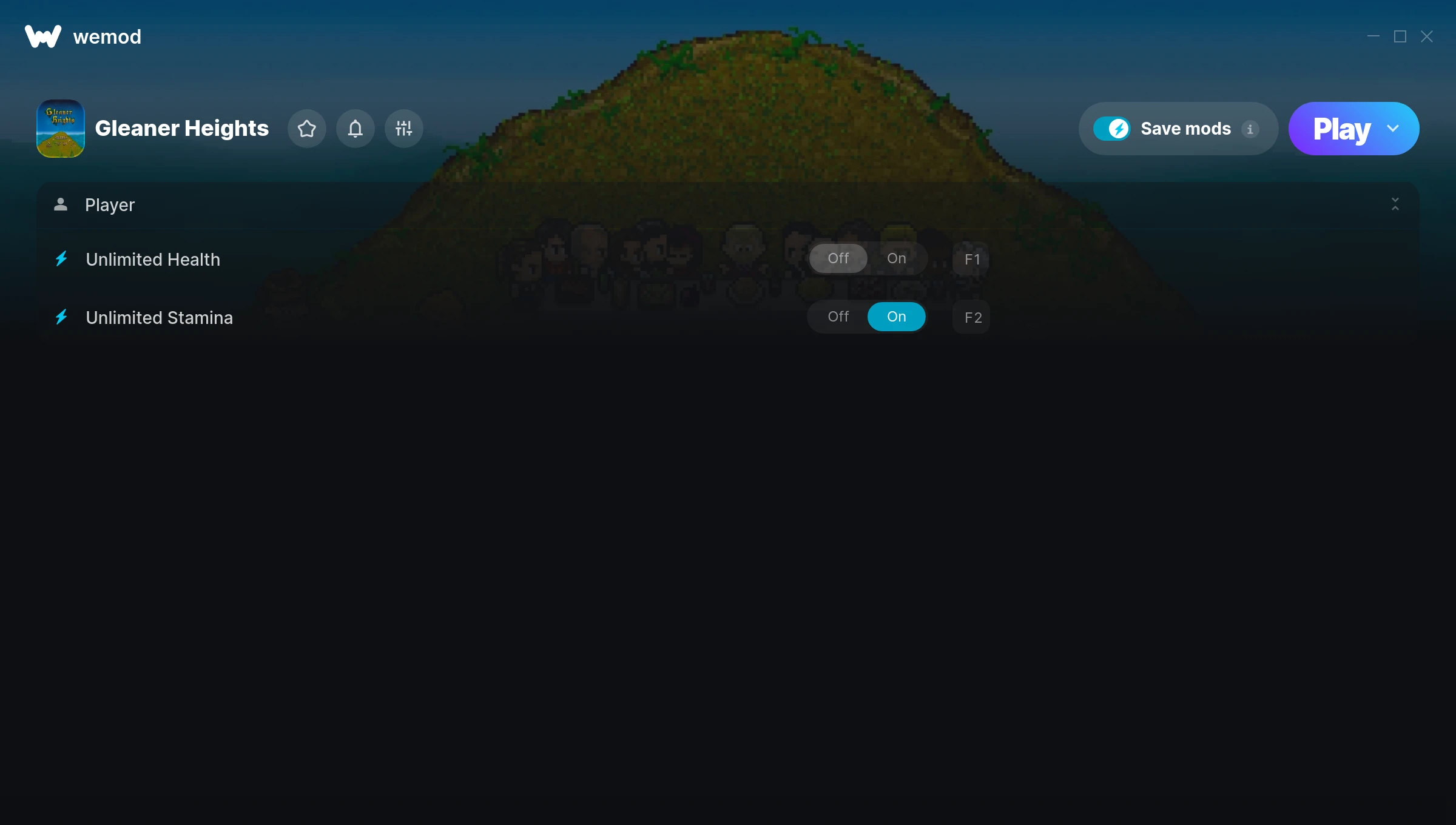
The Gleaner Heights Trainer gives you access to 2 cheats that let you play the game however you want. Struggling with a tough section? Want to skip the grind? Just want to mess around? This trainer has you covered.
Unlimited stamina means you can sprint, dodge, and fight nonstop without that annoying stamina bar slowing you down. These cheats let you get past the frustrating parts and actually enjoy the game at your own pace.
These cheats won’t break your save file. Toggle them on, have fun, toggle them off whenever you want.
This role-playing (rpg) and simulator title has been around since 2018 and remains a popular pick for players looking to push their experience further.
This trainer stays in sync with game patches automatically. You’ll never have to worry about downloading a new version after an update – it handles everything behind the scenes.
Gleaner Heights Trainer Cheats
This trainer includes 2 cheats covering health, movement.
| # | Cheat | Effect |
|---|---|---|
| 1 | Unlimited Health | Your health stays maxed out no matter what hits you |
| 2 | Unlimited Stamina | Sprint, dodge, and fight without ever getting winded |
Download Gleaner Heights Trainer
Download the latest version of this trainer for PC below.
| Version | Creator | Platform | Date Added | Download |
|---|---|---|---|---|
| Auto-Updating Version (Latest) | MrAntiFun | Steam | 2025-08-14 | Download |
How to Use This Trainer
- Get Into Gleaner Heights – Launch the game, get past the splash screens, and load into gameplay. Once you can see your character or the main menu, move to step 2.
- Start the Trainer – Open WeMod, type “Gleaner Heights” in the search bar, and click Play. The overlay pops up in-game and you’re ready to go.
- Activate Cheats – Toggle the cheats you want using the WeMod overlay or press the assigned hotkeys. Cheats activate in real-time while you play.
- Have Fun – Done! Get back to playing and enjoy the ride. Mix and match cheats whenever you want – there’s no wrong way to use them.
Tips & Known Issues
- This is a single-player trainer only. Do not use it in online or multiplayer modes – you will get banned.
- Not on PC? Unfortunately, trainers don’t work on console or cloud gaming platforms – they require direct memory access.
- Running into problems? Other overlay software (Discord, NVIDIA ShadowPlay) can conflict with trainers. Try turning them off.
- Steam users may want to turn off the Steam Overlay to prevent it from interfering with the trainer.
- No need to check for updates manually with WeMod. The trainer patches itself whenever the game is updated.
Frequently Asked Questions
How do I know which version to download?
This trainer auto-updates whenever the game is patched, so you always have the latest compatible version. Just download it once and you’re set.
Is this trainer compatible with mods?
Usually, yes. Trainers and mods can run side by side without issues. The only time you might hit a snag is if a mod changes the same values the trainer is targeting.
Will this trainer affect my save files?
Your save files are safe. Cheats only change values in RAM while you play. Just be aware that anything you accomplish with cheats active gets saved like normal progress.
How do I use this trainer?
Download the trainer, run it alongside the game, and use the hotkeys to toggle cheats on and off. It really is that simple.
Can I get banned for using this trainer?
As long as you stick to single-player, you’re fine. Using cheats in multiplayer or online modes is a completely different story – don’t do it.
Is this trainer free to download?
100% free. Hit one of the download buttons above and you can be up and running in seconds.
Does this trainer work with Steam?
Fully compatible with Steam. Just launch the game through Steam and run the trainer alongside it.



