
Gloomwood Trainer
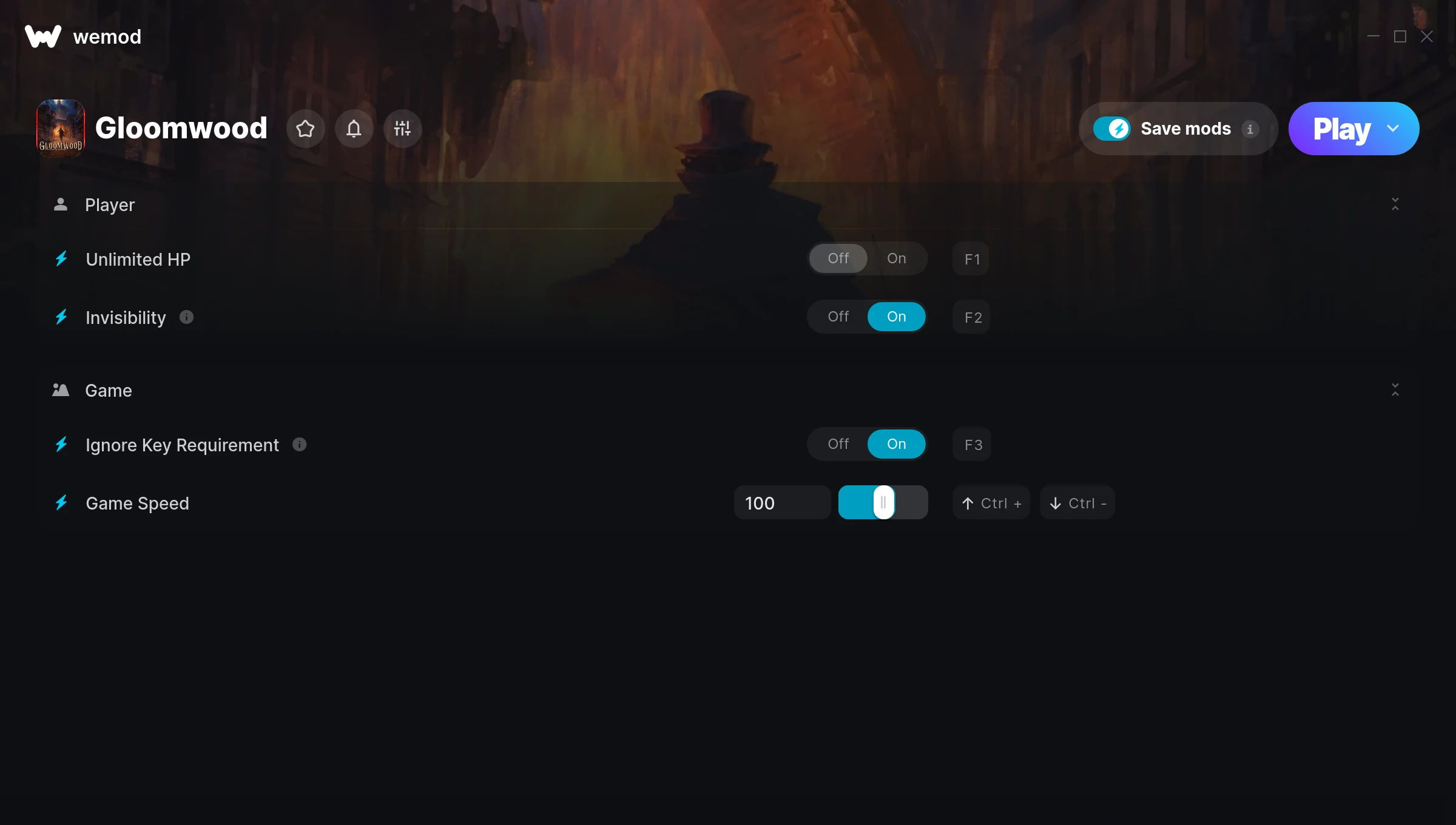
The Gloomwood Trainer gives you access to 4 cheats that let you play the game however you want. Struggling with a tough section? Want to skip the grind? Just want to mess around? This trainer has you covered.
You already bought the game. Might as well play it exactly the way you want to.
Dropping in 2022, Gloomwood brought something different to the shooter and adventure scene and players are still hooked.
Once you’ve got this trainer installed, it takes care of itself. Every time the game gets a patch, the trainer updates automatically so your cheats keep working.
Gloomwood Trainer Cheats
This trainer includes 4 cheats covering health, movement, time.
| # | Cheat | Effect |
|---|---|---|
| 1 | Unlimited HP | Remove all limits on your hp |
| 2 | Invisibility | Tweak the invisibility mechanic to your advantage |
| 3 | Ignore Key Requirement | Tweak the ignore key requirement mechanic to your advantage |
| 4 | Game Speed | Speed up or slow down the entire game to your liking |
What Can You Do With This Trainer?
Here are some of the standout cheats in this trainer – the ones that really change how you play:
- Unlimited HP – Use your hp as much as you want without limits
- Invisibility – Tweak the invisibility mechanic to your advantage
- Ignore Key Requirement – Tweak the ignore key requirement mechanic to your advantage
- Game Speed – Speed up or slow down the entire game to your liking
And that’s just scratching the surface. The full Gloomwood cheat list above has everything you need to play completely on your own terms.
Download Gloomwood Trainer
Download the latest version of this trainer for PC below.
| Version | Creator | Platform | Date Added | Download |
|---|---|---|---|---|
| Auto-Updating Version (Latest) | ColonelRVH | Steam | 2025-11-11 | Download |
How to Use This Trainer
- Open Gloomwood – Launch the game and wait until you’re in-game or at the main menu. The trainer needs the game process running to hook into it.
- Open the Trainer – Open the WeMod app and search for “Gloomwood”. Click Play to launch the overlay. WeMod will detect the game and enable all available cheats.
- Turn On Cheats – Pick the cheats you want from the WeMod overlay and switch them on. They kick in instantly and you can toggle them off anytime.
- Start Playing – That’s all there is to it. Dive back in and enjoy Gloomwood with your cheats running. Feel free to adjust them anytime mid-game.
Tips & Known Issues
- Keep this trainer offline. Single-player only – any online or multiplayer use risks a permanent ban from the game.
- Always match your game version to the trainer version. An outdated game build can cause cheats to fail silently.
- This trainer is for the PC version of the game only. PlayStation, Xbox, and Switch are not supported.
- If using Steam, consider disabling the Steam Overlay (Steam > Settings > In-Game) to avoid conflicts with the trainer.
- The WeMod version updates itself automatically after each game patch. No action needed on your end.
Frequently Asked Questions
How do I use this trainer?
Grab the download, launch the game, then fire up the trainer. Toggle cheats with the hotkeys or the overlay – done.
How often is this trainer updated?
This trainer auto-updates shortly after each game patch, so it stays compatible without you having to do anything.
Is this trainer compatible with mods?
Usually, yes. Trainers and mods can run side by side without issues. The only time you might hit a snag is if a mod changes the same values the trainer is targeting.
Will the trainer work with the latest game version?
The Auto-Updating Version keeps itself current automatically after each game patch.
How do I know which version to download?
This trainer auto-updates whenever the game is patched, so you always have the latest compatible version. Just download it once and you’re set.
Can I get banned for using this trainer?
Not in single-player – that’s what trainers are designed for. Never use them in online or multiplayer though, that will get you banned.
Does this trainer work with Steam?
It does. This trainer is built to work with the Steam version.



