Go-Go Town! Trainer
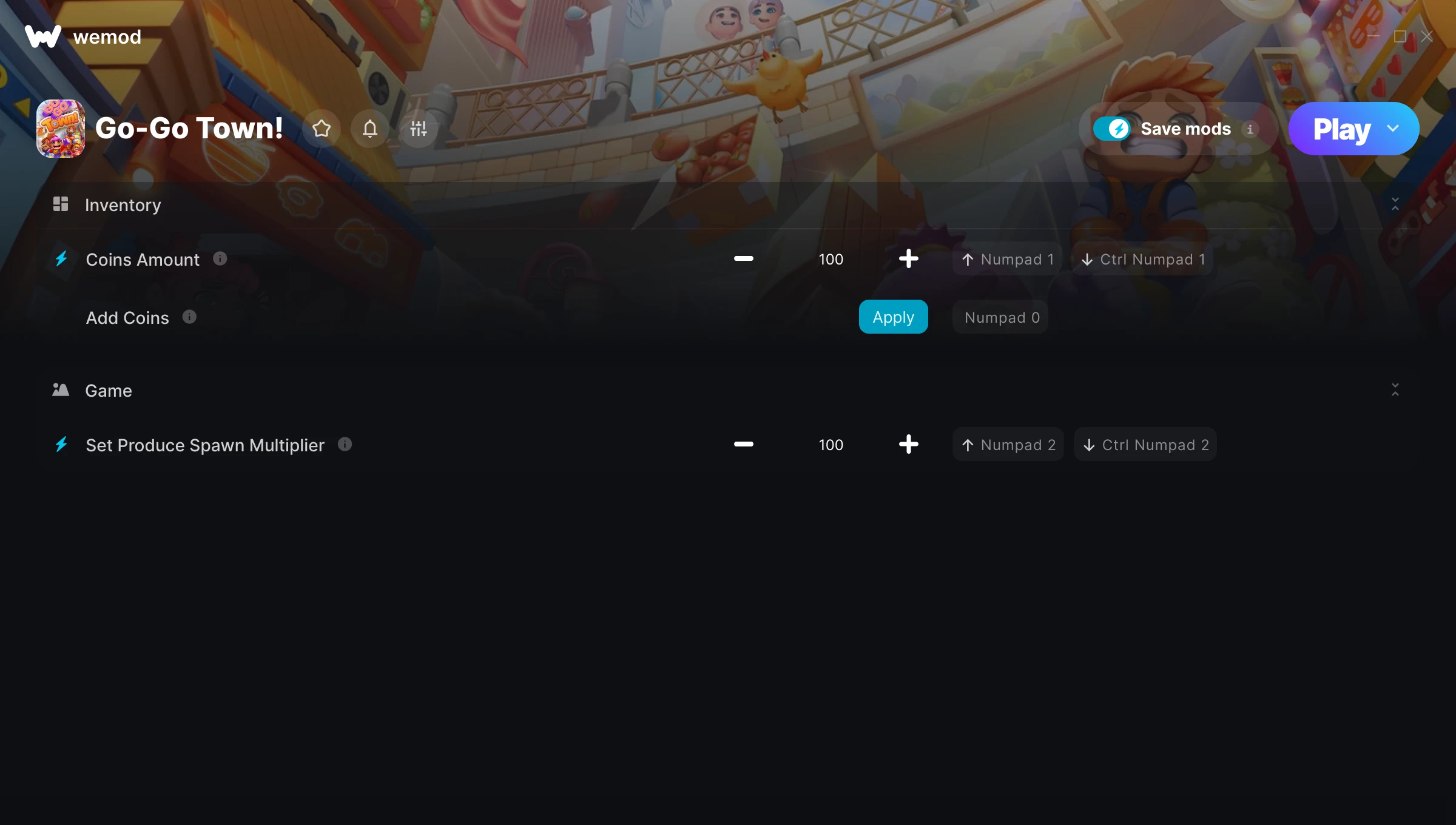
The Go-Go Town! Trainer gives you access to 3 cheats that let you play the game however you want. Struggling with a tough section? Want to skip the grind? Just want to mess around? This trainer has you covered.
Load up the trainer, pick your cheats, and watch the game bend to your will. It never gets old.
If you missed Go-Go Town! when it launched in 2024, now’s a great time to jump into this simulator and indie title.
This is an auto-updating trainer that keeps pace with every game patch automatically. No need to manually grab new versions after updates.
Go-Go Town! Trainer Cheats
This trainer includes 3 cheats covering resources.
| # | Cheat | Effect |
|---|---|---|
| 1 | Coins Amount | Tweak the coins amount mechanic to your advantage |
| 2 | Add Coins | Add extra coins whenever you need it |
| 3 | Set Produce Spawn Multiplier | Choose exactly how much produce spawn you want |
What Can You Do With This Trainer?
Here are some of the standout cheats in this trainer – the ones that really change how you play:
- Coins Amount – Tweak the coins amount mechanic to your advantage
- Add Coins – Add extra coins whenever you need it
- Set Produce Spawn Multiplier – Adjust produce spawn to whatever feels right
And that’s just scratching the surface. The full Go-Go Town! cheat list above has everything you need to play completely on your own terms.
Recommended Cheat Presets
Not sure which cheats to enable? Here are some recommended preset combinations for different playstyles:
Farming Preset
Skip the grind entirely. Max out your loot, XP, and cash without spending hours farming the same enemies over and over.
- Coins Amount
- Add Coins
Download Go-Go Town! Trainer
Download the latest version of this trainer for PC below.
| Version | Creator | Platform | Date Added | Download |
|---|---|---|---|---|
| Auto-Updating Version (Latest) | GreenHouse | Steam | 2025-10-12 | Download |
How to Use This Trainer
- Boot Up Go-Go Town! – Start the game like you normally would. Once you’re at the main menu or loaded into your save, you’re ready for the next step.
- Launch WeMod – Fire up the WeMod app and search for “Go-Go Town!”. Hit Play and the overlay will appear over your game with all cheats ready to toggle.
- Switch On Your Cheats – Browse the cheat list in the WeMod overlay and toggle on whatever you want. Effects are instant and reversible.
- Have Fun – Done! Get back to playing and enjoy the ride. Mix and match cheats whenever you want – there’s no wrong way to use them.
Tips & Known Issues
- Only use this trainer in single-player. Online and multiplayer modes have anti-cheat systems that will detect and ban you.
- For the trainer to work properly, make sure you launch it with Administrator privileges.
- If this is your primary save, consider making a backup first. Cheats won’t corrupt data, but it’s good to have a safety net.
- If using Steam, consider disabling the Steam Overlay (Steam > Settings > In-Game) to avoid conflicts with the trainer.
- No need to check for updates manually with WeMod. The trainer patches itself whenever the game is updated.
Frequently Asked Questions
Will the trainer work with the latest game version?
The Auto-Updating Version keeps itself current automatically after each game patch.
Will this trainer affect my save files?
The trainer only modifies values in memory while the game is running. Your save files stay intact, though any progress you make with cheats on will save as normal.
What should I do if the trainer stops working after an update?
If a game patch breaks things, the auto-updating trainer will fix itself automatically – usually within a day or two.
Can I use multiple cheats at the same time?
Absolutely. Stack as many as you want. God mode plus unlimited ammo plus one-hit kills? Go for it. That’s half the fun.
What cheats are included in this trainer?
This trainer packs 3 cheats covering everything from infinite health to unlimited resources and more. The full list is in the table above.
Does this trainer work with Steam?
It does. This trainer is built to work with the Steam version.