Granny Trainer
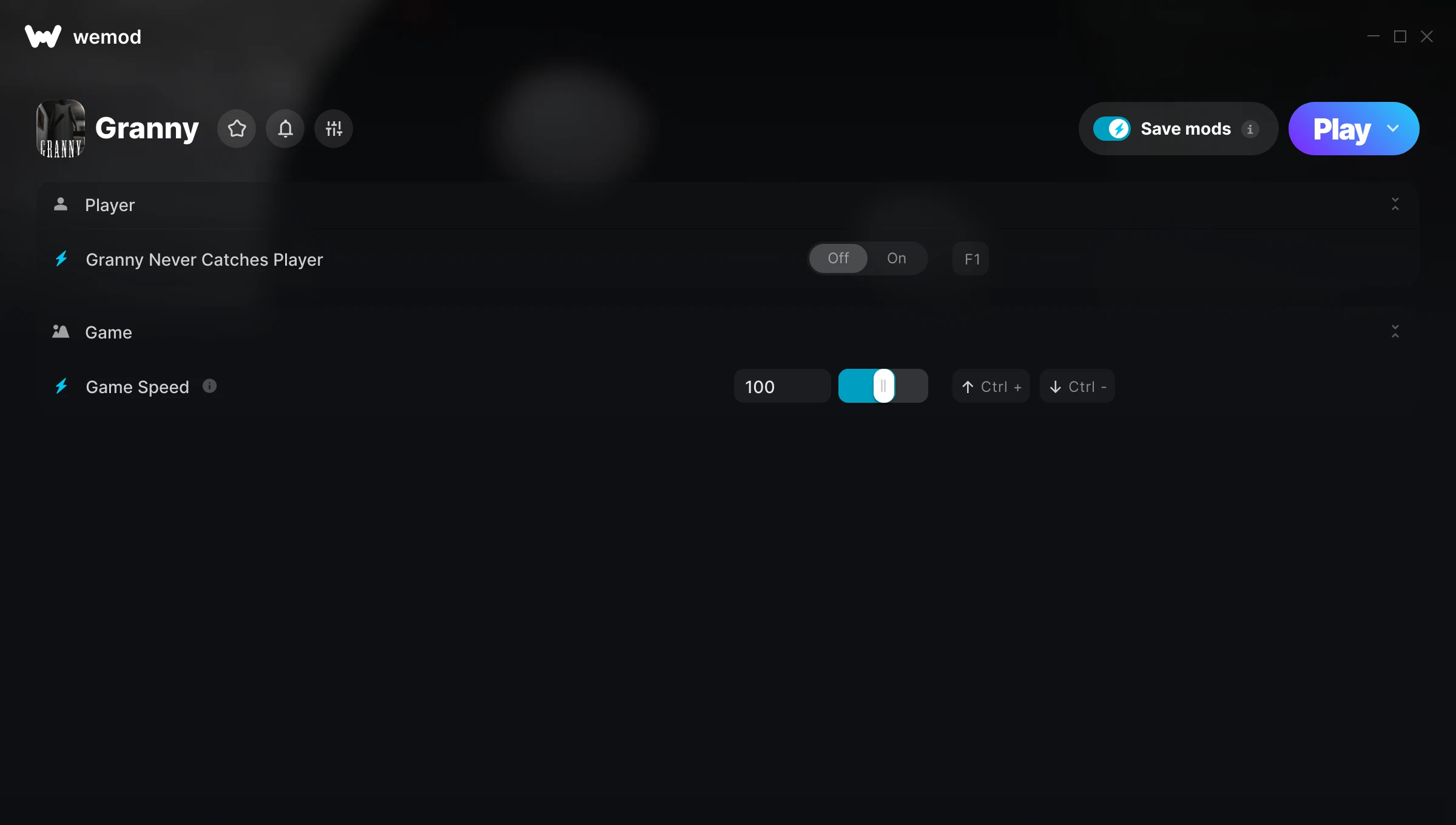
The Granny Trainer gives you access to 2 cheats that let you play the game however you want. Struggling with a tough section? Want to skip the grind? Just want to mess around? This trainer has you covered.
These aren’t subtle tweaks. Some of these cheats will completely change how the game feels.
Players have been diving into Granny since 2017, making it one of the more enduring adventure and indie titles out there.
Once you’ve got this trainer installed, it takes care of itself. Every time the game gets a patch, the trainer updates automatically so your cheats keep working.
Granny Trainer Cheats
This trainer includes 2 cheats covering movement, time.
| # | Cheat | Effect |
|---|---|---|
| 1 | Granny Never Catches Player | Tweak the granny never catches player mechanic to your advantage |
| 2 | Game Speed | Speed up or slow down the entire game to your liking |
Download Granny Trainer
Download the latest version of this trainer for PC below.
| Version | Creator | Platform | Date Added | Download |
|---|---|---|---|---|
| Auto-Updating Version (Latest) | ColonelRVH | Steam | 2025-12-12 | Download |
How to Use This Trainer
- Launch Granny – Start the game and load into your save file or start a new game. Make sure it’s running before activating the trainer.
- Launch WeMod – Fire up the WeMod app and search for “Granny”. Hit Play and the overlay will appear over your game with all cheats ready to toggle.
- Switch On Your Cheats – Browse the cheat list in the WeMod overlay and toggle on whatever you want. Effects are instant and reversible.
- Start Playing – That’s all there is to it. Dive back in and enjoy Granny with your cheats running. Feel free to adjust them anytime mid-game.
Tips & Known Issues
- This trainer is strictly for single-player gameplay. Anti-cheat software in online modes will flag and ban your account.
- Launch the trainer with elevated permissions (Run as Administrator) to avoid access issues.
- If this is your primary save, consider making a backup first. Cheats won’t corrupt data, but it’s good to have a safety net.
- Running into problems? Other overlay software (Discord, NVIDIA ShadowPlay) can conflict with trainers. Try turning them off.
- Using WeMod? The trainer stays current on its own – it auto-patches after every game update.
Frequently Asked Questions
How do I know which version to download?
This trainer auto-updates whenever the game is patched, so you always have the latest compatible version. Just download it once and you’re set.
How often is this trainer updated?
This trainer auto-updates shortly after each game patch, so it stays compatible without you having to do anything.
What should I do if the trainer stops working after an update?
If a game patch breaks things, the auto-updating trainer will fix itself automatically – usually within a day or two.
Can I use multiple cheats at the same time?
Yes – enable as many as you like simultaneously. Combining cheats is where things get really fun.
Does this trainer work with Steam?
Yes. The trainer hooks into the game process when launched through Steam.