GreedFall – Windows 10 Trainer
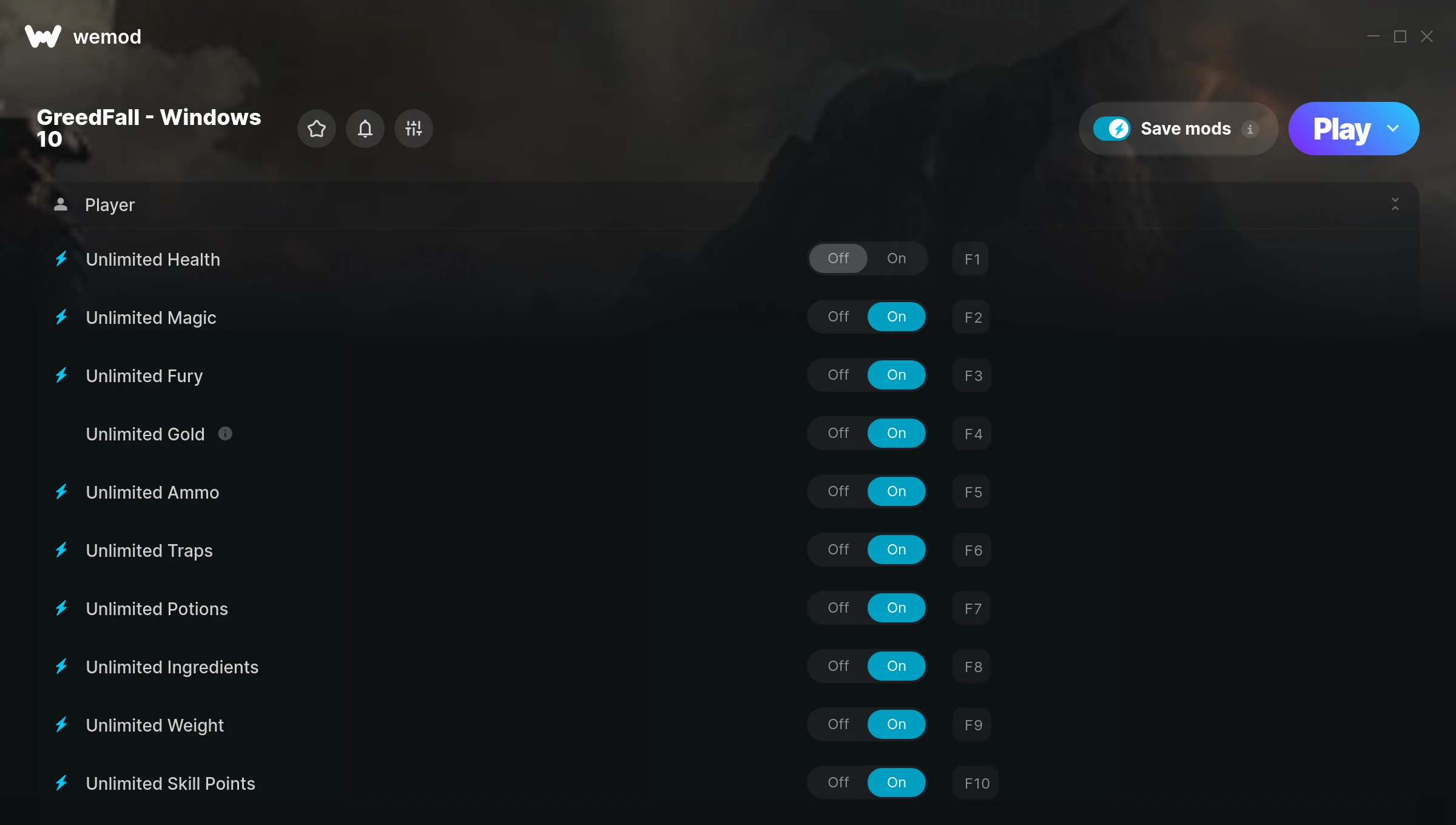
The GreedFall – Windows 10 Trainer gives you access to 13 cheats that let you play the game however you want. Struggling with a tough section? Want to skip the grind? Just want to mess around? This trainer has you covered.
Fair warning – some of these cheats will completely break the game. In the best way possible.
Originally a 2019 release, GreedFall – Windows 10 carved out a solid spot in the role-playing (rpg) and strategy space and players keep coming back.
This is an auto-updating trainer that keeps pace with every game patch automatically. No need to manually grab new versions after updates.
Some of the most popular cheats included in this trainer are Unlimited Health, Unlimited Ammo, Unlimited Magic, Unlimited Fury, and many more. These modifications let you customize difficulty, skip grinding, or simply experiment with the game in new ways.
GreedFall – Windows 10 Trainer Cheats
This trainer includes 13 cheats covering health, ammo, resources, experience, inventory.
| # | Cheat | Effect |
|---|---|---|
| 1 | Unlimited Health | Your health stays maxed out no matter what hits you |
| 2 | Unlimited Magic | Remove all limits on your magic |
| 3 | Unlimited Fury | Remove all limits on your fury |
| 4 | Unlimited Gold | Gold for days – never worry about currency again |
| 5 | Unlimited Ammo | Fire away without ever worrying about running dry |
| 6 | Unlimited Traps | Remove all limits on your traps |
| 7 | Unlimited Potions | Remove all limits on your potions |
| 8 | Unlimited Ingredients | Use your ingredients as much as you want without limits |
| 9 | Unlimited Weight | Your weight never runs out or depletes |
| 10 | Unlimited Skill Points | Max out every skill tree without having to choose |
| 11 | Unlimited Attribute Points | Use your attribute points as much as you want without limits |
| 12 | Unlimited Talent Points | Remove all limits on your talent points |
| 13 | Hide Extra Points Box | Tweak the hide extra points box mechanic to your advantage |
What Can You Do With This Trainer?
Here are some of the standout cheats in this trainer – the ones that really change how you play:
- Unlimited Health – Your health stays maxed out no matter what hits you
- Unlimited Magic – Use your magic as much as you want without limits
- Unlimited Fury – Use your fury as much as you want without limits
- Unlimited Gold – Gold for days – never worry about currency again
- Unlimited Ammo – Fire away without ever worrying about running dry
And that’s just scratching the surface. The full GreedFall – Windows 10 cheat list above has everything you need to play completely on your own terms.
Recommended Cheat Presets
Not sure which cheats to enable? Here are some recommended preset combinations for different playstyles:
Easy Mode
Turn the difficulty down to nothing. Perfect for enjoying the story, or for a second playthrough where you just want to feel unstoppable.
- Unlimited Health
- Unlimited Ammo
Farming Preset
Skip the grind entirely. Max out your loot, XP, and cash without spending hours farming the same enemies over and over.
- Unlimited Gold
- Unlimited Skill Points
Download GreedFall – Windows 10 Trainer
Download the latest version of this trainer for PC below.
| Version | Creator | Platform | Date Added | Download |
|---|---|---|---|---|
| Auto-Updating Version (Latest) | MrAntiFun | Xbox | 2025-07-14 | Download |
How to Use This Trainer
- Start GreedFall – Windows 10 – Fire up the game and get to the main menu or load your save. The game needs to be running before you open the trainer.
- Activate WeMod – Run the WeMod app, locate “GreedFall – Windows 10”, and hit Play. WeMod attaches to the game and shows you the full cheat list in the overlay.
- Select and Activate – Choose your cheats from the WeMod overlay and flip them on. Every toggle takes effect right away with no need to reload.
- Start Playing – That’s all there is to it. Dive back in and enjoy GreedFall – Windows 10 with your cheats running. Feel free to adjust them anytime mid-game.
Tips & Known Issues
- Only use this trainer in single-player. Online and multiplayer modes have anti-cheat systems that will detect and ban you.
- Trainers are PC-only. If you’re playing on console or through a cloud streaming service, the trainer won’t work.
- It’s good practice to back up your saves before activating cheats. That way you can revert if anything feels off.
- Having issues on Steam? Try disabling the Steam Overlay under Settings > In-Game. It can sometimes clash with trainers.
- No need to check for updates manually with WeMod. The trainer patches itself whenever the game is updated.
Frequently Asked Questions
What should I do if the trainer stops working after an update?
If a game patch breaks things, the auto-updating trainer will fix itself automatically – usually within a day or two.
Can I get banned for using this trainer?
As long as you stick to single-player, you’re fine. Using cheats in multiplayer or online modes is a completely different story – don’t do it.
How often is this trainer updated?
This trainer auto-updates shortly after each game patch, so it stays compatible without you having to do anything.
Is this trainer compatible with mods?
Generally, yes. Most mods and trainers operate independently. You might see odd behaviour if a mod directly changes the same stats the trainer controls.
Does this trainer work with Xbox?
Yes, it works with the Xbox version of the game.