GRID Legends Trainer
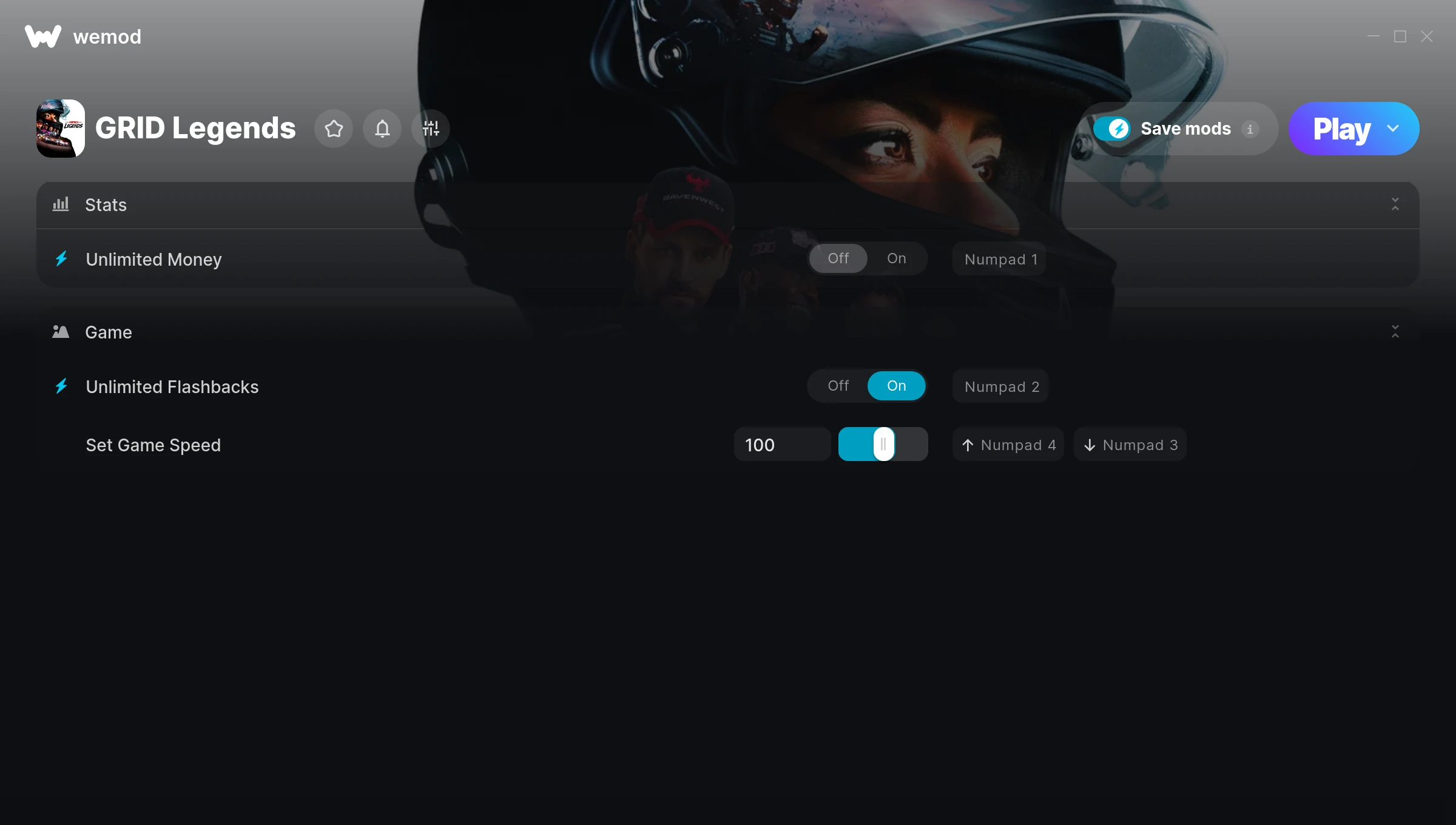
The GRID Legends Trainer gives you access to 3 cheats that let you play the game however you want. Struggling with a tough section? Want to skip the grind? Just want to mess around? This trainer has you covered.
Unlimited money removes the grind entirely – just buy what you want and get back to the fun parts. These cheats let you get past the frustrating parts and actually enjoy the game at your own pace.
Honestly, half the fun is seeing what happens when you turn everything on at once.
Since its 2022 release, GRID Legends has built a loyal following among racing and simulator fans looking to customize their playthrough.
The best part? This PC trainer auto-updates whenever the game is patched. Zero effort on your part – it stays compatible in the background so you can just play.
GRID Legends Trainer Cheats
This trainer includes 3 cheats covering resources, movement, time.
| # | Cheat | Effect |
|---|---|---|
| 1 | Unlimited Money | Buy anything you want without thinking about cost |
| 2 | Unlimited Flashbacks | Remove all limits on your flashbacks |
| 3 | Set Game Speed | Speed up or slow down the entire game to your liking |
What Can You Do With This Trainer?
Here are some of the standout cheats in this trainer – the ones that really change how you play:
- Unlimited Money – Buy anything you want without thinking about cost
- Unlimited Flashbacks – Remove all limits on your flashbacks
- Set Game Speed – Speed up or slow down the entire game to your liking
And that’s just scratching the surface. The full GRID Legends cheat list above has everything you need to play completely on your own terms.
Download GRID Legends Trainer
Download the latest version of this trainer for PC below.
| Version | Creator | Platform | Date Added | Download |
|---|---|---|---|---|
| Auto-Updating Version (Latest) | STiNGERR | Steam | 2026-01-09 | Download |
How to Use This Trainer
- Load GRID Legends – Start the game and either load your existing save or begin a new one. The trainer connects to the running game process.
- Launch WeMod – Fire up the WeMod app and search for “GRID Legends”. Hit Play and the overlay will appear over your game with all cheats ready to toggle.
- Enable the Cheats You Want – Use the WeMod overlay to enable any combination of cheats. Everything activates in real-time while the game is running.
- Start Playing – That’s all there is to it. Dive back in and enjoy GRID Legends with your cheats running. Feel free to adjust them anytime mid-game.
Tips & Known Issues
- Only use this trainer in single-player. Online and multiplayer modes have anti-cheat systems that will detect and ban you.
- Running an older game version? The trainer may not work correctly. Update your game to the latest patch first.
- Don’t be alarmed if Windows Defender or your antivirus flags the download. Trainers are routinely flagged as false positives.
- Having issues on Steam? Try disabling the Steam Overlay under Settings > In-Game. It can sometimes clash with trainers.
- Using WeMod? The trainer stays current on its own – it auto-patches after every game update.
Frequently Asked Questions
Is this trainer free to download?
It is. No hidden fees, no sign-up walls – just download it from the links above and start playing.
How often is this trainer updated?
This trainer auto-updates shortly after each game patch, so it stays compatible without you having to do anything.
Do I need to restart the game after activating cheats?
Nope. Cheats kick in immediately while the game is running. Just toggle them on and off whenever you want.
What cheats are included in this trainer?
The trainer comes loaded with 3 cheats. Everything from combat tweaks to resource mods – the full list is in the table above.
Is this trainer compatible with mods?
In most cases they work fine together. Conflicts only happen when a mod alters the exact same memory values the trainer is trying to modify.
Does this trainer work with Steam?
Yes, it works with the Steam version of the game.