Hades Trainer
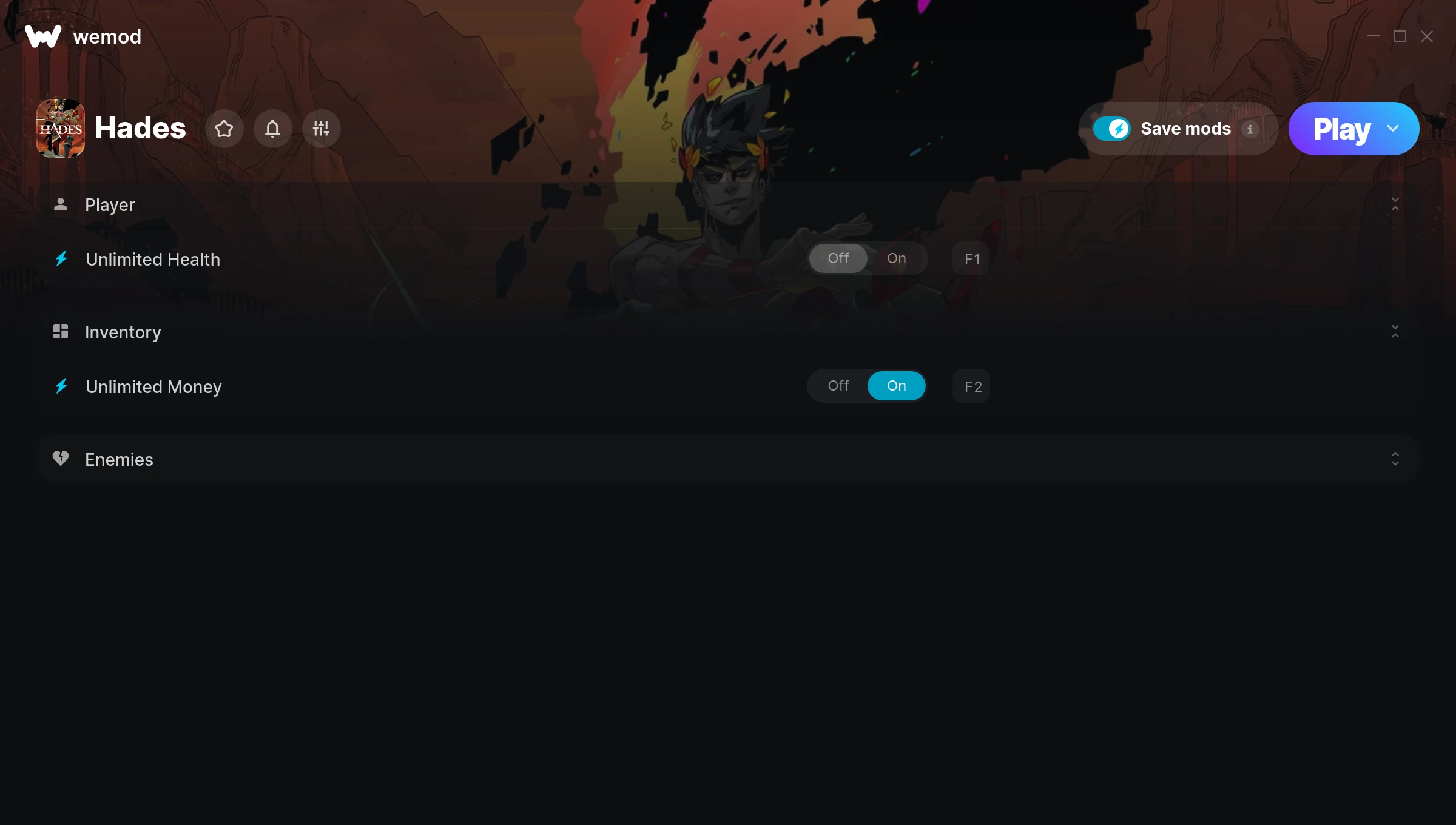
The Hades Trainer gives you access to 3 cheats that let you play the game however you want. Struggling with a tough section? Want to skip the grind? Just want to mess around? This trainer has you covered.
Unlimited money removes the grind entirely – just buy what you want and get back to the fun parts. These cheats let you get past the frustrating parts and actually enjoy the game at your own pace.
These cheats won’t break your save file. Toggle them on, have fun, toggle them off whenever you want.
This one goes back to 2020. As far as role-playing (rpg) and hack and slash/beat ’em up titles go, Hades holds up and the community is still active.
The Auto-Updating Version takes care of compatibility automatically whenever the game is updated. If you’d rather download once and not worry about auto-updates, the Standalone version has you covered.
Hades Trainer Cheats
This trainer includes 3 cheats covering health, resources.
| # | Cheat | Effect |
|---|---|---|
| 1 | Unlimited Health | Your health stays maxed out no matter what hits you |
| 2 | Unlimited Money | Buy anything you want without thinking about cost |
| 3 | Fast Kill | Tweak the fast kill mechanic to your advantage |
What Can You Do With This Trainer?
Here are some of the standout cheats in this trainer – the ones that really change how you play:
- Unlimited Health – Your health stays maxed out no matter what hits you
- Unlimited Money – Buy anything you want without thinking about cost
- Fast Kill – Tweak the fast kill mechanic to your advantage
And that’s just scratching the surface. The full cheat list above has everything you need to play the game completely on your own terms.
Download Hades Trainer
Download the latest version of this trainer for PC below.
| Version | Creator | Platform | Date Added | Download |
|---|---|---|---|---|
| Auto-Updating Version (Latest) | MrAntiFun | Steam, Xbox, Epic Games | 2025-07-13 | Download |
| Standalone Version | FLiNG | Steam | 2025-04-29 | Download |
How to Use This Trainer
- Start Hades – Fire up the game and get to the main menu or load your save. The game needs to be running before you open the trainer.
- Activate the Trainer App – Open WeMod and search for “Hades” to launch the overlay, or run the standalone FLiNG trainer .exe as Administrator – depending on which version you downloaded.
- Toggle Your Cheats – Flip on whichever cheats you want from the WeMod overlay. Each one takes effect immediately – no restart needed.
- Game On – You’re set. Head back into Hades and have fun. Remember, you can toggle cheats at any time – find the combination that works best for you.
Tips & Known Issues
- Keep this trainer offline. Single-player only – any online or multiplayer use risks a permanent ban from the game.
- If you’re running other overlays (Discord, NVIDIA, MSI Afterburner), try disabling them if the trainer isn’t responding.
- Antivirus software may detect the trainer as suspicious. This is normal for game trainers – add an exclusion to proceed.
- If using Steam, consider disabling the Steam Overlay (Steam > Settings > In-Game) to avoid conflicts with the trainer.
- One of the perks of WeMod is automatic updates. The trainer syncs with game patches behind the scenes.
Frequently Asked Questions
How do I know which version to download?
The Auto-Updating Version is the easiest choice – it handles compatibility on its own. Pick the Standalone if you want a specific build that won’t change.
Can I use multiple cheats at the same time?
Of course. There’s no limit to how many you can have active. Layer them however you want.
How do I use this trainer?
It’s straightforward: download, run the trainer while the game is open, and press the hotkeys to activate whichever cheats you want.
Is this trainer compatible with mods?
They’re typically fine together. The rare exception is when a mod overwrites the same values the trainer hooks into, but that’s uncommon.
Can I customise how much health or money I get?
Yes – many cheats have edit or set options that let you type in the exact value you want. Perfect for dialling things in without going completely overboard.
What should I do if the trainer stops working after an update?
The Auto-Updating Version handles this on its own – give it a day or two after a big patch. Standalone users should check for an updated download.
Does this trainer work with Steam?
It does. The trainer is compatible with Steam, Xbox, Epic Games.