Hello Neighbor Trainer
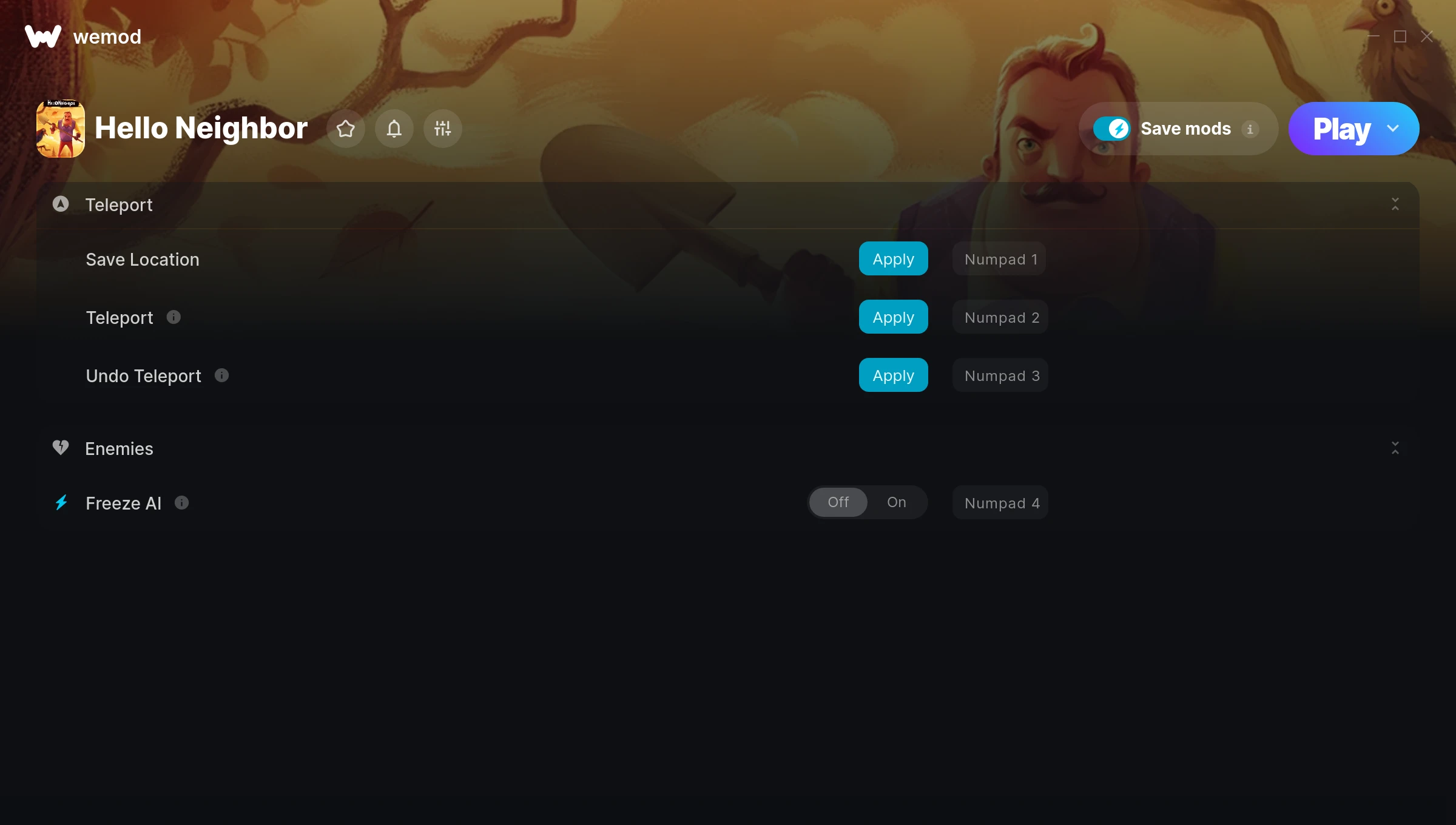
The Hello Neighbor Trainer gives you access to 4 cheats that let you play the game however you want. Struggling with a tough section? Want to skip the grind? Just want to mess around? This trainer has you covered.
These cheats won’t break your save file. Toggle them on, have fun, toggle them off whenever you want.
It’s been a while since Hello Neighbor first hit in 2017, but this puzzle and role-playing (rpg) title still has plenty to offer.
This trainer stays in sync with game patches automatically. You’ll never have to worry about downloading a new version after an update – it handles everything behind the scenes.
Hello Neighbor Trainer Cheats
This trainer includes 4 cheats covering movement, time.
| # | Cheat | Effect |
|---|---|---|
| 1 | Save Location | Tweak the save location mechanic to your advantage |
| 2 | Teleport | Jump to any spot on the map in an instant |
| 3 | Undo Teleport | Your undo teleport, your rules |
| 4 | Freeze AI | Keep your ai frozen at its current value |
What Can You Do With This Trainer?
Here are some of the standout cheats in this trainer – the ones that really change how you play:
- Save Location – Tweak the save location mechanic to your advantage
- Teleport – Jump to any spot on the map in an instant
- Undo Teleport – Tweak the undo teleport mechanic to your advantage
- Freeze AI – Lock your ai so it never changes
And that’s just scratching the surface. The full Hello Neighbor cheat list above has everything you need to play completely on your own terms.
Recommended Cheat Presets
Not sure which cheats to enable? Here are some recommended preset combinations for different playstyles:
Exploration Mode
Explore every corner of the map with zero restrictions. No stamina bar holding you back, no invisible walls – just pure freedom.
- Teleport
- Undo Teleport
Download Hello Neighbor Trainer
Download the latest version of this trainer for PC below.
| Version | Creator | Platform | Date Added | Download |
|---|---|---|---|---|
| Auto-Updating Version (Latest) | STiNGERR | Steam, Xbox | 2025-05-14 | Download |
How to Use This Trainer
- Begin With Hello Neighbor – Open the game first and let it fully load. You’ll activate the trainer in the next step once the game is up.
- Open the Trainer – Open the WeMod app and search for “Hello Neighbor”. Click Play to launch the overlay. WeMod will detect the game and enable all available cheats.
- Toggle Your Cheats – Flip on whichever cheats you want from the WeMod overlay. Each one takes effect immediately – no restart needed.
- Enjoy the Game – You’re all set. Play the game with your cheats active and switch them around as you go. Try different combinations to see what’s the most fun.
Tips & Known Issues
- This trainer is strictly for single-player gameplay. Anti-cheat software in online modes will flag and ban your account.
- If the trainer isn’t working, make sure your game is fully updated to the latest version.
- Antivirus software may detect the trainer as suspicious. This is normal for game trainers – add an exclusion to proceed.
- This trainer only works on PC. Console versions and cloud gaming platforms are not supported.
- No need to check for updates manually with WeMod. The trainer patches itself whenever the game is updated.
Frequently Asked Questions
What should I do if the trainer stops working after an update?
If a game patch breaks things, the auto-updating trainer will fix itself automatically – usually within a day or two.
Is this trainer compatible with mods?
In most cases they work fine together. Conflicts only happen when a mod alters the exact same memory values the trainer is trying to modify.
Is this trainer free to download?
Yep, completely free. Just grab it from the download links above and you’re good to go.
What cheats are included in this trainer?
The trainer comes loaded with 4 cheats. Everything from combat tweaks to resource mods – the full list is in the table above.
Does this trainer work with Steam?
Fully compatible. This trainer works with Steam, Xbox – just launch the game through whichever launcher you use.