Idle Champions of the Forgotten Realms Trainer
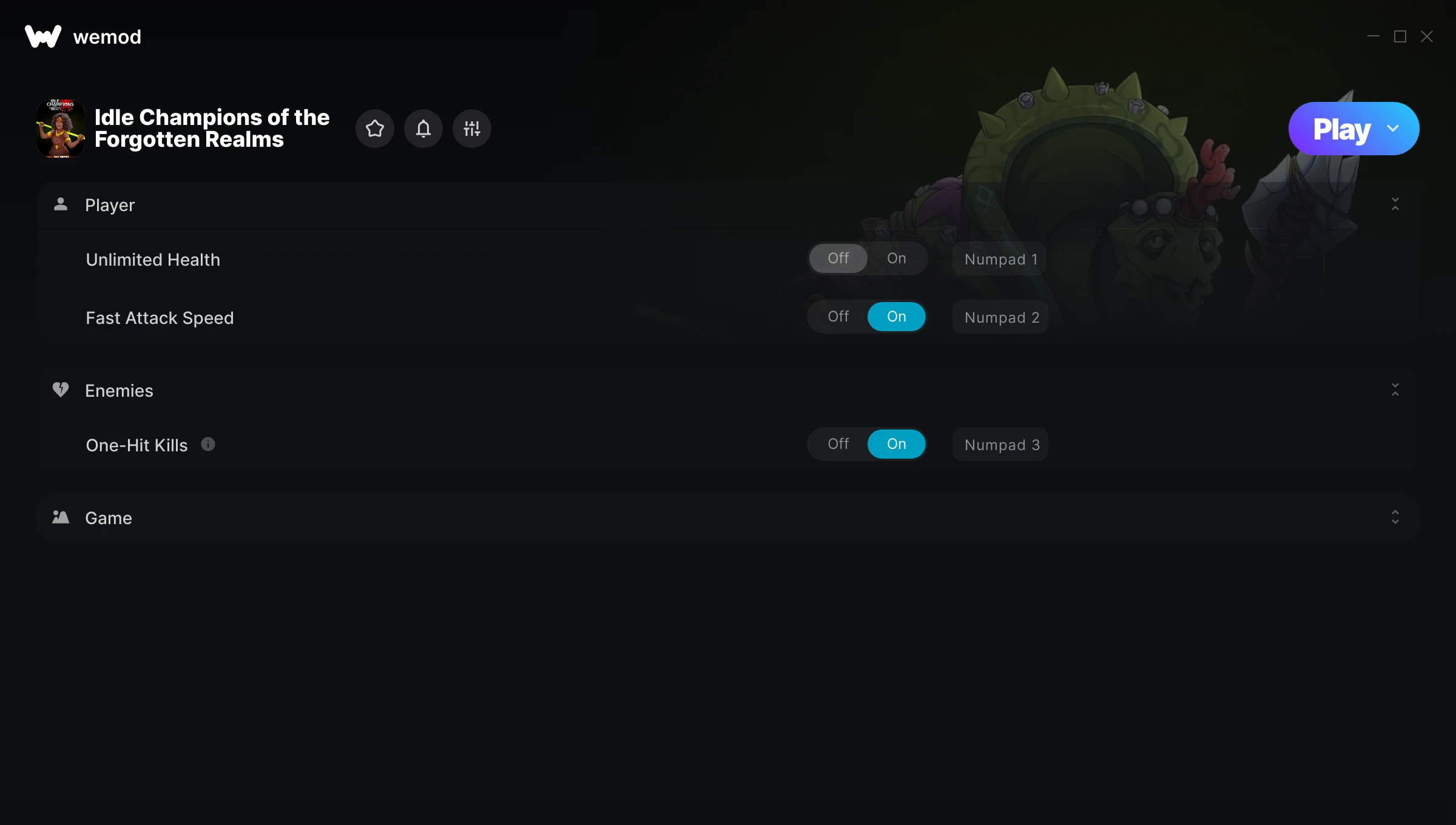
The Idle Champions of the Forgotten Realms Trainer gives you access to 4 cheats that let you play the game however you want. Struggling with a tough section? Want to skip the grind? Just want to mess around? This trainer has you covered.
Fair warning – some of these cheats will completely break the game. In the best way possible.
Released in 2018, this strategy and adventure title continues to pull in players who want to get more out of it.
No need to check for updates manually. This auto-updating trainer keeps itself compatible with the latest version of the game so your cheats always work.
Idle Champions of the Forgotten Realms Trainer Cheats
This trainer includes 4 cheats covering health, combat, movement, time.
| # | Cheat | Effect |
|---|---|---|
| 1 | Unlimited Health | Your health stays maxed out no matter what hits you |
| 2 | Fast Attack Speed | Tweak the fast attack speed mechanic to your advantage |
| 3 | One-Hit Kills | Tweak the one hit kills mechanic to your advantage |
| 4 | Set Game Speed | Speed up or slow down the entire game to your liking |
What Can You Do With This Trainer?
Here are some of the standout cheats in this trainer – the ones that really change how you play:
- Unlimited Health – Your health stays maxed out no matter what hits you
- Fast Attack Speed – Tweak the fast attack speed mechanic to your advantage
- One-Hit Kills – Tweak the one hit kills mechanic to your advantage
- Set Game Speed – Speed up or slow down the entire game to your liking
And that’s just scratching the surface. The full Idle Champions of the Forgotten Realms cheat list above has everything you need to play completely on your own terms.
Download Idle Champions of the Forgotten Realms Trainer
Download the latest version of this trainer for PC below.
| Version | Creator | Platform | Date Added | Download |
|---|---|---|---|---|
| Auto-Updating Version (Latest) | STiNGERR | Steam, Epic Games | 2025-12-10 | Download |
How to Use This Trainer
- Begin With Idle Champions of the Forgotten Realms – Open the game first and let it fully load. You’ll activate the trainer in the next step once the game is up.
- Start the Trainer – Open WeMod, type “Idle Champions of the Forgotten Realms” in the search bar, and click Play. The overlay pops up in-game and you’re ready to go.
- Activate Cheats – Toggle the cheats you want using the WeMod overlay or press the assigned hotkeys. Cheats activate in real-time while you play.
- Start Playing – That’s all there is to it. Dive back in and enjoy Idle Champions of the Forgotten Realms with your cheats running. Feel free to adjust them anytime mid-game.
Tips & Known Issues
- Trainers are designed for single-player use only. Using them online or in multiplayer will result in a ban.
- Not on PC? Unfortunately, trainers don’t work on console or cloud gaming platforms – they require direct memory access.
- If the trainer isn’t working, make sure your game is fully updated to the latest version.
- If cheats aren’t working, check for conflicting overlays. Discord, GeForce Experience, and similar tools can interfere.
- No need to check for updates manually with WeMod. The trainer patches itself whenever the game is updated.
Frequently Asked Questions
How often is this trainer updated?
This trainer auto-updates shortly after each game patch, so it stays compatible without you having to do anything.
Is this trainer free to download?
Yep, completely free. Just grab it from the download links above and you’re good to go.
Can I use multiple cheats at the same time?
Absolutely. Stack as many as you want. God mode plus unlimited ammo plus one-hit kills? Go for it. That’s half the fun.
How do I use this trainer?
Grab the download, launch the game, then fire up the trainer. Toggle cheats with the hotkeys or the overlay – done.
What cheats are included in this trainer?
This trainer packs 4 cheats covering everything from infinite health to unlimited resources and more. The full list is in the table above.
Does this trainer work with Steam?
Fully compatible. This trainer works with Steam, Epic Games – just launch the game through whichever launcher you use.