Keeper Trainer
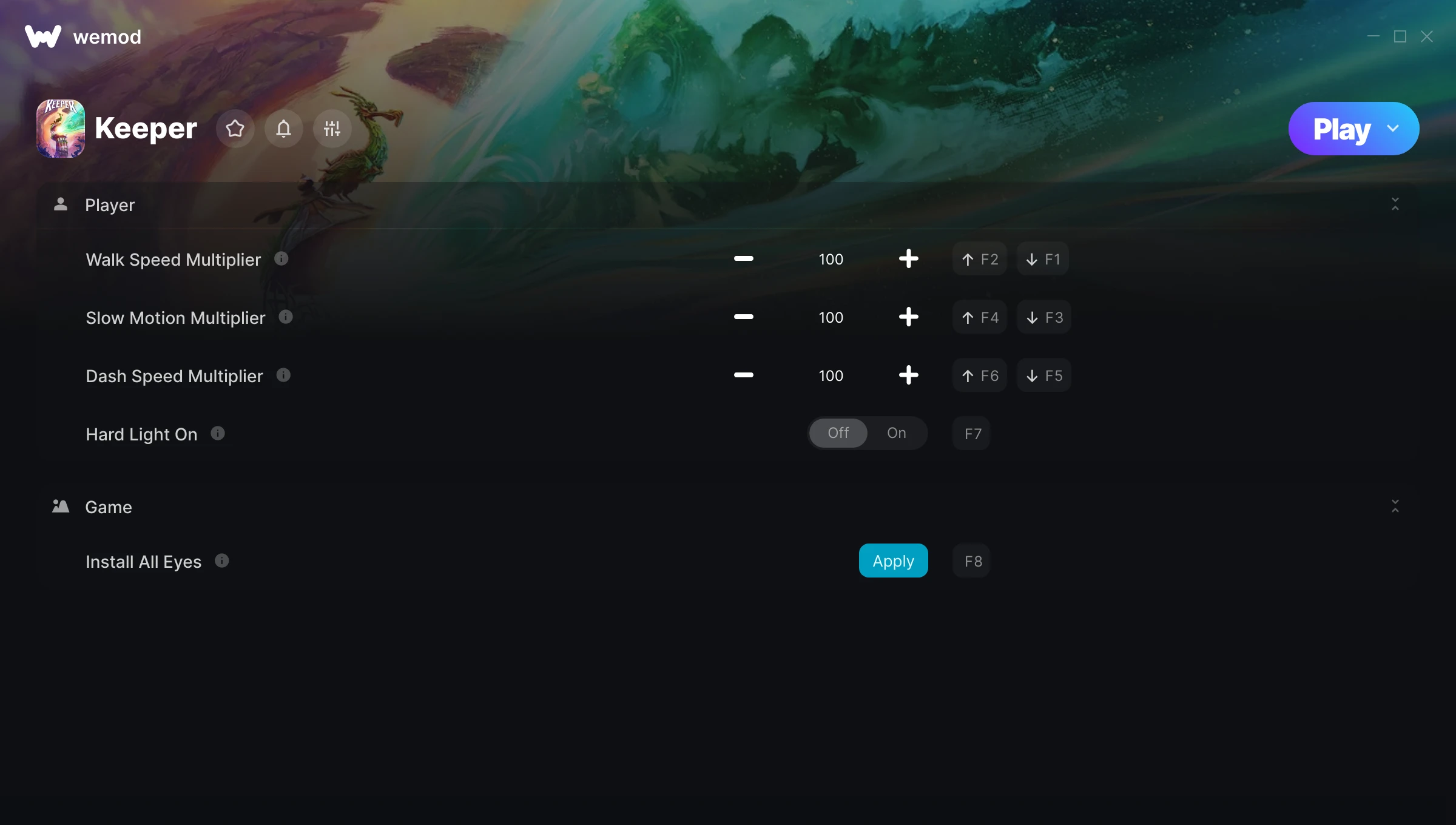
The Keeper Trainer gives you access to 5 cheats that let you play the game however you want. Struggling with a tough section? Want to skip the grind? Just want to mess around? This trainer has you covered.
There’s something deeply satisfying about turning on infinite ammo and just going to town.
This shooter title has been around since 2020 and remains a popular pick for players looking to push their experience further.
Grab the Auto-Updating Version if you want this PC trainer to stay compatible after every patch – it handles updates in the background. The Standalone version is there if you’d rather have a single, fixed download.
Some of the most popular cheats included in this trainer are Walk Speed Multiplier, Slow Motion Multiplier, Dash Speed Multiplier, Hard Light On, and many more. These modifications let you customize difficulty, skip grinding, or simply experiment with the game in new ways.
Keeper Trainer Cheats
This trainer includes 5 cheats covering movement.
| # | Cheat | Effect |
|---|---|---|
| 1 | Walk Speed Multiplier | Boost your walk speed earnings dramatically |
| 2 | Slow Motion Multiplier | Boost your motion earnings dramatically |
| 3 | Dash Speed Multiplier | Boost your dash speed earnings dramatically |
| 4 | Hard Light On | Tweak the hard light on mechanic to your advantage |
| 5 | Install All Eyes | Tweak the install all eyes mechanic to your advantage |
What Can You Do With This Trainer?
Here are some of the standout cheats in this trainer – the ones that really change how you play:
- Walk Speed Multiplier – Multiply your walk speed gains by a huge amount
- Slow Motion Multiplier – Boost your motion earnings dramatically
- Dash Speed Multiplier – Multiply your dash speed gains by a huge amount
- Hard Light On – Tweak the hard light on mechanic to your advantage
- Install All Eyes – Tweak the install all eyes mechanic to your advantage
And that’s just scratching the surface. The full Keeper cheat list above has everything you need to play completely on your own terms.
Download Keeper Trainer
Download the latest version of this trainer for PC below.
| Version | Creator | Platform | Date Added | Download |
|---|---|---|---|---|
| Auto-Updating Version (Latest) | milapesa | Steam | 2025-05-16 | Download |
| Standalone Version | FLiNG | Steam | 2025-02-22 | Download |
How to Use This Trainer
- Start Keeper – Fire up the game and get to the main menu or load your save. The game needs to be running before you open the trainer.
- Open the Trainer – If using WeMod, open the app and search for “Keeper”. Click Play to launch the overlay. For the standalone FLiNG trainer, run the downloaded .exe as Administrator.
- Turn On Cheats – Pick the cheats you want from the WeMod overlay and switch them on. They kick in instantly and you can toggle them off anytime.
- Jump Back In – You’re good to go. Return to the game and enjoy your modified experience. Toggle cheats on or off anytime as you play.
Tips & Known Issues
- Trainers are designed for single-player use only. Using them online or in multiplayer will result in a ban.
- It’s good practice to back up your saves before activating cheats. That way you can revert if anything feels off.
- Right-click the trainer and select Run as Administrator to ensure it has the access it needs.
- Running an older game version? The trainer may not work correctly. Update your game to the latest patch first.
- No need to check for updates manually with WeMod. The trainer patches itself whenever the game is updated.
Frequently Asked Questions
How do I use this trainer?
Just download the trainer and open it while the game is running. Each cheat has a toggle – flip them on or off as you play.
How often is this trainer updated?
The auto-updating trainer stays current automatically after each patch. Standalone updates happen on a less regular schedule.
How do I know which version to download?
The Auto-Updating Version is the easiest choice – it handles compatibility on its own. Pick the Standalone if you want a specific build that won’t change.
What should I do if the trainer stops working after an update?
The Auto-Updating Version handles this on its own – give it a day or two after a big patch. Standalone users should check for an updated download.
Does this trainer work with Steam?
Yes, it works with the Steam version of the game.