
Left 4 Dead Trainer
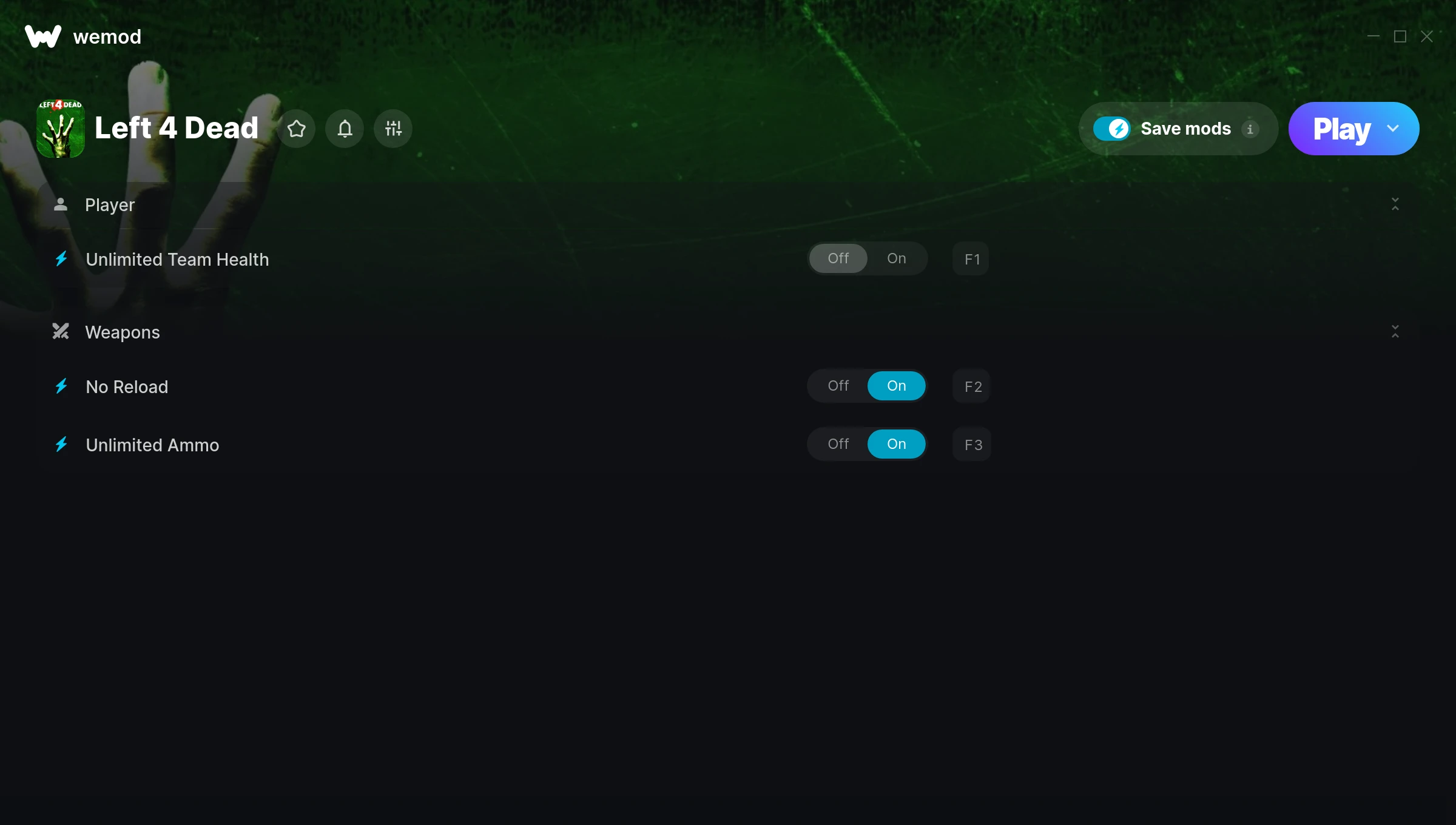
The Left 4 Dead Trainer gives you access to 3 cheats that let you play the game however you want. Struggling with a tough section? Want to skip the grind? Just want to mess around? This trainer has you covered.
No reload means nonstop firepower. Seriously, it changes how you approach every fight. These cheats let you get past the frustrating parts and actually enjoy the game at your own pace.
Not every game needs to be a challenge. Sometimes you just want to vibe and explore.
Players have been diving into Left 4 Dead since 2008, making it one of the more enduring shooter titles out there.
This is an auto-updating trainer that keeps pace with every game patch automatically. No need to manually grab new versions after updates.
Left 4 Dead Trainer Cheats
This trainer includes 3 cheats covering health, ammo.
| # | Cheat | Effect |
|---|---|---|
| 1 | Unlimited Team Health | Use your team health as much as you want without limits |
| 2 | No Reload | Skip reload animations entirely and keep firing nonstop |
| 3 | Unlimited Ammo | Fire away without ever worrying about running dry |
What Can You Do With This Trainer?
Here are some of the standout cheats in this trainer – the ones that really change how you play:
- Unlimited Team Health – Remove all limits on your team health
- No Reload – Skip reload animations entirely and keep firing nonstop
- Unlimited Ammo – Fire away without ever worrying about running dry
And that’s just scratching the surface. The full Left 4 Dead cheat list above has everything you need to play completely on your own terms.
Recommended Cheat Presets
Not sure which cheats to enable? Here are some recommended preset combinations for different playstyles:
Easy Mode
Turn the difficulty down to nothing. Perfect for enjoying the story, or for a second playthrough where you just want to feel unstoppable.
- No Reload
- Unlimited Ammo
Download Left 4 Dead Trainer
Download the latest version of this trainer for PC below.
| Version | Creator | Platform | Date Added | Download |
|---|---|---|---|---|
| Auto-Updating Version (Latest) | MrAntiFun | Steam | 2025-06-14 | Download |
How to Use This Trainer
- Launch the Game – Open Left 4 Dead and get to the point where you’re actually playing. The trainer hooks into the game while it’s running.
- Open the Trainer – Open the WeMod app and search for “Left 4 Dead”. Click Play to launch the overlay. WeMod will detect the game and enable all available cheats.
- Toggle Your Cheats – Flip on whichever cheats you want from the WeMod overlay. Each one takes effect immediately – no restart needed.
- Game On – You’re set. Head back into Left 4 Dead and have fun. Remember, you can toggle cheats at any time – find the combination that works best for you.
Tips & Known Issues
- This is a single-player trainer only. Do not use it in online or multiplayer modes – you will get banned.
- While trainers are safe to use, backing up your save file beforehand is always a smart precaution.
- If cheats aren’t working, check for conflicting overlays. Discord, GeForce Experience, and similar tools can interfere.
- If your antivirus blocks the trainer, add it to your exception list. Memory-editing tools are commonly flagged as false positives.
- One of the perks of WeMod is automatic updates. The trainer syncs with game patches behind the scenes.
Frequently Asked Questions
Can I get banned for using this trainer?
Not in single-player – that’s what trainers are designed for. Never use them in online or multiplayer though, that will get you banned.
Will the trainer work with the latest game version?
If you’re using the Auto-Updating Version, yes – it patches itself after every game update.
How do I know which version to download?
This trainer auto-updates whenever the game is patched, so you always have the latest compatible version. Just download it once and you’re set.
How do I use this trainer?
Download the trainer, run it alongside the game, and use the hotkeys to toggle cheats on and off. It really is that simple.
Is this trainer compatible with mods?
They’re typically fine together. The rare exception is when a mod overwrites the same values the trainer hooks into, but that’s uncommon.
Does this trainer work with Steam?
Yes, it works with the Steam version of the game.



