LEGO Star Wars – The Complete Saga Trainer
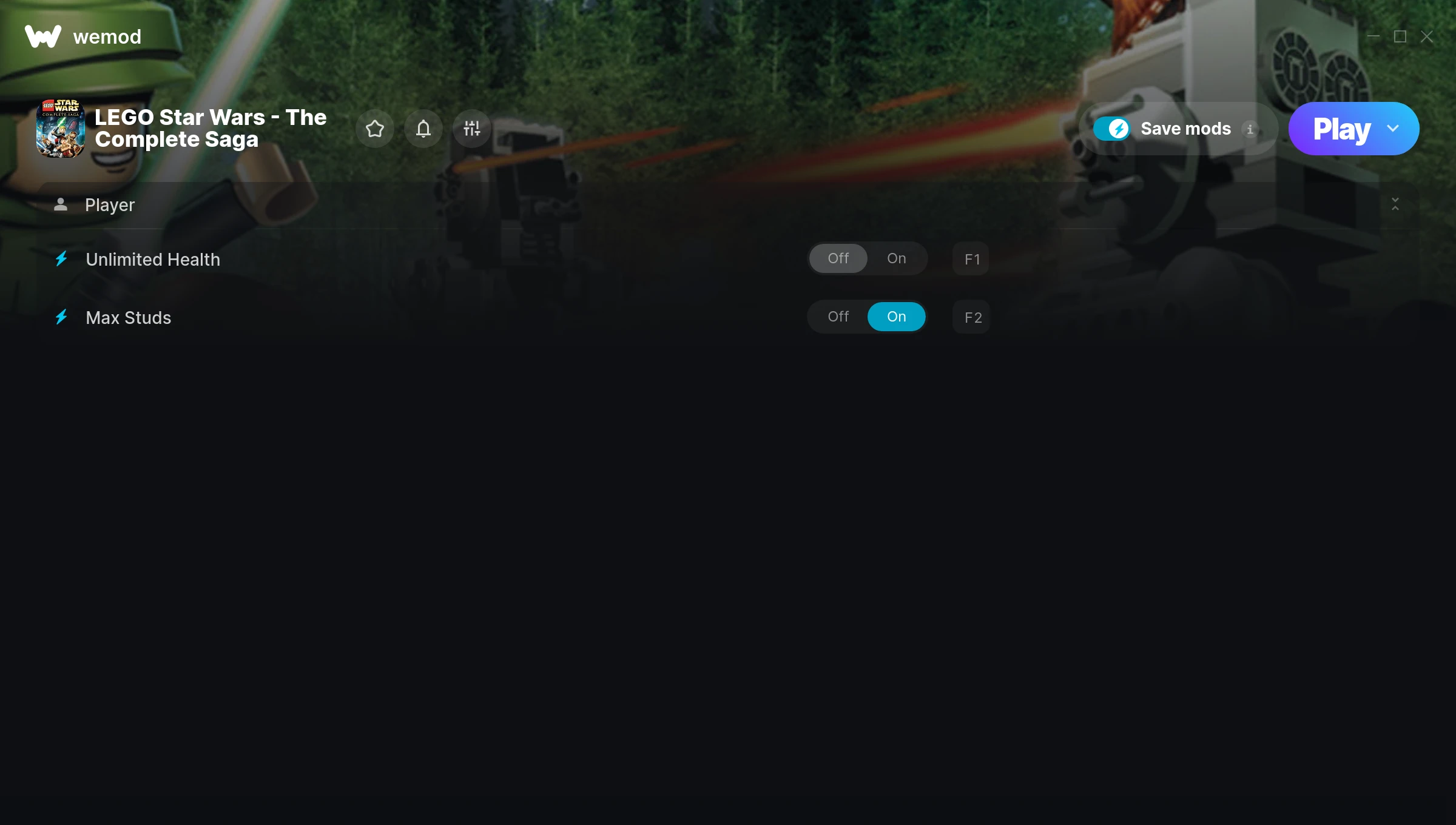
The LEGO Star Wars – The Complete Saga Trainer gives you access to 2 cheats that let you play the game however you want. Struggling with a tough section? Want to skip the grind? Just want to mess around? This trainer has you covered.
There’s something deeply satisfying about turning on infinite ammo and just going to town.
This platform and adventure title has been around since 2007 and remains a popular pick for players looking to push their experience further.
The best part? This PC trainer auto-updates whenever the game is patched. Zero effort on your part – it stays compatible in the background so you can just play.
LEGO Star Wars – The Complete Saga Cheats
This trainer includes 2 cheats covering health.
| # | Cheat | Effect |
|---|---|---|
| 1 | Unlimited Health | Your health stays maxed out no matter what hits you |
| 2 | Max Studs | Instantly push your studs to the highest value |
Download LEGO Star Wars – The Complete Saga Trainer
Download the latest version of this trainer for PC below.
| Version | Creator | Platform | Date Added | Download |
|---|---|---|---|---|
| Auto-Updating Version (Latest) | MrAntiFun | Steam | 2026-01-21 | Download |
How to Use This Trainer
- Get LEGO Star Wars – The Complete Saga Running – Launch the game through your usual platform. Wait until you’re past any intro screens and into the menu or gameplay.
- Open WeMod Overlay – Search for “LEGO Star Wars – The Complete Saga” in WeMod and click Play. The in-game overlay will appear with toggles for every available cheat.
- Activate Cheats – Toggle the cheats you want using the WeMod overlay or press the assigned hotkeys. Cheats activate in real-time while you play.
- Enjoy the Game – You’re all set. Play the game with your cheats active and switch them around as you go. Try different combinations to see what’s the most fun.
Tips & Known Issues
- This is a single-player trainer only. Do not use it in online or multiplayer modes – you will get banned.
- Trainers need direct access to the game’s memory on your PC. They won’t work with console editions or streamed versions.
- The Steam Overlay can occasionally conflict with trainer software. Disable it in Steam settings if you notice problems.
- If cheats aren’t activating, check that the trainer is running with Administrator rights.
- One of the perks of WeMod is automatic updates. The trainer syncs with game patches behind the scenes.
Frequently Asked Questions
Is this trainer free to download?
Yep, completely free. Just grab it from the download links above and you’re good to go.
Will the trainer work with the latest game version?
The Auto-Updating Version keeps itself current automatically after each game patch.
Will this trainer affect my save files?
It won’t corrupt your saves. The trainer works in memory only – but keep in mind that any progress made with cheats enabled will be saved normally.
How do I know which version to download?
This trainer auto-updates whenever the game is patched, so you always have the latest compatible version. Just download it once and you’re set.
Can I customise how much health or money I get?
Where available, yes. Look for cheats labelled ‘Set’ or ‘Edit’ – these let you punch in a custom value instead of going straight to infinite.
Does this trainer work with Steam?
Fully compatible with Steam. Just launch the game through Steam and run the trainer alongside it.