Let Them Trade Trainer
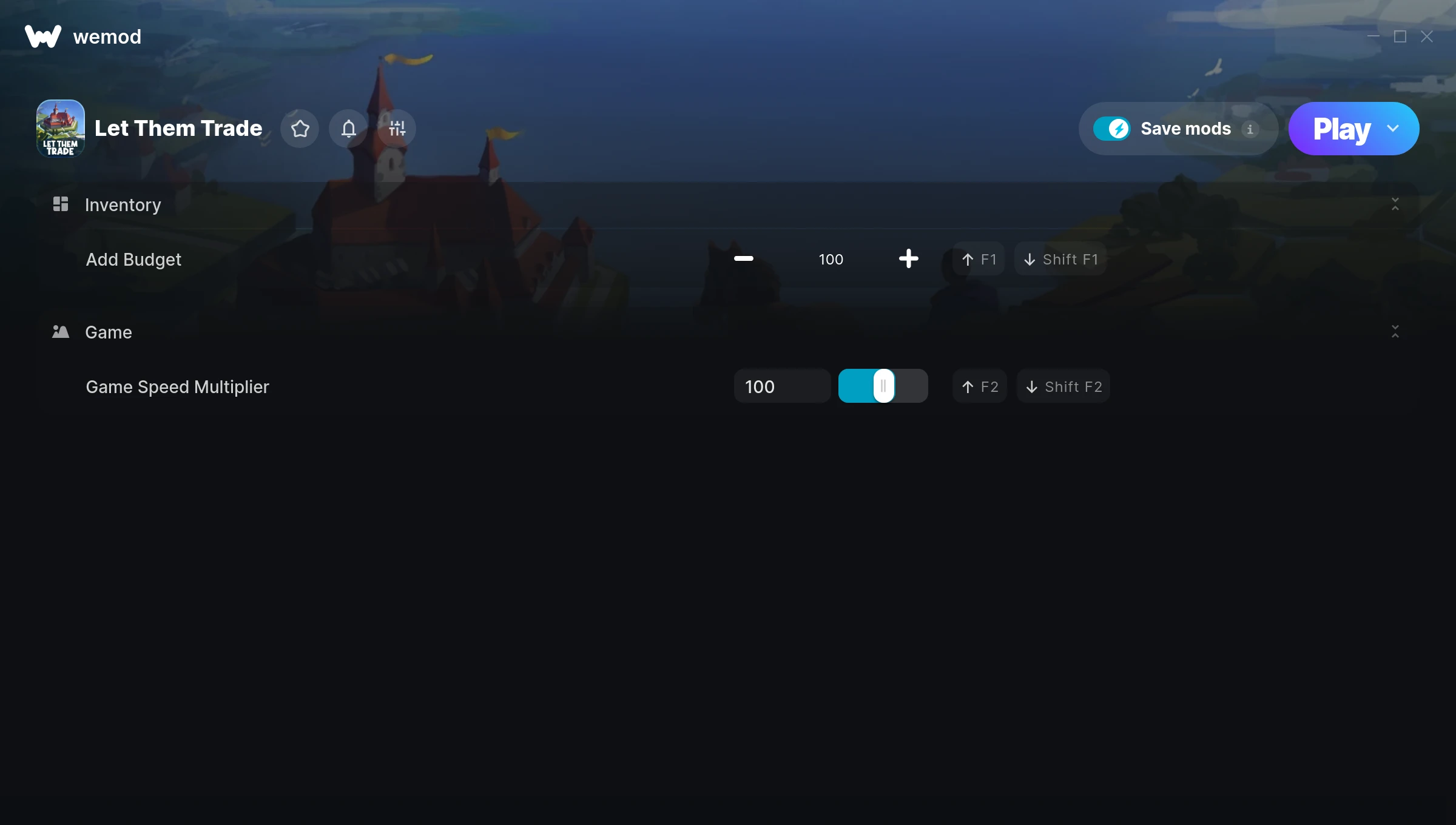
The Let Them Trade Trainer gives you access to 2 cheats that let you play the game however you want. Struggling with a tough section? Want to skip the grind? Just want to mess around? This trainer has you covered.
Load up the trainer, pick your cheats, and watch the game bend to your will. It never gets old.
A simulator and strategy title that first dropped in 2025, Let Them Trade still draws players who want to tweak the experience to their liking.
This is an auto-updating trainer that keeps pace with every game patch automatically. No need to manually grab new versions after updates.
Let Them Trade Trainer Cheats
This trainer includes 2 cheats covering movement, time.
| # | Cheat | Effect |
|---|---|---|
| 1 | Add Budget | Give yourself more budget on demand |
| 2 | Game Speed Multiplier | Speed up or slow down the entire game to your liking |
Download Let Them Trade Trainer
Download the latest version of this trainer for PC below.
| Version | Creator | Platform | Date Added | Download |
|---|---|---|---|---|
| Auto-Updating Version (Latest) | Sandvix | Steam | 2025-10-13 | Download |
How to Use This Trainer
- Start Let Them Trade – Fire up the game and get to the main menu or load your save. The game needs to be running before you open the trainer.
- Open WeMod Overlay – Search for “Let Them Trade” in WeMod and click Play. The in-game overlay will appear with toggles for every available cheat.
- Enable the Cheats You Want – Use the WeMod overlay to enable any combination of cheats. Everything activates in real-time while the game is running.
- Play and Enjoy – That’s it – jump back into the game and enjoy. You can toggle cheats on and off whenever you want. Half the fun is experimenting to find your perfect setup.
Tips & Known Issues
- Only use this trainer in single-player. Online and multiplayer modes have anti-cheat systems that will detect and ban you.
- If cheats toggle on but have no effect, your game version might be out of date. Update the game and try again.
- Having issues on Steam? Try disabling the Steam Overlay under Settings > In-Game. It can sometimes clash with trainers.
- Make a copy of your save data before experimenting with cheats. Better safe than sorry.
- No need to check for updates manually with WeMod. The trainer patches itself whenever the game is updated.
Frequently Asked Questions
Can I get banned for using this trainer?
As long as you stick to single-player, you’re fine. Using cheats in multiplayer or online modes is a completely different story – don’t do it.
Will the trainer work with the latest game version?
The auto-updating trainer stays compatible with new patches on its own. If you grabbed the Standalone version, you might need to check for a newer release after big updates.
Can I customise how much health or money I get?
Certain cheats let you choose exact amounts instead of just toggling unlimited. Check for any ‘set’ or ‘edit’ options in the cheat list.
What should I do if the trainer stops working after an update?
If a game patch breaks things, the auto-updating trainer will fix itself automatically – usually within a day or two.
Does this trainer work with Steam?
Yes. The trainer hooks into the game process when launched through Steam.