
Let’s Build a Zoo Trainer
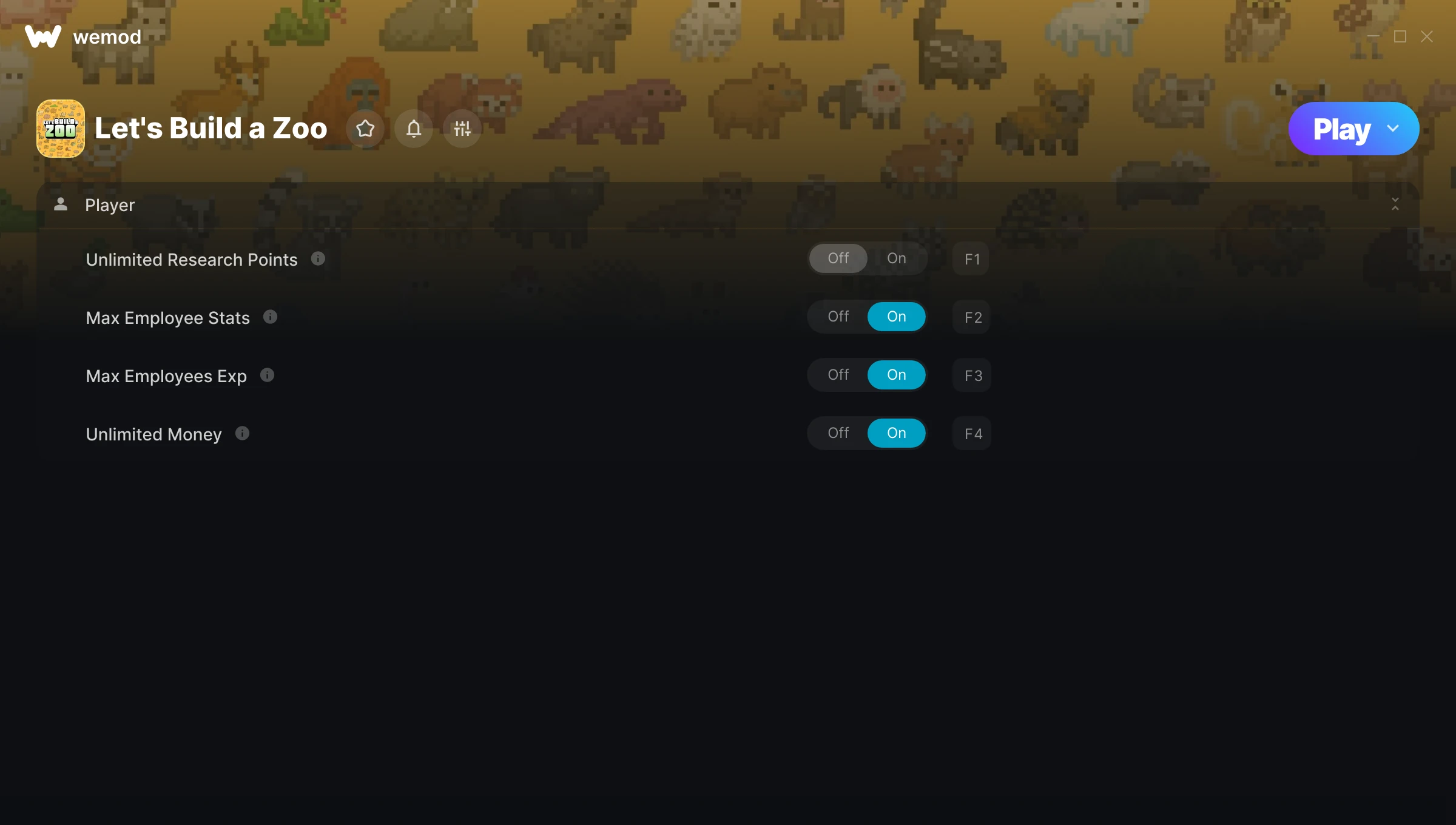
The Let’s Build a Zoo Trainer gives you access to 4 cheats that let you play the game however you want. Struggling with a tough section? Want to skip the grind? Just want to mess around? This trainer has you covered.
Unlimited money removes the grind entirely – just buy what you want and get back to the fun parts. These cheats let you get past the frustrating parts and actually enjoy the game at your own pace.
These aren’t subtle tweaks. Some of these cheats will completely change how the game feels.
This one goes back to 2021. As far as role-playing (rpg) and simulator titles go, Let’s Build a Zoo holds up and the community is still active.
The best part? This PC trainer auto-updates whenever the game is patched. Zero effort on your part – it stays compatible in the background so you can just play.
Let’s Build a Zoo Trainer Cheats
This trainer includes 4 cheats covering resources, experience.
| # | Cheat | Effect |
|---|---|---|
| 1 | Unlimited Research Points | Remove all limits on your research points |
| 2 | Max Employee Stats | Instantly push your employee stats to the highest value |
| 3 | Max Employees Exp | Set your employees exp to the absolute maximum |
| 4 | Unlimited Money | Buy anything you want without thinking about cost |
What Can You Do With This Trainer?
Here are some of the standout cheats in this trainer – the ones that really change how you play:
- Unlimited Research Points – Remove all limits on your research points
- Max Employee Stats – Max out your employee stats in one go
- Max Employees Exp – Set your employees exp to the absolute maximum
- Unlimited Money – Buy anything you want without thinking about cost
And that’s just scratching the surface. The full Let’s Build a Zoo cheat list above has everything you need to play completely on your own terms.
Recommended Cheat Presets
Not sure which cheats to enable? Here are some recommended preset combinations for different playstyles:
Farming Preset
Skip the grind entirely. Max out your loot, XP, and cash without spending hours farming the same enemies over and over.
- Max Employees Exp
- Unlimited Money
Download Let’s Build a Zoo Trainer
Download the latest version of this trainer for PC below.
| Version | Creator | Platform | Date Added | Download |
|---|---|---|---|---|
| Auto-Updating Version (Latest) | MrAntiFun | Steam, Xbox | 2025-10-11 | Download |
How to Use This Trainer
- Boot Up Let’s Build a Zoo – Start the game like you normally would. Once you’re at the main menu or loaded into your save, you’re ready for the next step.
- Activate WeMod – Run the WeMod app, locate “Let’s Build a Zoo”, and hit Play. WeMod attaches to the game and shows you the full cheat list in the overlay.
- Select and Activate – Choose your cheats from the WeMod overlay and flip them on. Every toggle takes effect right away with no need to reload.
- Start Playing – That’s all there is to it. Dive back in and enjoy Let’s Build a Zoo with your cheats running. Feel free to adjust them anytime mid-game.
Tips & Known Issues
- Only use this trainer in single-player. Online and multiplayer modes have anti-cheat systems that will detect and ban you.
- Running an older game version? The trainer may not work correctly. Update your game to the latest patch first.
- This trainer is for the PC version of the game only. PlayStation, Xbox, and Switch are not supported.
- For the smoothest experience on Steam, switch off the Steam Overlay in your Steam settings before running the trainer.
- WeMod handles version compatibility automatically. When the game updates, the trainer follows shortly after.
Frequently Asked Questions
Can I get banned for using this trainer?
As long as you stick to single-player, you’re fine. Using cheats in multiplayer or online modes is a completely different story – don’t do it.
Do I need to restart the game after activating cheats?
Not at all. Everything applies in real-time. Turn cheats on, turn them off, no restarts required at any point.
Will the trainer work with the latest game version?
If you’re using the Auto-Updating Version, yes – it patches itself after every game update.
How do I use this trainer?
Just download the trainer and open it while the game is running. Each cheat has a toggle – flip them on or off as you play.
Can I use multiple cheats at the same time?
You can run every single cheat at once if you want. Mix and match until you find a combination you enjoy.
Does this trainer work with Steam?
Yes, it works with Steam, Xbox. Check the download table above for specific platform details.



