
Lunch Lady Trainer
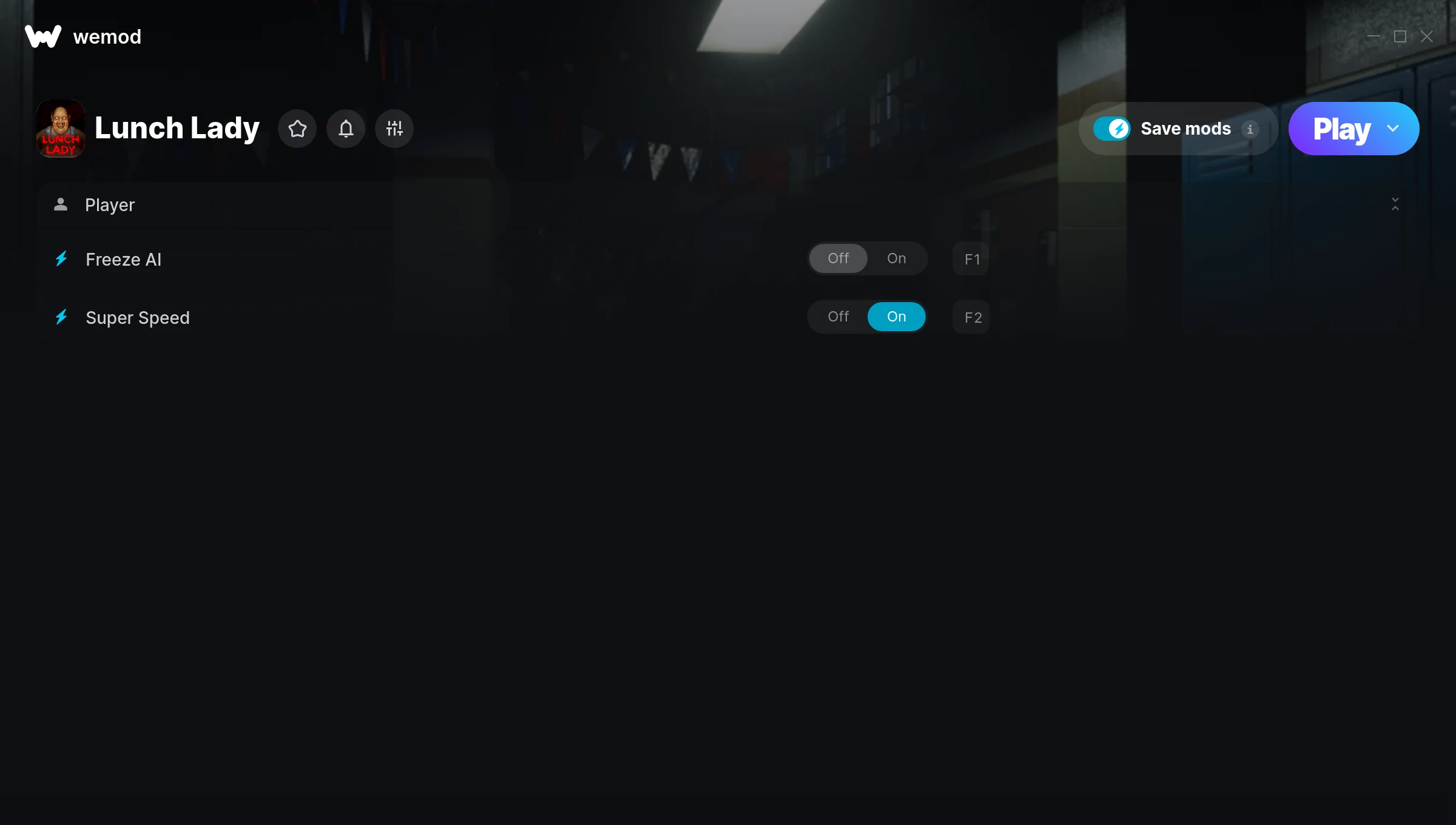
The Lunch Lady Trainer gives you access to 2 cheats that let you play the game however you want. Struggling with a tough section? Want to skip the grind? Just want to mess around? This trainer has you covered.
Super speed makes exploration a breeze and lets you outrun anything the game throws at you. These cheats let you get past the frustrating parts and actually enjoy the game at your own pace.
Every cheat on this list has been tested and works with the current build.
It’s been a while since Lunch Lady first hit in 2021, but this adventure and indie title still has plenty to offer.
This is an auto-updating trainer that keeps pace with every game patch automatically. No need to manually grab new versions after updates.
Lunch Lady Trainer Cheats
This trainer includes 2 cheats covering movement, time.
| # | Cheat | Effect |
|---|---|---|
| 1 | Freeze AI | Lock your ai so it never changes |
| 2 | Super Speed | Move through the game world at blazing speed |
Download Lunch Lady Trainer
Download the latest version of this trainer for PC below.
| Version | Creator | Platform | Date Added | Download |
|---|---|---|---|---|
| Auto-Updating Version (Latest) | MrAntiFun | Steam | 2025-12-10 | Download |
How to Use This Trainer
- Load Lunch Lady – Start the game and either load your existing save or begin a new one. The trainer connects to the running game process.
- Connect WeMod – Launch the WeMod application and find “Lunch Lady” in the library. Press Play and WeMod will hook into the running game automatically.
- Choose Your Cheats – Scroll through the WeMod overlay and enable the cheats that interest you. All changes happen live while you play.
- Jump Back In – You’re good to go. Return to the game and enjoy your modified experience. Toggle cheats on or off anytime as you play.
Tips & Known Issues
- Only use this trainer in single-player. Online and multiplayer modes have anti-cheat systems that will detect and ban you.
- This trainer only works on PC. Console versions and cloud gaming platforms are not supported.
- Trainer compatibility depends on game version. If cheats aren’t activating, check that your game is up to date.
- Having issues on Steam? Try disabling the Steam Overlay under Settings > In-Game. It can sometimes clash with trainers.
- WeMod auto-updates the trainer after game patches, so you never have to manually download a new version.
Frequently Asked Questions
Will the trainer work with the latest game version?
If you’re using the Auto-Updating Version, yes – it patches itself after every game update.
Is this trainer compatible with mods?
They’re typically fine together. The rare exception is when a mod overwrites the same values the trainer hooks into, but that’s uncommon.
Can I get banned for using this trainer?
Trainers are for single-player only. Seriously, do not try these in online or multiplayer modes – that is a fast track to a ban.
What should I do if the trainer stops working after an update?
If a game patch breaks things, the auto-updating trainer will fix itself automatically – usually within a day or two.
Does this trainer work with Steam?
Yes, it works with the Steam version of the game.



