Mad Games Tycoon Trainer
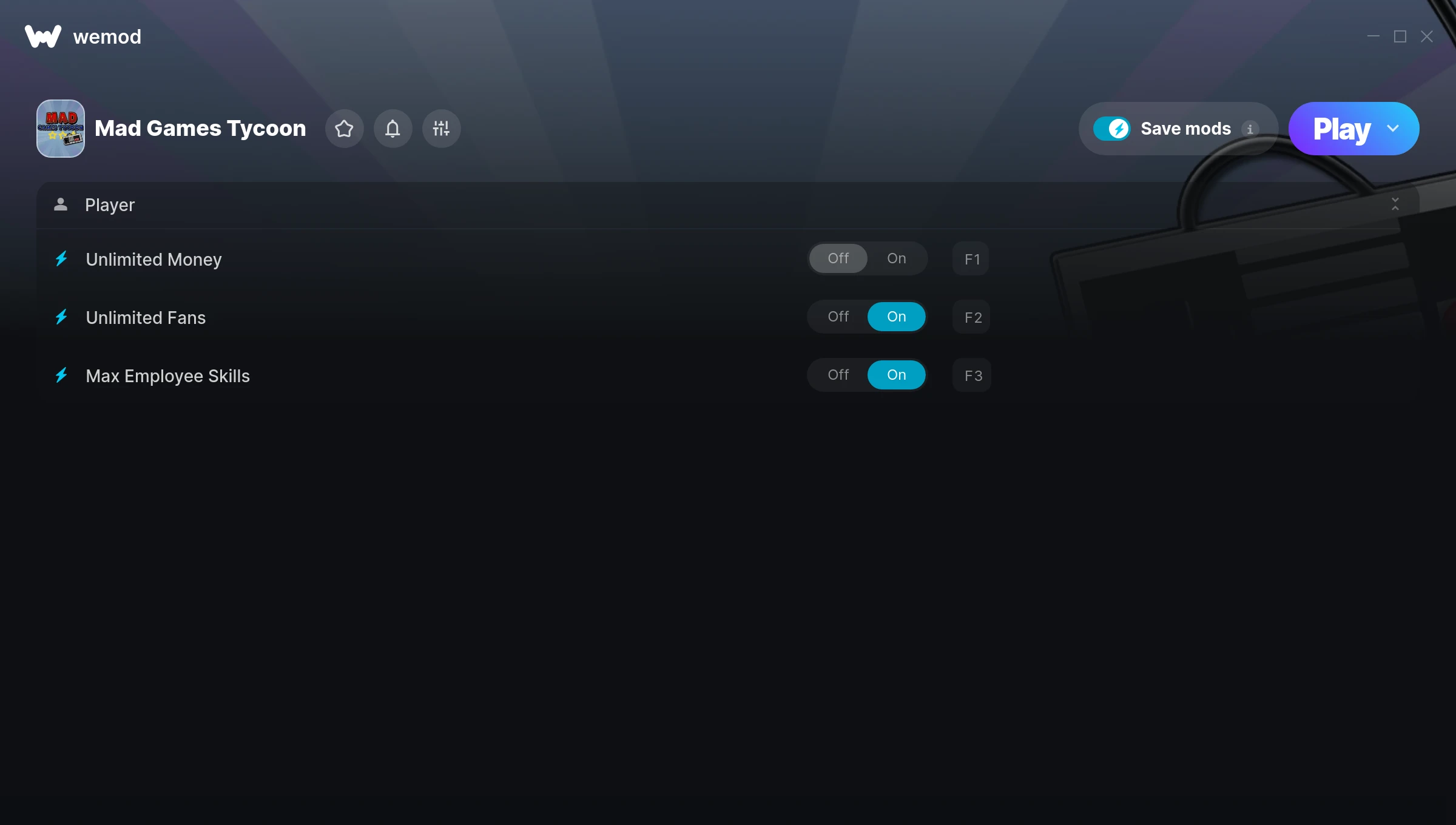
The Mad Games Tycoon Trainer gives you access to 3 cheats that let you play the game however you want. Struggling with a tough section? Want to skip the grind? Just want to mess around? This trainer has you covered.
Unlimited money removes the grind entirely – just buy what you want and get back to the fun parts. These cheats let you get past the frustrating parts and actually enjoy the game at your own pace.
Consider this your shortcut past every annoying difficulty spike in the game.
A simulator and strategy title that first dropped in 2016, Mad Games Tycoon still draws players who want to tweak the experience to their liking.
This trainer stays in sync with game patches automatically. You’ll never have to worry about downloading a new version after an update – it handles everything behind the scenes.
Mad Games Tycoon Trainer Cheats
This trainer includes 3 cheats covering resources.
| # | Cheat | Effect |
|---|---|---|
| 1 | Unlimited Money | Buy anything you want without thinking about cost |
| 2 | Unlimited Fans | Use your fans as much as you want without limits |
| 3 | Max Employee Skills | Instantly push your employee skills to the highest value |
What Can You Do With This Trainer?
Here are some of the standout cheats in this trainer – the ones that really change how you play:
- Unlimited Money – Buy anything you want without thinking about cost
- Unlimited Fans – Remove all limits on your fans
- Max Employee Skills – Max out your employee skills in one go
And that’s just scratching the surface. The full Mad Games Tycoon cheat list above has everything you need to play completely on your own terms.
Download Mad Games Tycoon Trainer
Download the latest version of this trainer for PC below.
| Version | Creator | Platform | Date Added | Download |
|---|---|---|---|---|
| Auto-Updating Version (Latest) | MrAntiFun | Steam | 2026-01-10 | Download |
How to Use This Trainer
- Start the Game First – Always start Mad Games Tycoon before the trainer. Load your save or start a new game – the trainer needs an active game process.
- Connect WeMod – Launch the WeMod application and find “Mad Games Tycoon” in the library. Press Play and WeMod will hook into the running game automatically.
- Turn On Cheats – Pick the cheats you want from the WeMod overlay and switch them on. They kick in instantly and you can toggle them off anytime.
- Get Back to the Game – Everything is set up. Continue playing Mad Games Tycoon with your chosen cheats active. Experiment freely – you can change things at any time.
Tips & Known Issues
- Only use this trainer in single-player. Online and multiplayer modes have anti-cheat systems that will detect and ban you.
- Cloud gaming services like GeForce NOW or Xbox Cloud Gaming are not compatible with trainers. You need the game running locally on PC.
- For the trainer to work properly, make sure you launch it with Administrator privileges.
- If your antivirus blocks the trainer, add it to your exception list. Memory-editing tools are commonly flagged as false positives.
- The WeMod version updates itself automatically after each game patch. No action needed on your end.
Frequently Asked Questions
Can I use multiple cheats at the same time?
You can run every single cheat at once if you want. Mix and match until you find a combination you enjoy.
Is this trainer free to download?
100% free. Hit one of the download buttons above and you can be up and running in seconds.
Can I get banned for using this trainer?
As long as you stick to single-player, you’re fine. Using cheats in multiplayer or online modes is a completely different story – don’t do it.
How do I use this trainer?
Grab the download, launch the game, then fire up the trainer. Toggle cheats with the hotkeys or the overlay – done.
What should I do if the trainer stops working after an update?
If a game patch breaks things, the auto-updating trainer will fix itself automatically – usually within a day or two.
Will the trainer work with the latest game version?
If you’re using the Auto-Updating Version, yes – it patches itself after every game update.
Does this trainer work with Steam?
It does. This trainer is built to work with the Steam version.