METAL GEAR SOLID 4: Guns of the Patriots – Master Collection Version Trainer
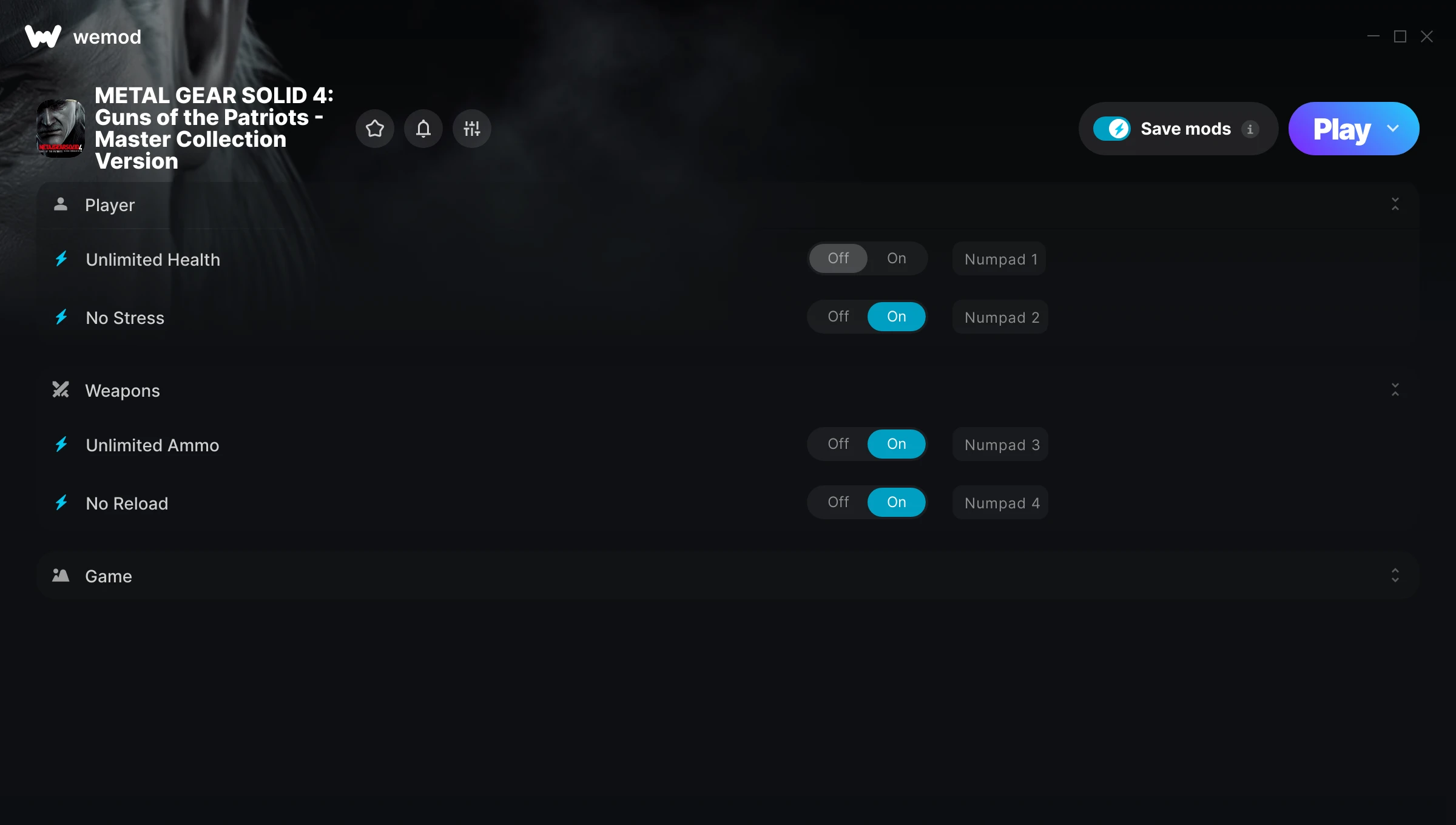
The METAL GEAR SOLID 4: Guns of the Patriots – Master Collection Version Trainer gives you access to 5 cheats that let you play the game however you want. Struggling with a tough section? Want to skip the grind? Just want to mess around? This trainer has you covered.
No reload means nonstop firepower. Seriously, it changes how you approach every fight. These cheats let you get past the frustrating parts and actually enjoy the game at your own pace.
Pro tip: start with one or two cheats and see how it feels. Or turn them all on. Your call.
Originally a 2026 release, METAL GEAR SOLID 4: Guns of the Patriots – Master Collection Version carved out a solid spot in the shooter and tactical space and players keep coming back.
Grab the Auto-Updating Version if you want this PC trainer to stay compatible after every patch – it handles updates in the background. The Standalone version is there if you’d rather have a single, fixed download.
Some of the most popular cheats included in this trainer are Unlimited Health, Unlimited Ammo, No Reload, No Stress, and many more. These modifications let you customize difficulty, skip grinding, or simply experiment with the game in new ways.
METAL GEAR SOLID 4: Guns of the Patriots – Master Collection Version Trainer Cheats
This trainer includes 5 cheats covering health, ammo, movement, time.
| # | Cheat | Effect |
|---|---|---|
| 1 | Unlimited Health | Your health stays maxed out no matter what hits you |
| 2 | No Stress | Completely disable stress |
| 3 | Unlimited Ammo | Fire away without ever worrying about running dry |
| 4 | No Reload | Skip reload animations entirely and keep firing nonstop |
| 5 | Game Speed | Speed up or slow down the entire game to your liking |
What Can You Do With This Trainer?
Here are some of the standout cheats in this trainer – the ones that really change how you play:
- Unlimited Health – Your health stays maxed out no matter what hits you
- No Stress – Remove stress from the equation
- Unlimited Ammo – Fire away without ever worrying about running dry
- No Reload – Skip reload animations entirely and keep firing nonstop
- Game Speed – Speed up or slow down the entire game to your liking
And that’s just scratching the surface. The full METAL GEAR SOLID 4: Guns of the Patriots – Master Collection Version cheat list above has everything you need to play completely on your own terms.
Recommended Cheat Presets
Not sure which cheats to enable? Here are some recommended preset combinations for different playstyles:
Easy Mode
Turn the difficulty down to nothing. Perfect for enjoying the story, or for a second playthrough where you just want to feel unstoppable.
- Unlimited Health
- Unlimited Ammo
- No Reload
Download METAL GEAR SOLID 4: Guns of the Patriots – Master Collection Version Trainer
Download the latest version of this trainer for PC below.
| Version | Creator | Platform | Date Added | Download |
|---|---|---|---|---|
| Auto-Updating Version (Latest) | STiNGERR | Steam | 2026-07-03 | Download |
| Standalone Version | FLiNG | Steam | 2026-05-14 | Download |
How to Use This Trainer
- Start METAL GEAR SOLID 4: Guns of the Patriots – Master Collection Version – Fire up the game and get to the main menu or load your save. The game needs to be running before you open the trainer.
- Connect the Trainer – Using WeMod? Open the app, search “METAL GEAR SOLID 4: Guns of the Patriots – Master Collection Version”, and hit Play. Prefer FLiNG standalone? Right-click the .exe and run as Administrator. Either way, the trainer links to the running game.
- Enable the Cheats You Want – Use the WeMod overlay to enable any combination of cheats. Everything activates in real-time while the game is running.
- Game On – You’re set. Head back into METAL GEAR SOLID 4: Guns of the Patriots – Master Collection Version and have fun. Remember, you can toggle cheats at any time – find the combination that works best for you.
Tips & Known Issues
- This is a single-player trainer only. Do not use it in online or multiplayer modes – you will get banned.
- Multiple overlays running at once can cause issues. If the trainer isn’t responding, close any unnecessary overlay software.
- Launch the trainer with elevated permissions (Run as Administrator) to avoid access issues.
- If using Steam, consider disabling the Steam Overlay (Steam > Settings > In-Game) to avoid conflicts with the trainer.
- One of the perks of WeMod is automatic updates. The trainer syncs with game patches behind the scenes.
Frequently Asked Questions
Will this trainer affect my save files?
Your save files are safe. Cheats only change values in RAM while you play. Just be aware that anything you accomplish with cheats active gets saved like normal progress.
How do I know which version to download?
Go with the Auto-Updating Version if you want something that stays current automatically. The Standalone version is better if you prefer a fixed release or are running an older game version.
Can I customise how much health or money I get?
Where available, yes. Look for cheats labelled ‘Set’ or ‘Edit’ – these let you punch in a custom value instead of going straight to infinite.
Will the trainer work with the latest game version?
The Auto-Updating Version keeps itself current automatically after each game patch. The Standalone version might need a manual update after big patches.
Is this trainer compatible with mods?
Usually, yes. Trainers and mods can run side by side without issues. The only time you might hit a snag is if a mod changes the same values the trainer is targeting.
What should I do if the trainer stops working after an update?
For the Auto-Updating Version, just wait – it patches itself after game updates. Standalone users may need to grab a fresh download.
Does this trainer work with Steam?
Yes, it works with the Steam version of the game.